The following tasks are optional.
Change view options on employee/employment screens 
The installation option, display relevant employments in employee current information and employment history (reld), allows you to control the display of historical and future-dated data in these screens:
- Enquiries > Employee > Employee Current Information
- Enquiries > Employee > Employment History
- Tasks > Employees > Employee information > Employee Information
See installation options for instructions, and the following table as a guide, to change the display.
| This setting... | displays... | on these screens... |
|---|---|---|
n | past, current, and future appointments | Employment History Employee Information |
y | past and current appointments | Employment History |
y | current and future appointments | Employee Information |
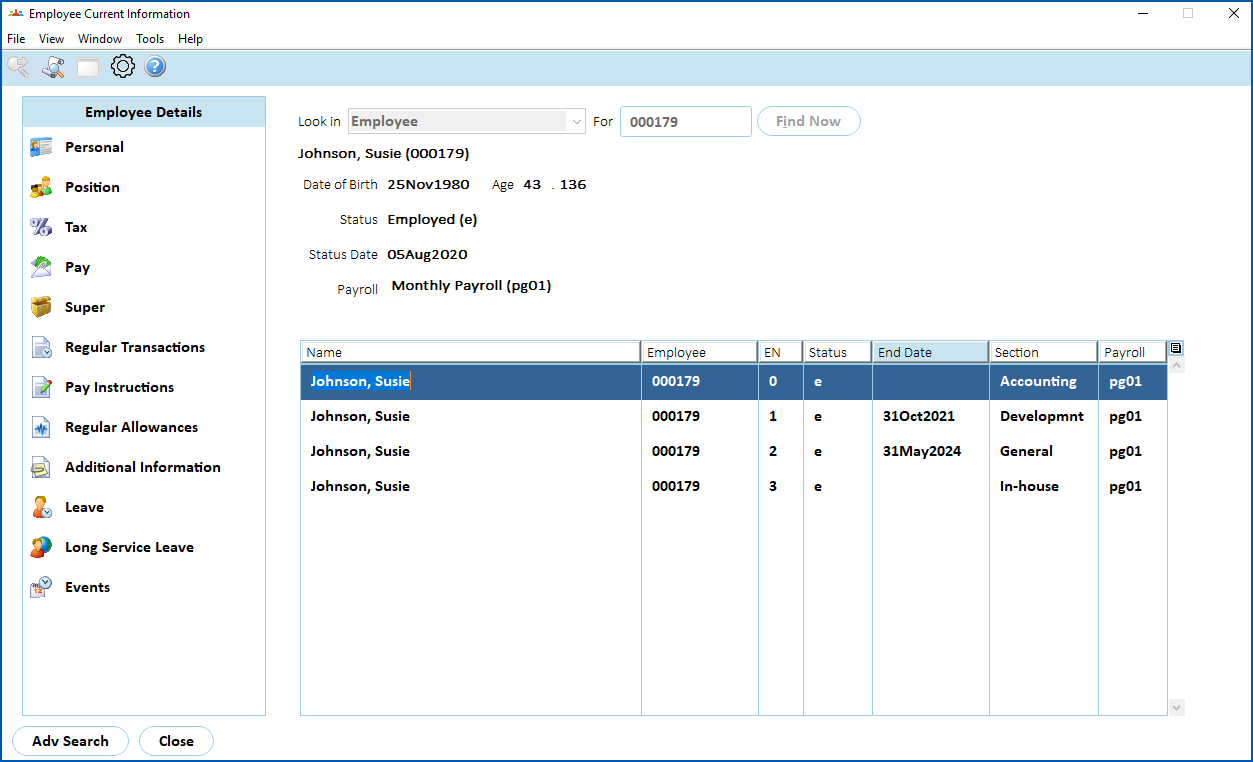
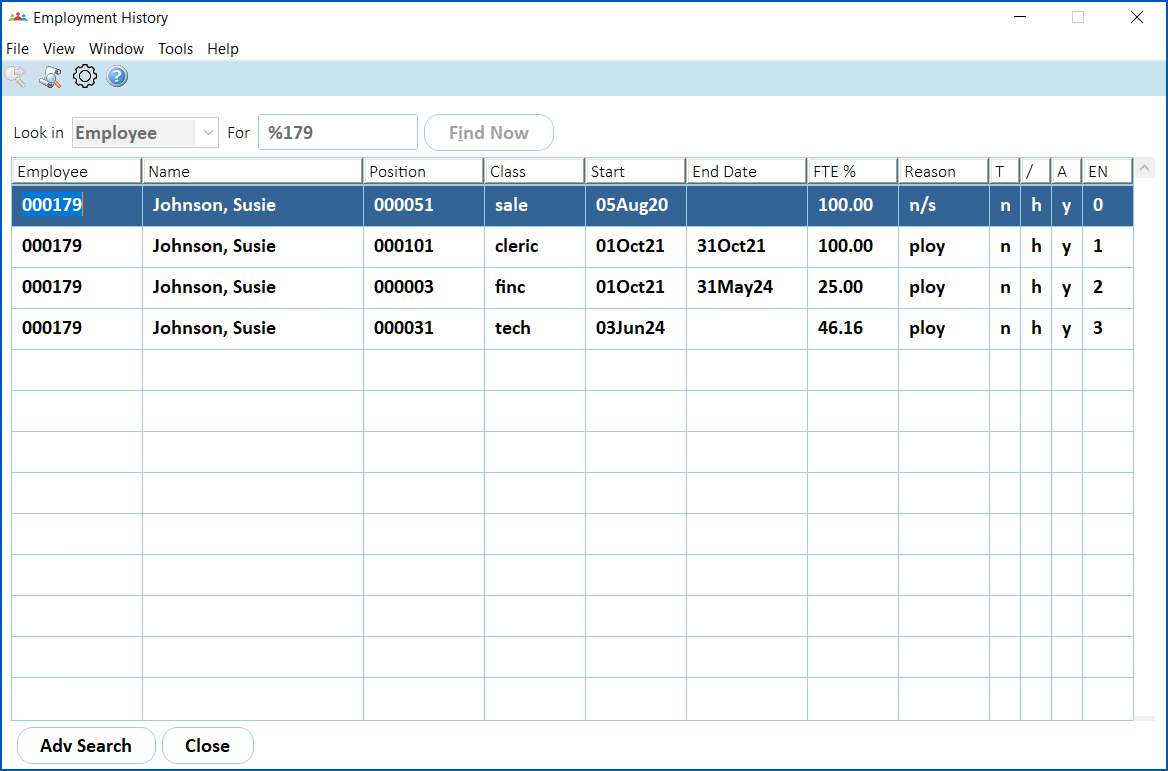
Case study: reld installation option Currently, Susie Johnson has the following employments:
Susie previously had employment 1 which finished on 31 October 2021. |
|---|
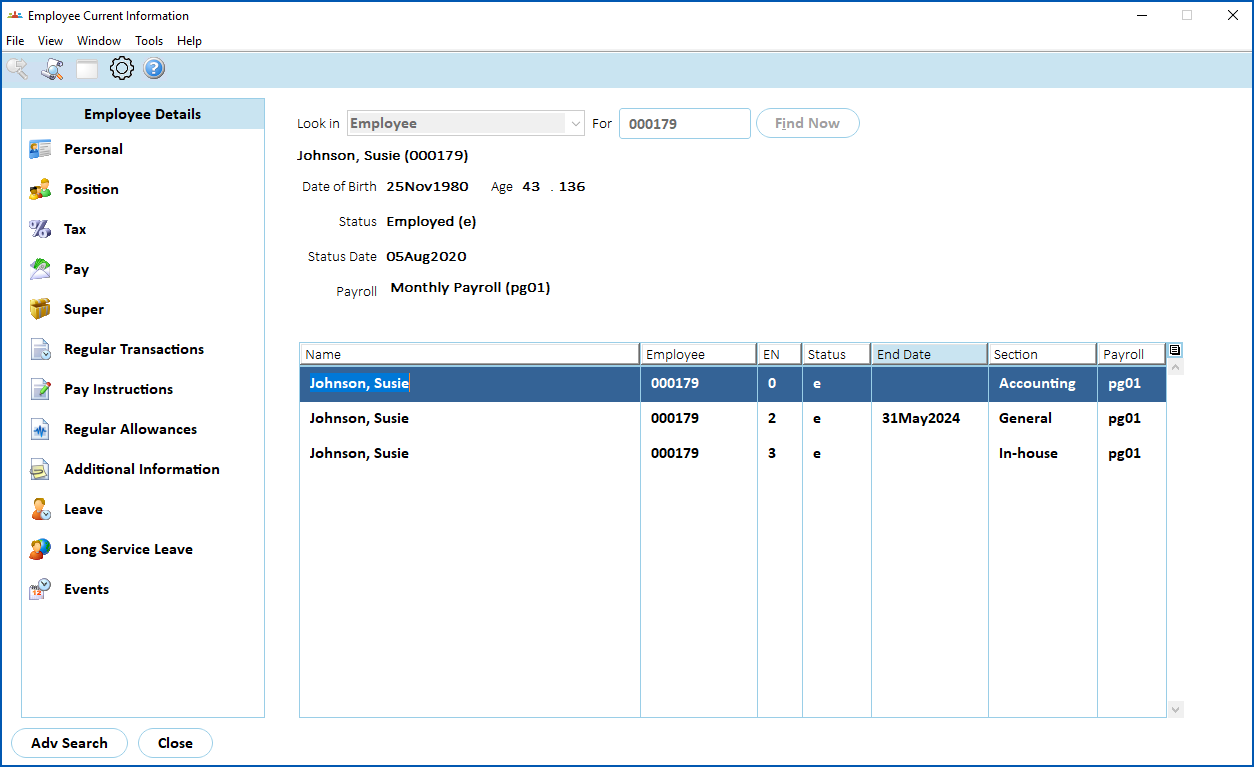
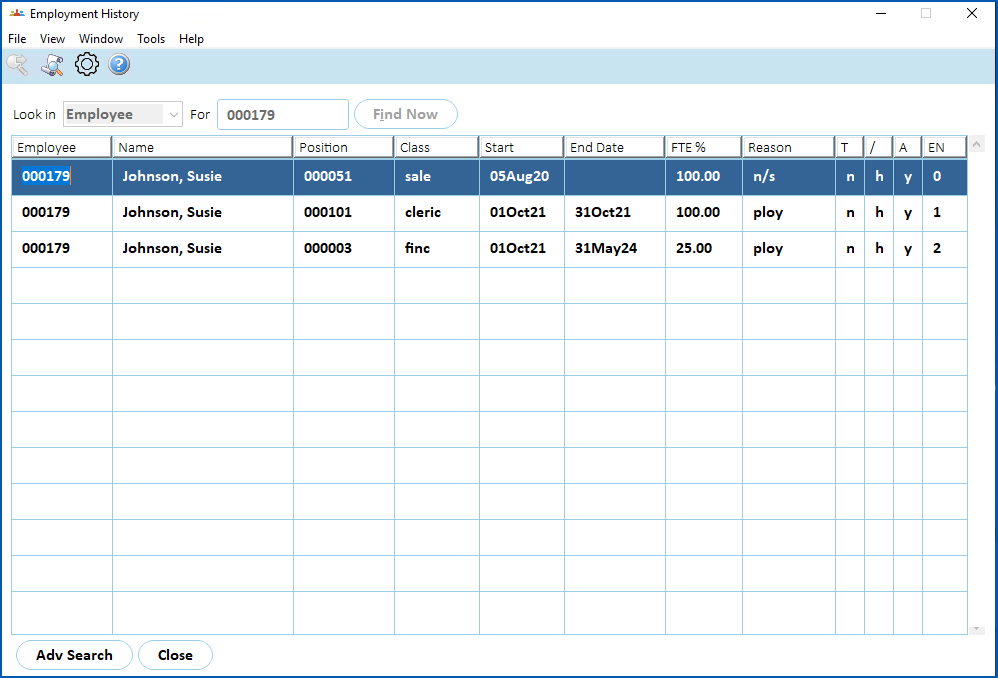
Here we show the information EmpowerHR displays about Susie's employment, based on whether the reld installation option is set to n or set to y.
| When reld is set to n |
Employee information displays all past, current and future employments:
Employment history displays all past, current and future employments:
|
| When reld is set to y | Employee information displays current and future appointments. EmpowerHR excludes past appointments. In this example, EmpowerHR excludes EN1 employment, which ended 31 October 2021:
Employee history displays past and current appointments. EmpowerHR excludes future appointments. In this example, EmpowerHR excludes EN3 employment, which starts 3 June 2024:
|
Child support protected earnings
EmpowerHR allows you to record protected earnings  for child support deductions.
The Protected Earnings Amount (PEA) is the part of an employee or contractor’s pay exempt from child support deductions (source: Services Australia).
You maintain the weekly threshold amount for protected earnings on the Pay tab of installation constants. For instructions, see installation options - pay tab.
© 2023 Fusion5. All rights reserved.