Which payment codes do I need to set up for schools?
Create the following payment codes to manage the payments you make to teachers:
- normal pay, stand down pay (non term payments), annual leave pay for teachers (stand down and annual leave are identified on the payroll calendar for the Christmas pay period
 ), and casual hours
On the Payroll Tax Year control table, this is the pay period flagged for Christmas Pay/Leave Loading, contains only term days, and is in Term 4.
- backpay codes for normal pay, stand down pay, and annual leave pay
- leave loading – this payment code is entered in the installation setting, leave loading pay code (sch9)
- stand down equivalent payment codes for maternity leave, long service leave (LSL), higher duties allowance (HDA)
- acting promotional pay (HDA), sick leave, LSL, leave without pay (LWOP), maternity leave, loading, and the associated backpay codes
- stand down pay codes for HDA, sick leave, and LSL if they apply over stand down periods
 |
When you create non term payment codes, make sure to differentiate them from term payment codes. For example, you could add non term to each description to make them easy to identify. |
For instructions, see payment codes.
Translate PBE for non term periods
EmpowerHR can translate generated pay by exception (PBE) into term and non term pay, required when processing the Christmas pay and Termination payout Formula.
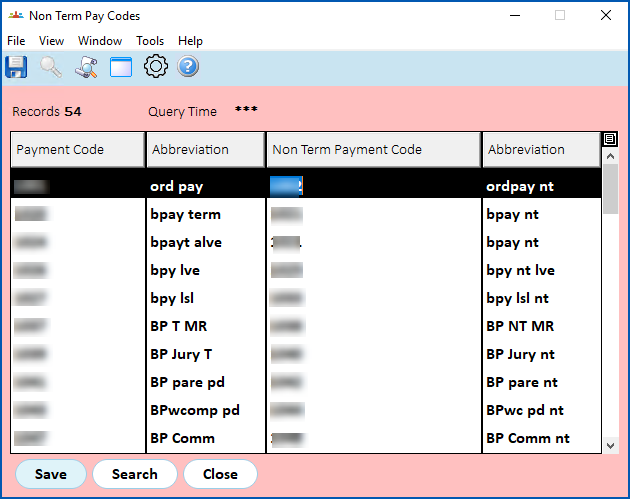
Go to Tasks > School > Non Term Pay Codes.
The Non Term Pay Codes summary screen lists payment codes taken from:
- Term Payments (sch4)
- Non Term Payments (sch5)
|
When creating a new payment or allowance type payment code, consider whether they affect the Formula payments. If they do, you need to add them to the sch4 and sch5 pay elements and the Non Term Pay Codes screen. Correct mapping of term and non term payment codes is important as it affects the Formula 2 (Salaried) type calculation of formula values. Formula 2 calculation is based on the separate earnings received for the term and the non term periods in the current school year. |
Pay elements for schools
EmpowerHR uses pay elements for payments associated with components of the Christmas pay and Termination pay formulas.
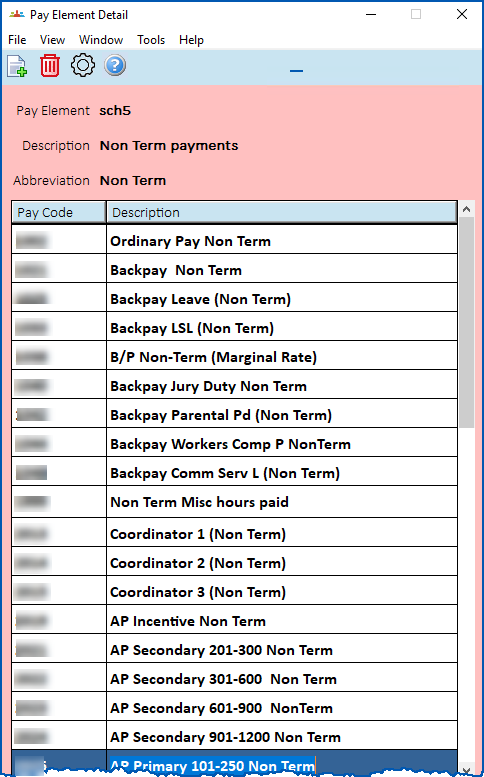
Once you've set up the payment codes your organisation requires, group them using pay element codes. Add:
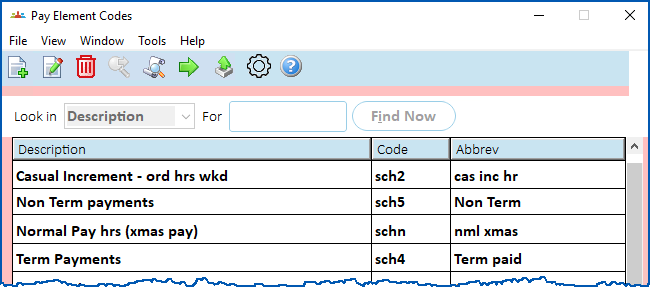
- term payment codes to the pay element code called Term Payments (sch4)
- non term payment codes to the pay element code called Non Term Payments (sch5)
|
|
The default element codes are:
|
For instructions, see pay element codes.
© 2023 Fusion5. All rights reserved.