Pay elements provide a way to group payment codes so EmpowerHR can apply processing to the group when calculating an employee's pay.
For example:
- you group payment codes for accruing leave by hours worked. If your organisation uses timesheet-driven leave, EmpowerHR relies on a pay element to know which payment codes to produce accruals on
- you're unlikely to want to calculate superannuation on all payment codes associated with an employee’s pay - meal allowances is a good example
So tell EmpowerHR which payment codes apply by defining pay elements.
Create a pay element code
To create a payment element code:
- Go to Control Tables > Payment > Pay Element Codes.
- At the Pay Element Codes summary screen, click New.
- At the Pay Element Codes detail screen, on the Header tab, complete the fields:
- Payment Element Code - type the code (4 alphanumeric characters)
- Description - type the full description (up to 30 characters)
- Abbreviation - type the abbreviated description (up to 5 characters)
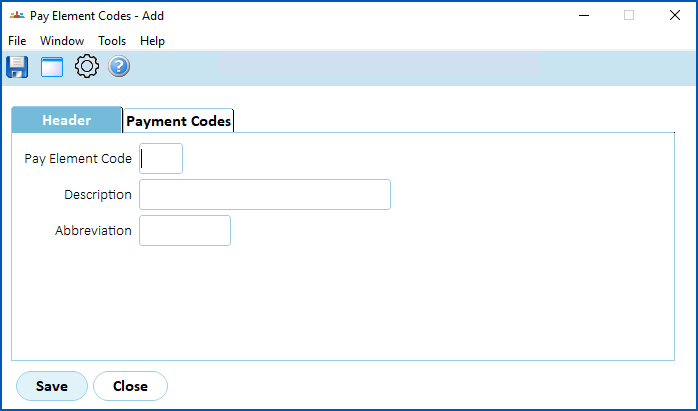
- Click the Payment Codes tab.
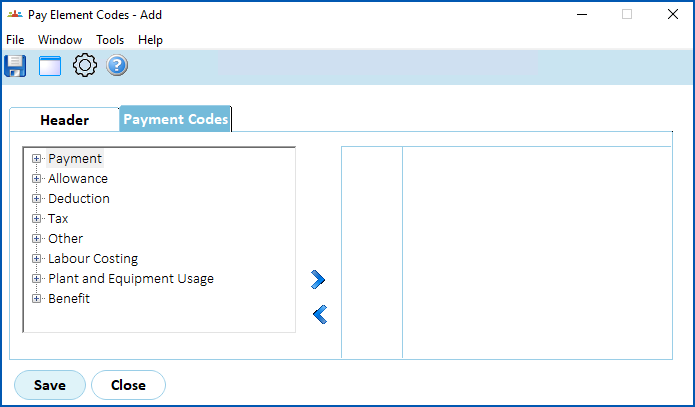
- Find and select a payment code, and click Move Right to add it the pay element. Repeat this step until you’ve added all the payment codes you want.
- Click Save.
© 2023 Fusion5. All rights reserved.