EmpowerHR uses payment codes to define every payment made to an employee. These codes describe the type of payment, the rate, and whether the payment is taxable, etc.
For every payment type made to employees, a unique payment code must exist.
Also, payment codes provide for STP reporting of income against specific payment types.

|
Attaching payment codes to leave types allows EmpowerHR to cost the leave and adjust employees' pay for the period. |
Create a payment code
To create a payment code:
Go to Tasks > Payroll > Payment Codes.
At the Payment Codes summary screen, click Find Now to see a list of existing payment codes.
Click New.
At the Payment Codes detail screen:
make your selections and entries in the payment code fields
when you reach the Include in STP? field, if you enter y (yes) and press Tab, the Payment Codes pop-up window displays where you select payment code STP categories
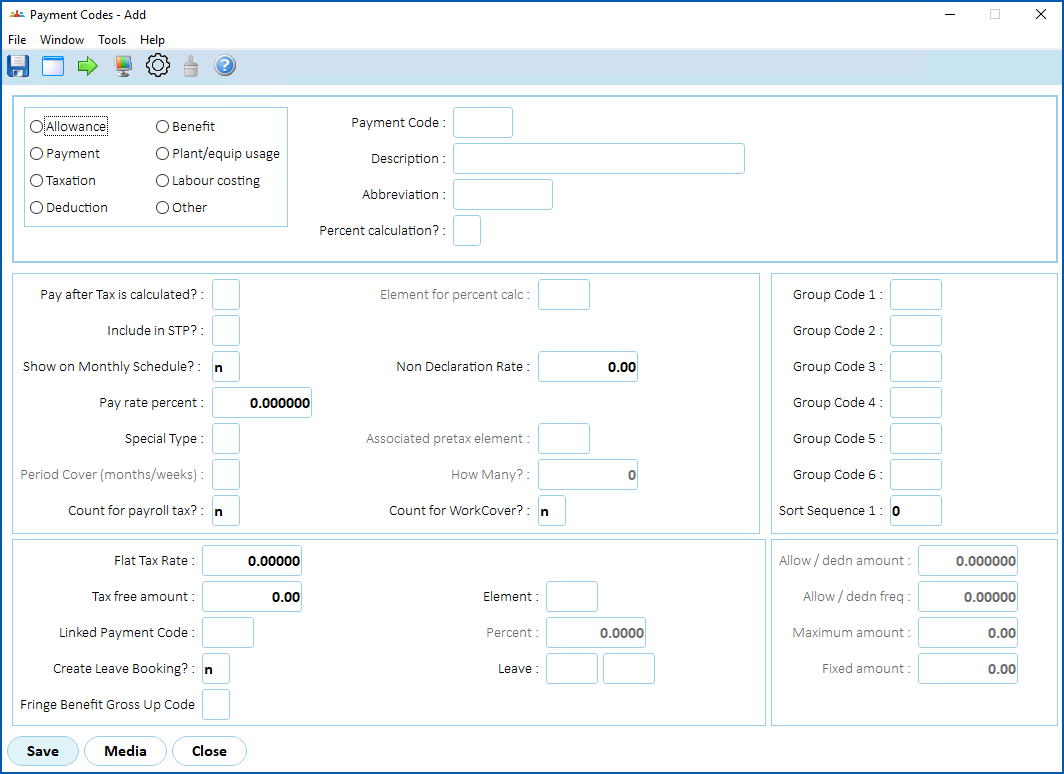
- Click Save to save your entries and, if prompted, add the payment code to elements.
© 2023 Fusion5. All rights reserved.