Record flexi time
In Employee Self Service, you use flexi timesheets to record your time each day.
You can create, save, and edit a flexi timesheet.
When you complete your flexi timesheet, simply submit a request to have the timesheet approved.
To learn how, see:
View a summary of your flexi timesheets
You can check the catalogue in Employee Self Service anytime to see all your flexi timesheets and their status.
To view a summary of your flexi timesheets:
- Go to Requests > Flexi Timesheet.
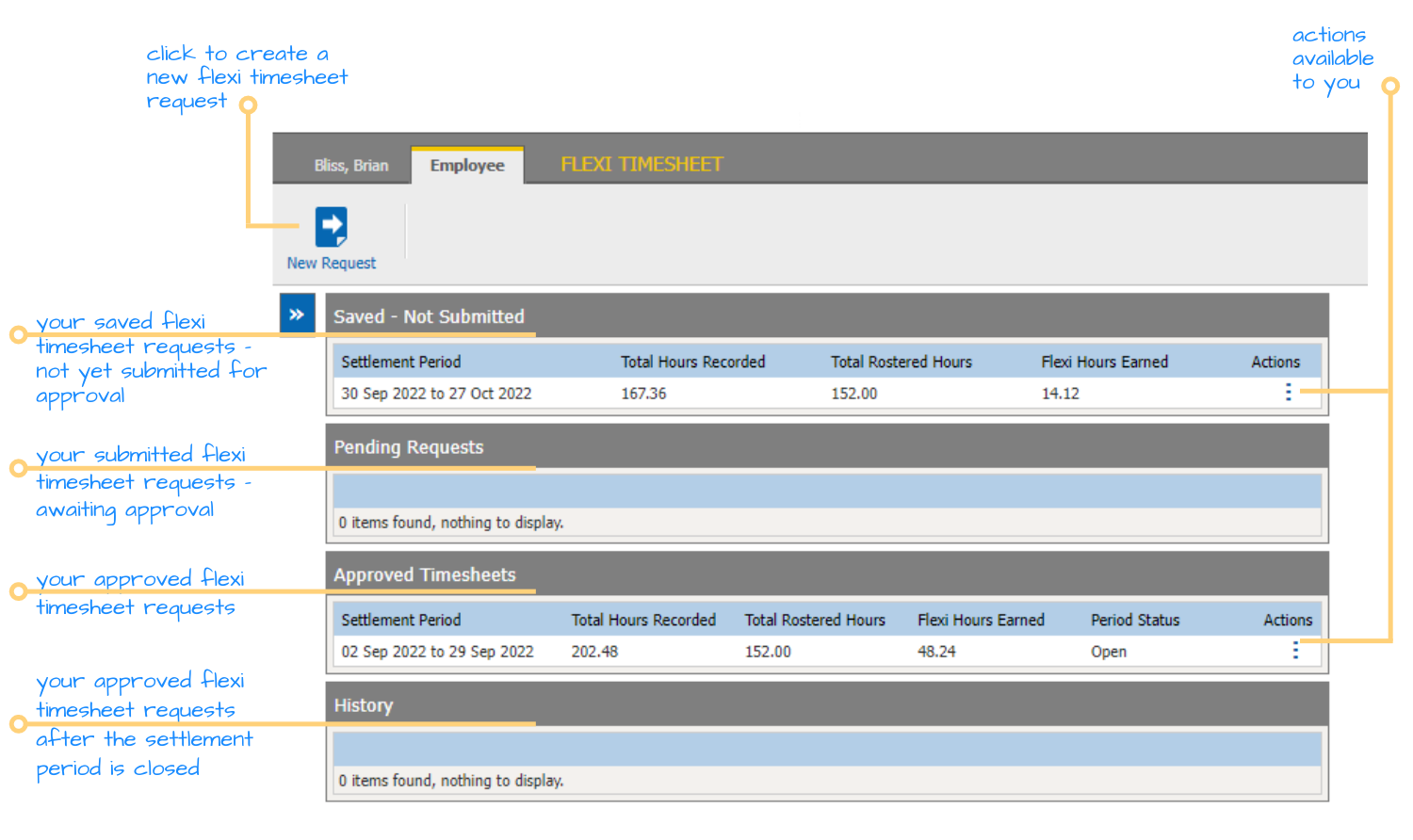
- The flexi timesheet catalogue displays. The catalogue provides a snapshot of your timesheet requests. The list they appear in depends on where they're up to in the approval workflow, as do the actions available to you. Here's an example:
© 2023 Fusion5. All rights reserved.