EmpowerHR provides an overview of all the positions an employee has, and the salary and allowances for each position.
View employments and salary
To view employments and salary:
- Go to Enquiries > Employee > Employments & Salary.
- At the Employments & Salary summary screen, with Employee selected from the Look In dropdown list, enter the employee code in the For field to view a specific employee's information, or else leave the field blank to view all employees.
- Click Find Now. The results are displayed.
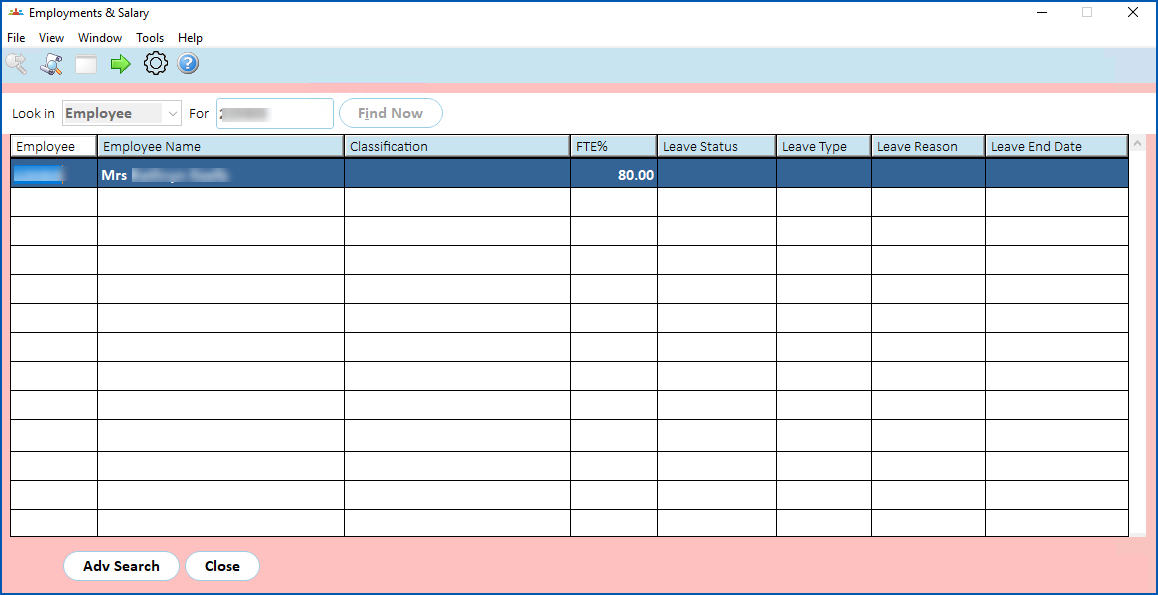
- Select an employee and click Next Level.
- The Employments & Salary 2 screen displays.
 | Information is only available for employees who are currently employed (not terminated). |
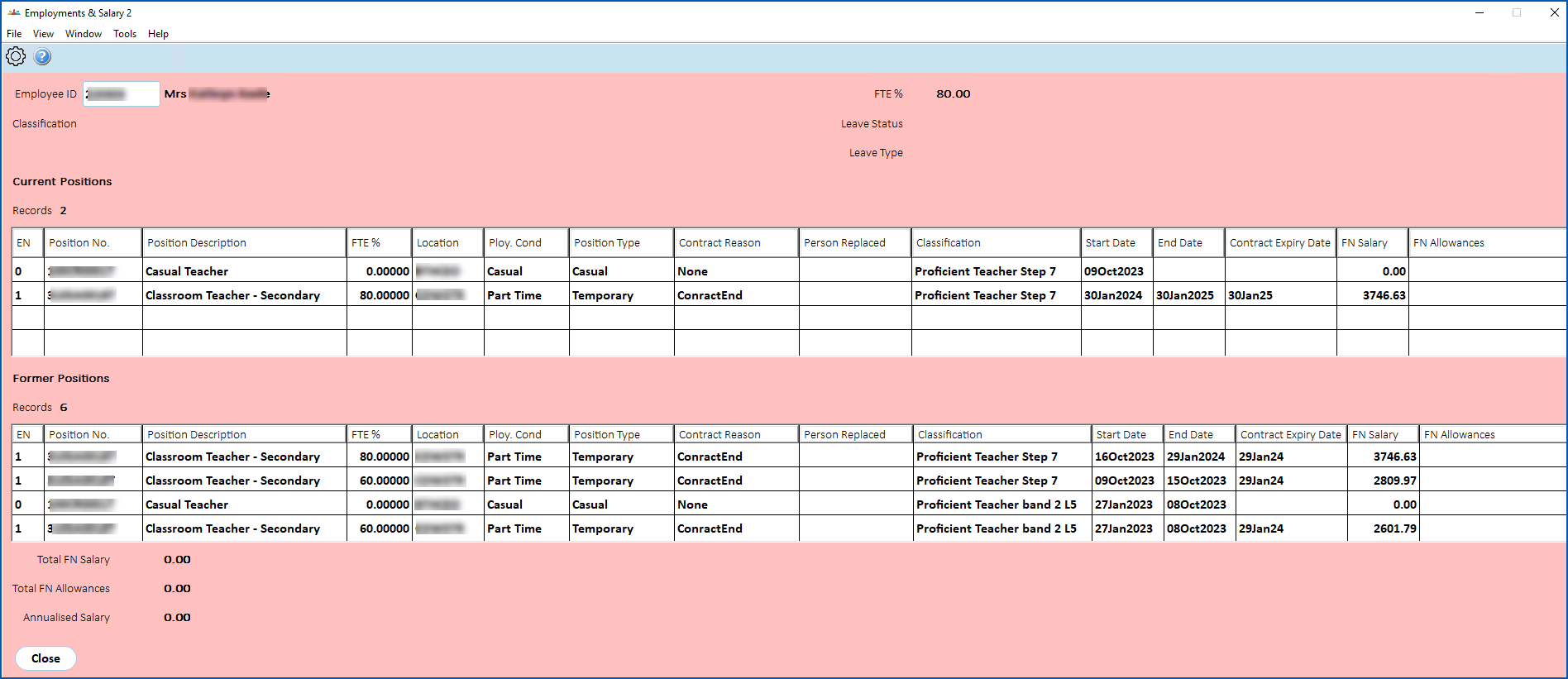
What's on the employments and salary 2 screen?
Employments are displayed in three categories:
- Future Positions - positions with a future position start date
- Current Positions - positions with a past position start date, and no end date or future end date
- Previous Positions - positions with a past end date
The following table explains the fields and columns.
|
|
The default view of each column is limited to 30 characters. If there are more than 30 characters, you can widen the column to see the full contents. |
| Column/field | Description |
|---|---|
EN | Employment number relevant to the employee position, for example, 0, 1, 2 etc. |
Position number | Position field on the Employee Position Information screen |
Position Description | Employee position description information, for example, Teacher, Coordinator, etc |
FTE% | FTE% field on the Pay Information screen for the position |
Location | Location field on the Employee Position Information screen |
Employment Conditions | Employment Cond field on the Employee Position Information screen, for example, Full Time, Part Time, etc |
Position Type | Position Type field on the Employee Position Information screen, for example, Perm (permanent), etc |
Contract Reason | Contract Reason field on the Employee Position Information screen |
Person Replaced | User field on the Employee Position Information screen |
Classification | Classification description based on the code in the Class field on the Employee Position Information screen |
Start Date | Position Start from the Employee Position Information screen |
End Date | End Date from the Employee Position Information screen |
Contract Expiry Date | Contract Expiry Date from the Employee Position Information screen |
FN Salary | Salary percent of payroll code * annual salary of employee |
FN Allowances | Value of regular allowance + (Hrs per period from Employee pay information screen * rate/hour from Employee Regular allow/Dedn screen) |
Total FN Salary | Sum of FN (fortnightly) Salary of the current positions (A) |
Total FN Allowance | Sum of FN (fortnightly) Allowances of the current positions (B) |
Annualised Salary | C = (( A+B ) / 14) * 365 |
© 2023 Fusion5. All rights reserved.