EmpowerHR provides an overview of the work patterns of employees for each current employment (at the specified As of date).
The system identifies each employment's work pattern based on the work pattern code on the Employee Position Information screen.
To view employee work patterns:
- Go to Enquiries > Employee > Work Patterns.
- At the Work Patterns summary screen, with Employee selected from the Look In dropdown list, enter the employee code in the For field to view a specific employee's information, or else leave the field blank to view all employees.
- Click Find Now. The results are displayed.
- Select an employee and click Next Level.
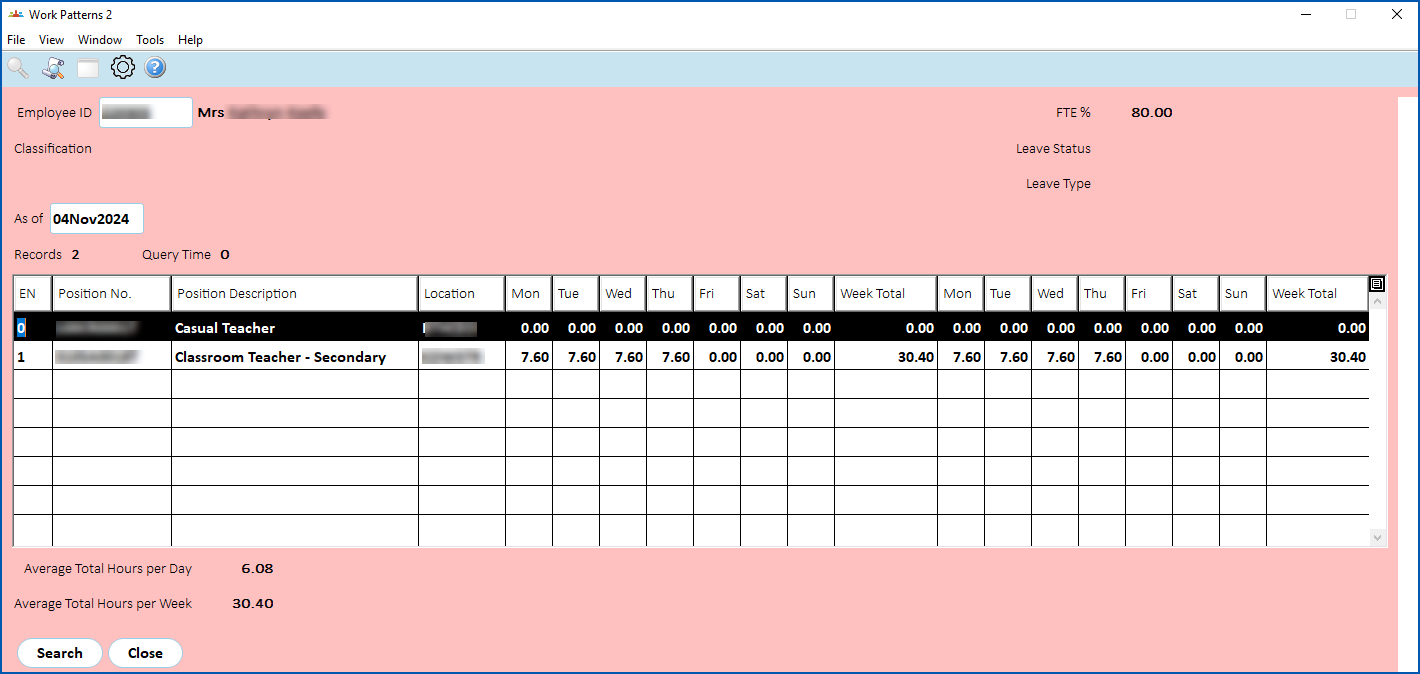
- The Work Patterns 2 screen displays.
 | The As of date defaults to today's date. If you want to view the work pattern for a past or future date, click Clear Table, enter the date you want in the As of field, and then click Search to display the results. |
- The screen shows the:
- FTE% for each employment
- number of days according to the Length of Work Patterns screen
- total for each day
- subtotals for each week
- average total hours per day
- average total hours per week
© 2023 Fusion5. All rights reserved.