By default, EmpowerHR has two standard vacancy reason codes:
- ZLV - Leave
- ZTR - Training/personal development
You can add more codes for the different kinds of vacancy reasons in your organisation.
Create a vacancy reason code
To create a vacancy reason code:
- Go to Control Tables > Casual Relief > Vacancy Reason.
- The Vacancy Reason summary screen displays.
- Click New.
- At the Vacancy Reason (add) detail screen, make your selections and entries using the following table as a guide.
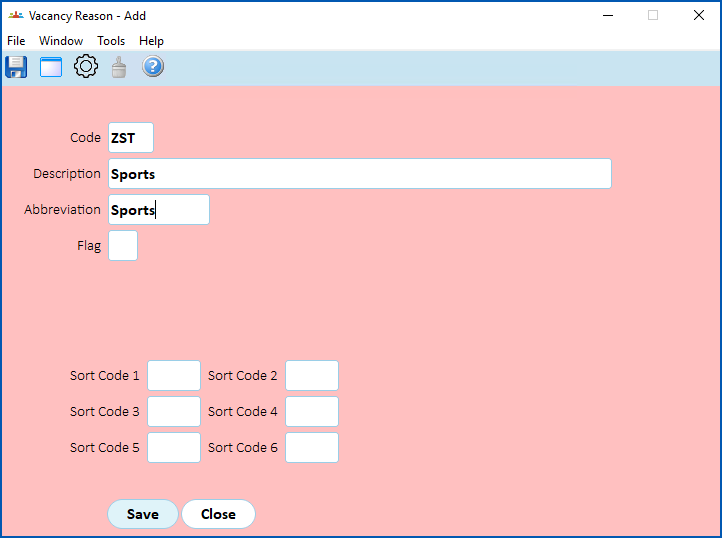
| At this field... | Do this... |
|---|---|
Code | Enter a vacancy reason code (up to 4 characters) |
Description | Enter a description of the vacancy reason code (up to 70 characters) |
Abbreviation | Enter an abbreviation for the vacancy reason code (up to 10 characters) |
Flag | Nothing. Not used. |
Sort Code 1 to Sort Code 6 | Nothing. Not used. |
- Click Save.
- Repeat this procedure, starting at step 3, until you have created all the vacancy reason codes you need.
© 2023 Fusion5. All rights reserved.