Update sort code 1 on cost centre codes for TASC
Make sure all the required cost centre codes for TASC  payments are updated to set the Sort code 1 field to y (yes). When this field is set to y (yes), the cost centre code is made available to users when they create a request for a TASC payment.
TASC = Tasmanian Assessment, Standards and Certification
To update sort code 1 on a cost centre code for TASC payments:
- Go to Control Tables > Position > Cost Centre Codes.
- At the Cost Centre Codes summary screen, find all TASC cost centre codes.
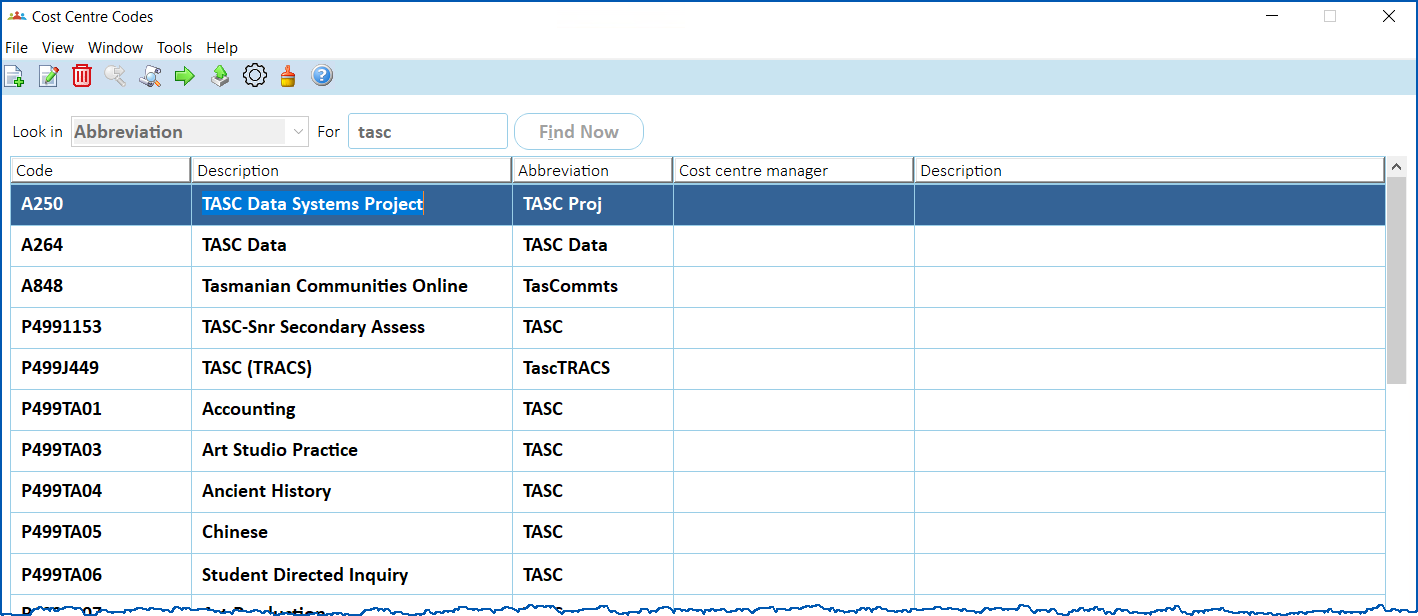
- Select a cost centre code, and then click Open.
- At the Cost Centre Codes detail screen, enter y in the Sort code 1 field.
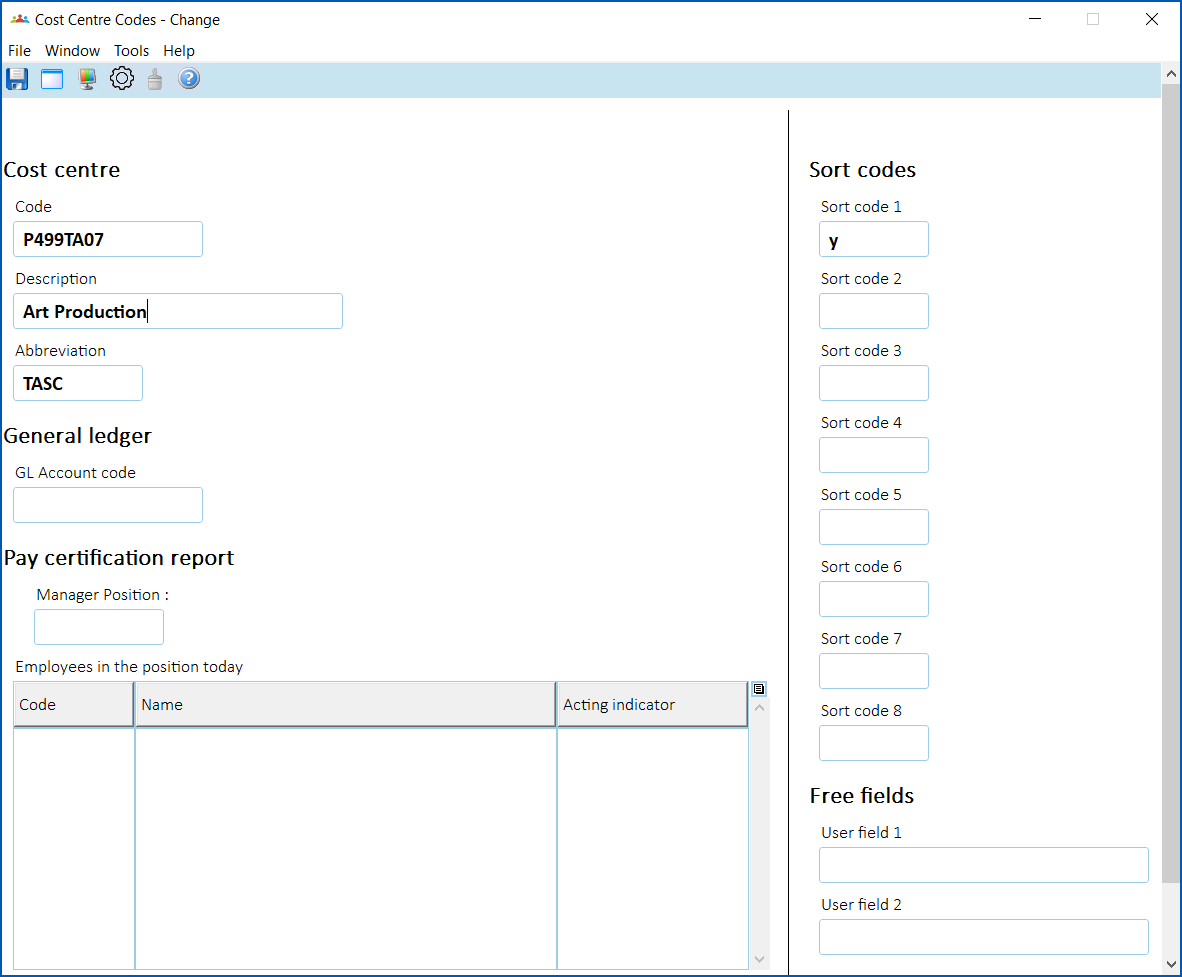
- Click Save.
- Repeat this procedure, starting from step 3, until you've updated all the TASC-related cost centre codes.
© 2023 Fusion5. All rights reserved.