EmpowerHR offers a standard set of termination payment codes. See default termination codes.
If you prefer to use a different set of codes, you can map them to the default codes via the control table called Termination Leave Payout Codes.

|
Make sure the leave element codes have been set up for all the types of leave paid out on termination. |
View termination leave payout codes
To view the termination leave payout codes so, for example, you can map them to your organisation's codes:
- Go to Control Tables > Terminations > Termination Leave Payout Codes.
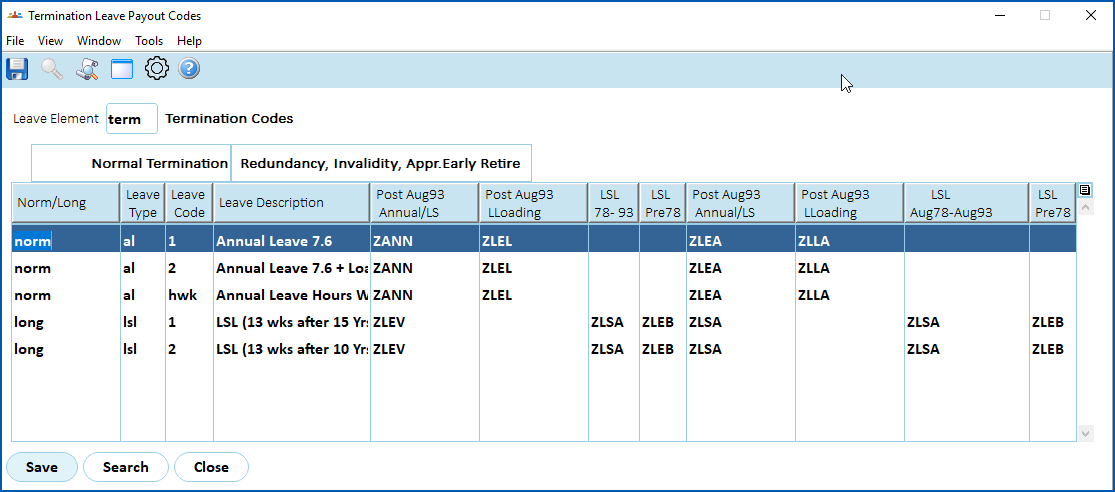
At the Termination Leave Payout Codes summary screen, enter the leave element code in Leave Element, and then click Search to list the existing leave types.
Click Copy Table, make your selections, and then click Copy to Clipboard.
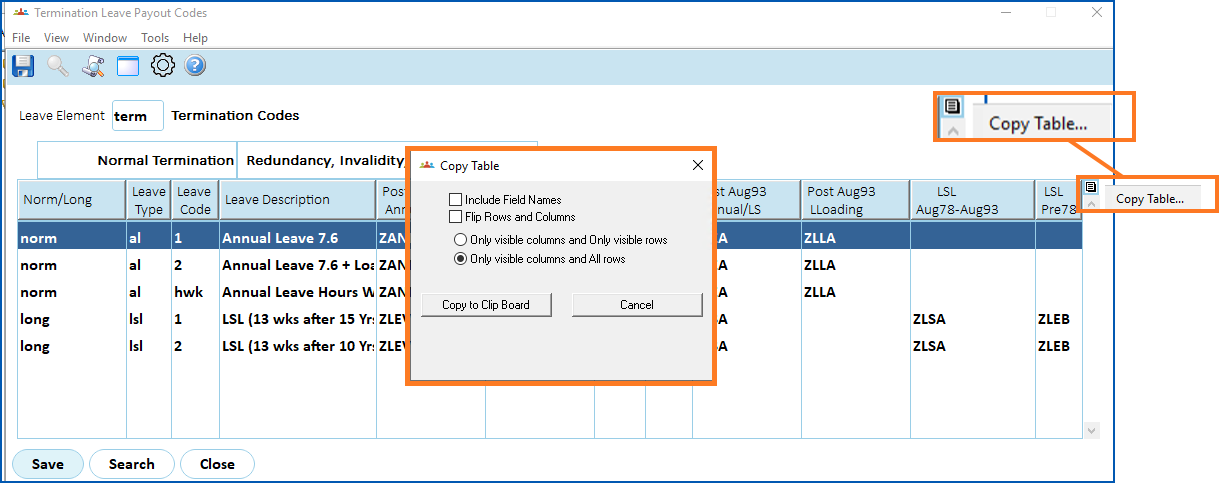
- You can now paste the codes into a file (for example, a spreadsheet).
Default termination payment codes
Here are EmpowerHR's default termination payout codes:
| Type of leave | Type of termination | Component of termination payment | Default payment code |
|---|---|---|---|
LSL | Normal termination | Pre August 1978 | ZLEB |
August 1978 to August 1993 | ZLSA | ||
Post August 1993 | ZLEV | ||
Redundancy, Invalidity, Approved Early Retirement | Pre August 1978 | ZLEB | |
August 1978 to August 1993 | ZLSA | ||
Post August 1993 | ZLSA | ||
Normal Leave | Normal Termination | Pre August 1993 | not calculated |
Post August 1993 | ZANN | ||
Redundancy, Invalidity, Approved Early Retirement | Pre August 1993 | not calculated | |
| Post August 1993 | ZLEA | ||
| Leave Loading | Normal Termination | Pre August 1993 | ZLEL |
| Post August 1993 | not calculated | ||
| Redundancy, Invalidity, Approved Early Retirement | Pre August 1993 | not calculated | |
| Post August 1993 | ZLLA |
© 2023 Fusion5. All rights reserved.