Exclude old applications from searches
When searching for applicants with particular skills and competencies, EmpowerHR excludes them from the search once their applications are older than a value you set in the setting called (apex) applications old after n months.
To set the number of months applications are considered as old:
- Go to Administration > Configuration > All Configuration.
- At Configuration Items, expand Self Service, and then expand Employee Self Service.
- Click (apex) applications old after n months.
- Enter the number of months in the Integer field. In the following example, applications older than 6 months are excluded from searches.
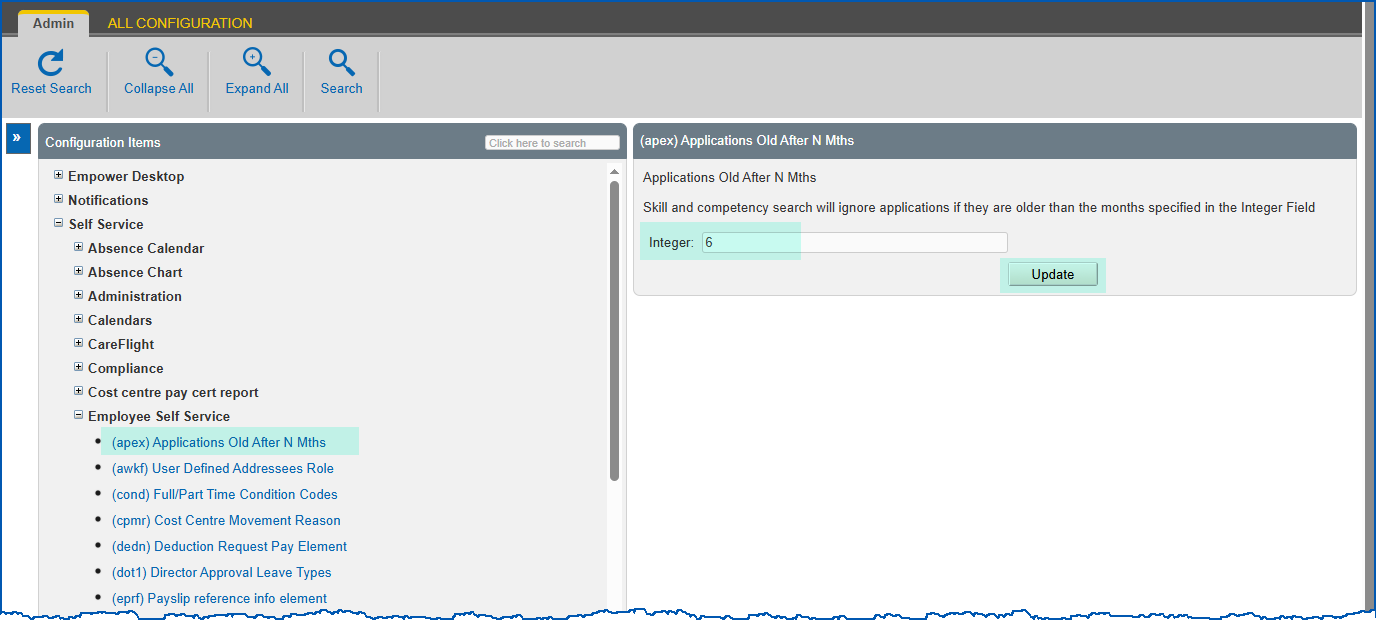
- Click Update.
Set number of recently used skills/competencies in searches
EmpowerHR displays the recently used skills and competencies when anyone searches for skills (using Basic Search or Advanced Search). The installation setting called (trsc) number of skills/competencies determines how many are displayed.
To set the number of recently used skills/competencies to display in searches:
- Go to Administration > Configuration > All Configuration.
- At Configuration Items, expand Self Service, and then expand Training.
- Click (trsc) number of skills/competencies.
- Enter the number of months in the Integer field.
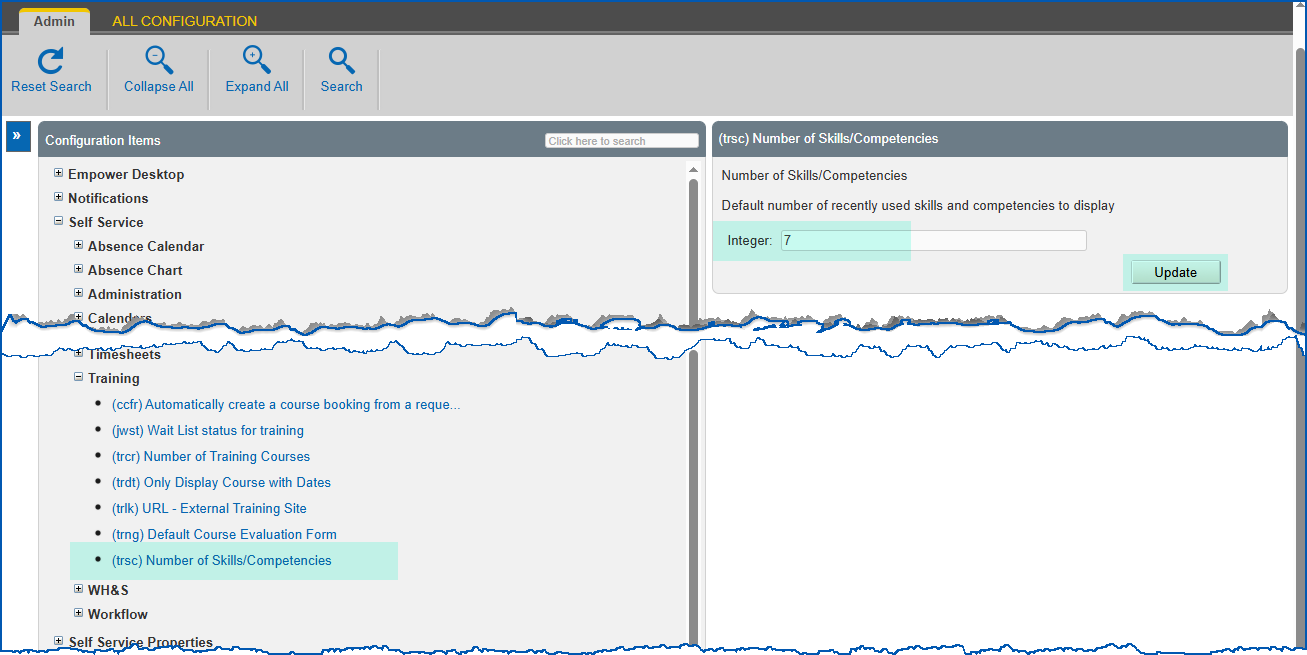
- Click Update.
© 2023 Fusion5. All rights reserved.