Limit cost centre selection on casual relief claims
You can limit the cost centre selection on casual relief claims to:
- Section Discretion Cost Centre for the vacancy section (school)
- General Discretion Cost Centre
- Funding Source Cost Centres where the vacancy section has a positive balance on the Claim Date
You need to set the field error validation severity to limit cost centre selection in self service.
To limit cost centre selection:
- Go to Administration > Screen Management > Field Error Validation.
- At Field Error Validation, expand the Self Service list.
- Expand the Workflow list.
- Expand the Casual Claims list.
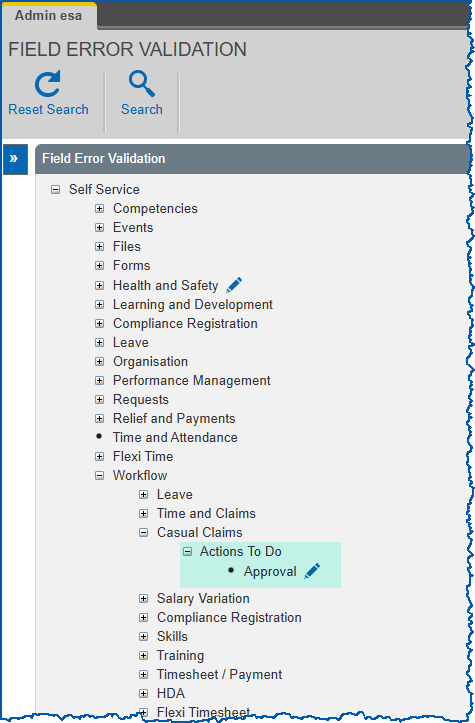
- At Actions To Do > Approval, click Change. The Casual Claims Approval screen displays a list of fields.
- Find the field called Cost Centre with validation must be covered by a Funding Credit.
- Select Error from the Severity dropdown list.
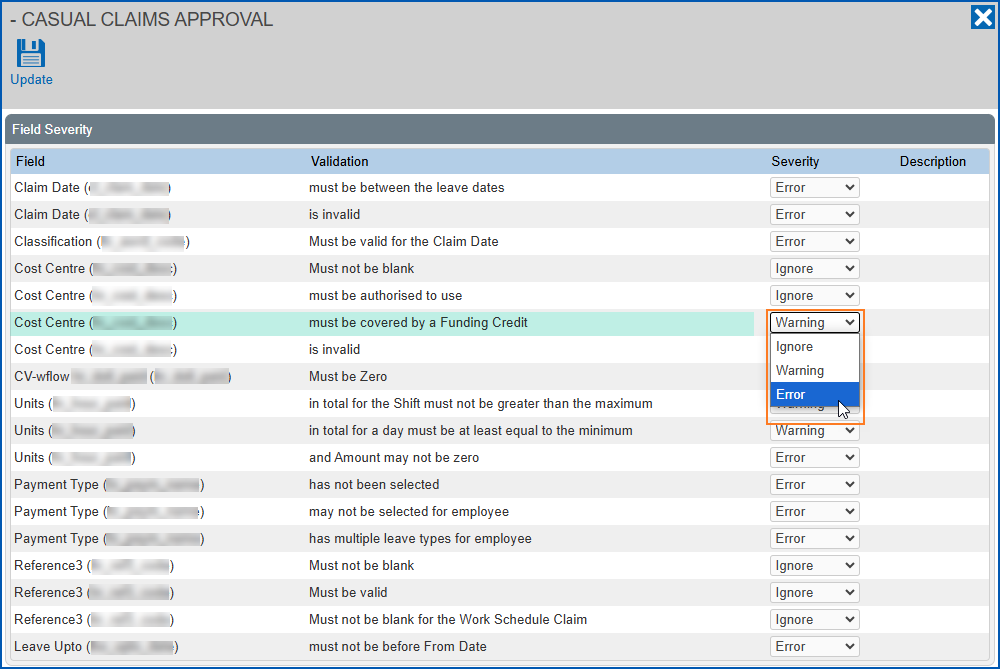
- Click Save.
Modify cost centre display
You can modify the cost centre display for a number of request forms including the casual relief claim and approval process.
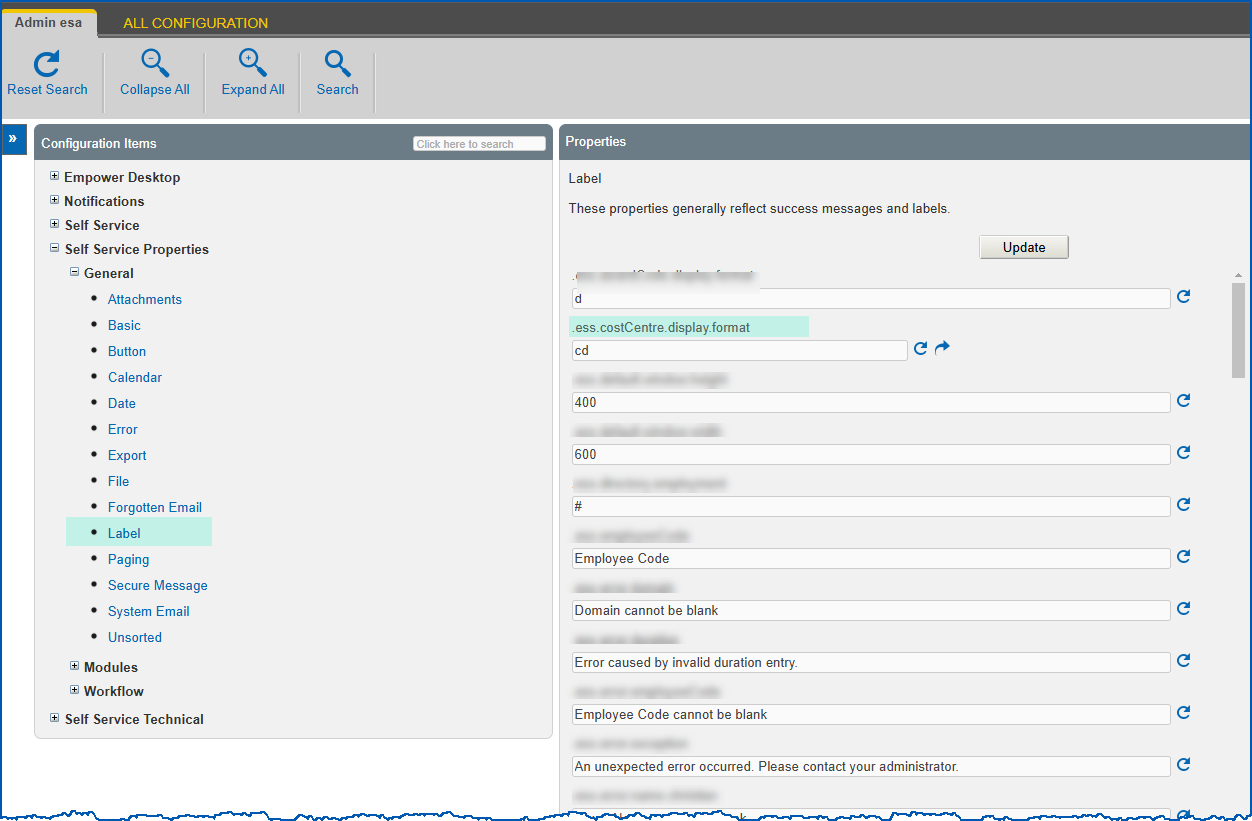
You need to change the value in the property called ess.costCentre.display.format to modify the cost centre display in self service.
To modify the cost centre display:
- Go to Administration > Configuration > All Configuration.
- At Configuration Items, expand the Self Service Properties list.
- Expand the General list.
- Click Label.
- Make changes to the property called ess.costCentre.display.format using the options in the following table:
| Use this value... | to display... |
|---|---|
| a | only the cost centre abbreviation |
| c | only the cost centre code |
| d | only the cost centre description (default) |
| ac | the cost centre abbreviation followed by the code in parentheses |
| ca | the cost centre code followed by the abbreviation in parentheses |
| cd | the cost centre code followed by the description in parentheses |
| dc | the cost centre description followed by the code in parentheses |
- Click Update.
© 2023 Fusion5. All rights reserved.