
Would you like to take advantage of this EmpowerHR customised integration feature? Start a discussion now - contact us by logging an iHelp request.
If you you want a negating pay record for autopay (PBE) employees, you need to:
- create a new pay element and add to it all the leave payment codes that will negate ordinary pay - see pay element codes for instructions
- set up the Procedure Data screen, as shown in the following instructions
To set up the Procedure Data screen:
- Go to Administration > User Configurable Calculations > Procedure Data.
- At the Procedure Data summary screen, click Find Now.
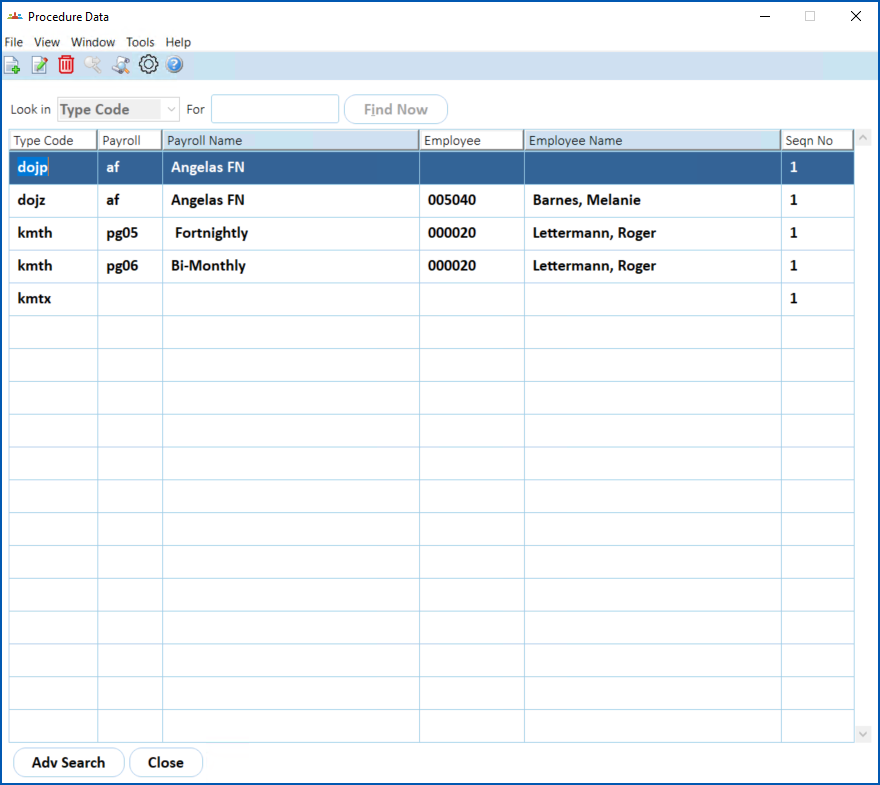
- Click New.
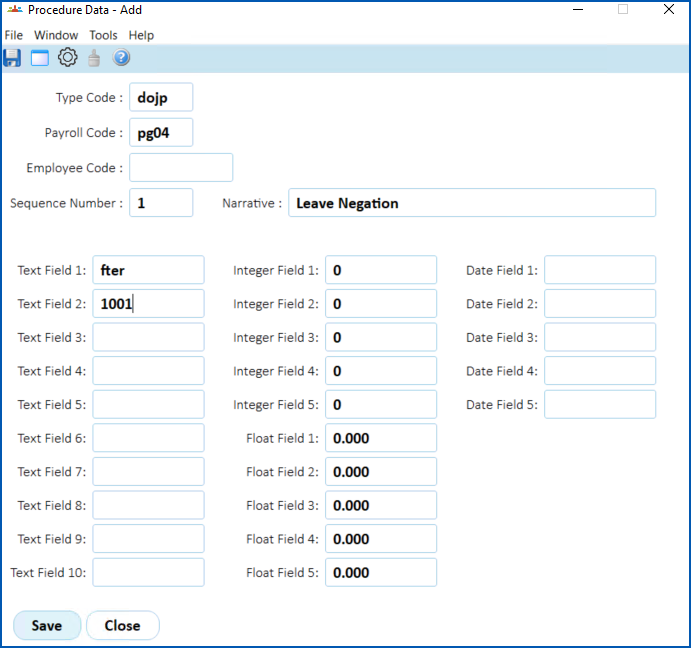
- At the Procedure Data details screen, make the following entries:
| At this field... | Do this... | ||
|---|---|---|---|
Type | Enter dojp | ||
| Payroll | Enter the payroll code, for example, pg04 | ||
Text Field 1 | Enter the pay element code that contains all the leave payment codes that will negate ordinary pay.
| ||
Text Field 2 | Enter the autopay payment code for when autopay is paid. It is the pay by exception (PBE) code that will be used in the negation.
|


- Click Save.
- Repeat this procedure starting from step 3 until you have created a record for every payroll.
© 2023 Fusion5. All rights reserved.