
|
The display format on payslips can be customised for an individual site. We recommend you talk to an EmpowerHR consultant at Fusion5 for assistance with customisation. Contact us by logging an iHelp request.
|
|
|
Looking for how to control when payslips appear in ESS (for example, on pay day rather than when the pay run finalises)? See Display payslip on on the Pay tab of Installation Constants. |
If you are implementing customised payslips in your organisation, provided the installation setting called (jdfn) display payment/allowance reference data is set to y, you can use the installation setting called (eprf) payslip reference info element to show extra information on the payment codes contained in the pay element.
To show extra reference information on payslips:
- Go to Administration > Configuration > All Configuration.
- At Configuration Items, expand Self Service, and then expand Employee Self Service.
- Click (eprf) payslip reference info element.
- Enter the relevant pay element code in the Character field.
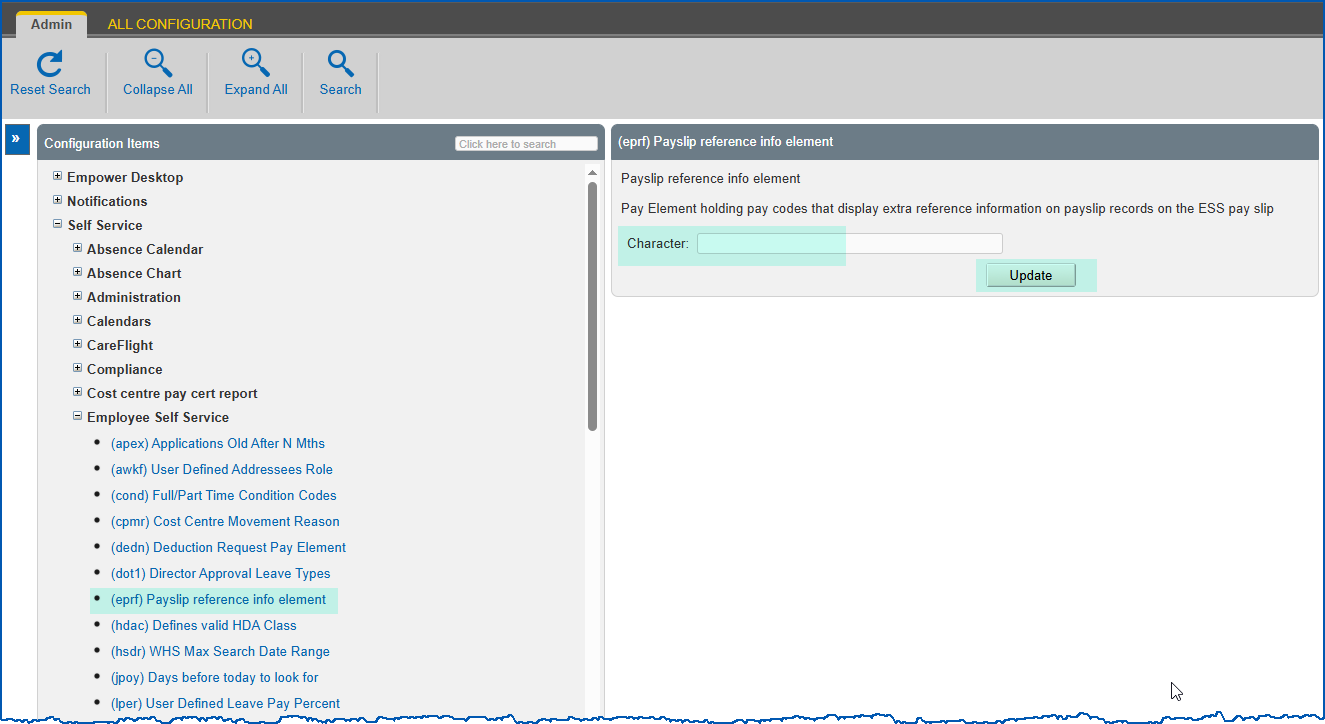
- Click Update.
© 2023 Fusion5. All rights reserved.