Indicate your preferred sections (schools)
In ESS, you can indicate where you prefer to do casual relief work.
To indicate your preferred sections (schools):
- Go to Casual Relief > Preferred Section.
- EmpowerHR displays the Preferred Sections screen.
- In Available Sections, expand the sections list until you find the section you want to set your preference on.
- Set your preference by clicking the checkbox until:
- a green checkmark appears to show you prefer to work at the school, or
- a red checkmark appears to show you prefer not to be advised of any vacancies at the school, or
- the checkbox is cleared to show you would consider working occasionally at the school (when the school uses the Wider Search option to fill a casual vacancy)
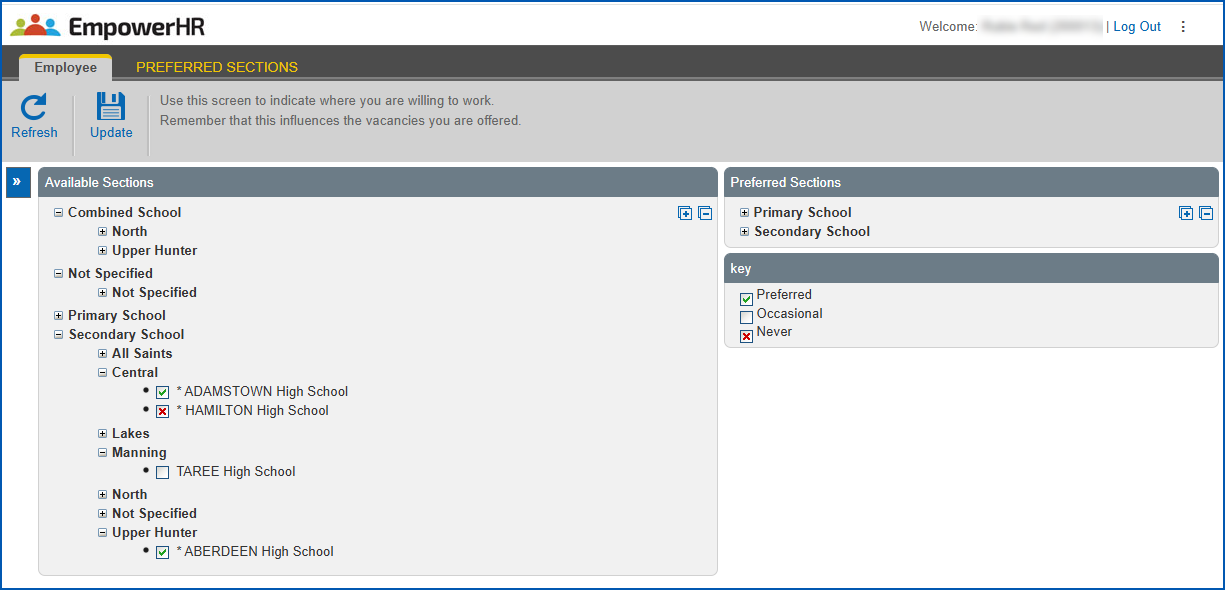
- Click Update.
Indicate your preferred competencies
In ESS, you can indicate which teaching areas, skills, and competencies you prefer to teach in casual relief work.
To indicate your preferred competencies:
- Go to Casual Relief > Preferred Competencies.
- EmpowerHR displays the Preferred Competencies screen.
- In Available Competencies, expand the teaching area list until you find the competencies you want to set preference for.
- Set your preference by clicking the checkbox until:
- a green checkmark appears to show you prefer to teach the teaching area/skill/competency, or
- a red checkmark appears to show you prefer not to be considered for work involving the teaching area/skill/competency
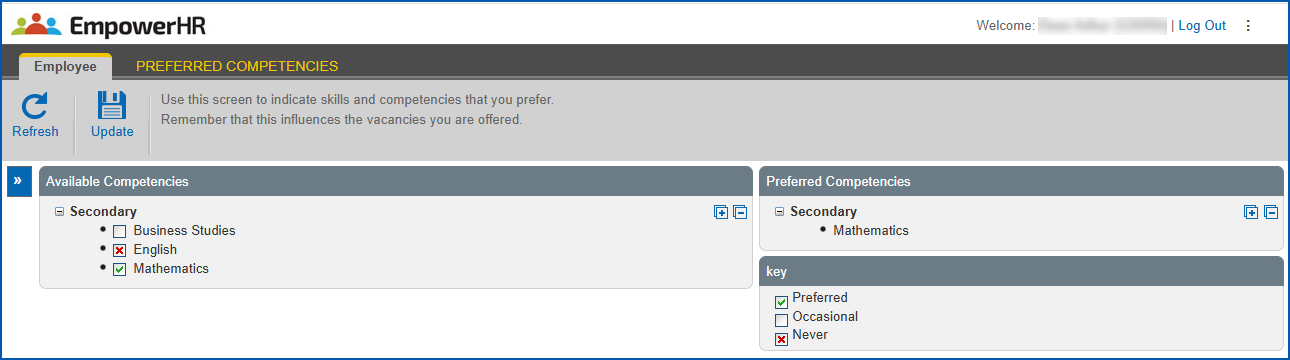
- Click Update.
© 2023 Fusion5. All rights reserved.