Employee type codes are used to define the casual employee type. They are not used when generating casual vacancies. EmpowerHR uses the Casual Relief Staff list instead.
Create an employee type code (casual)
To create an employee type code (casual):
- Go to Control Tables > Employee > Type Codes.
- The Type Codes summary screen displays.
- Click New.
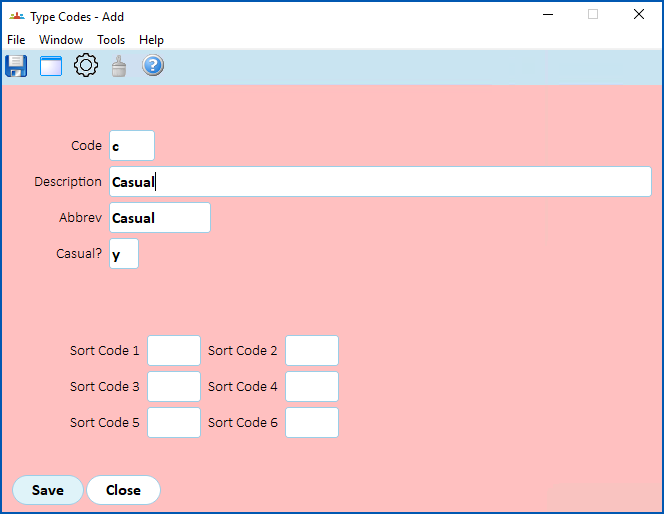
- At the Type Codes (add) detail screen, make your entries using the following table as a guide.
| At this field... | Do this... |
|---|---|
Code | Enter an employee type code (up to 4 characters). For example, c |
Description | Enter a description of the employee type code (up to 70 characters). For example, Casual |
Abbrev | Enter an abbreviation for the employee type code (up to 10 characters). For example, Casual |
Casual? | Select this checkbox to indicate it's a casual employee type. |
Sort Code 1 to Sort Code 6 | Nothing. Not used. |
- Click Save.
© 2023 Fusion5. All rights reserved.