What you see at this stage depends on how your organisation has configured the system.
If you see the Select Option section
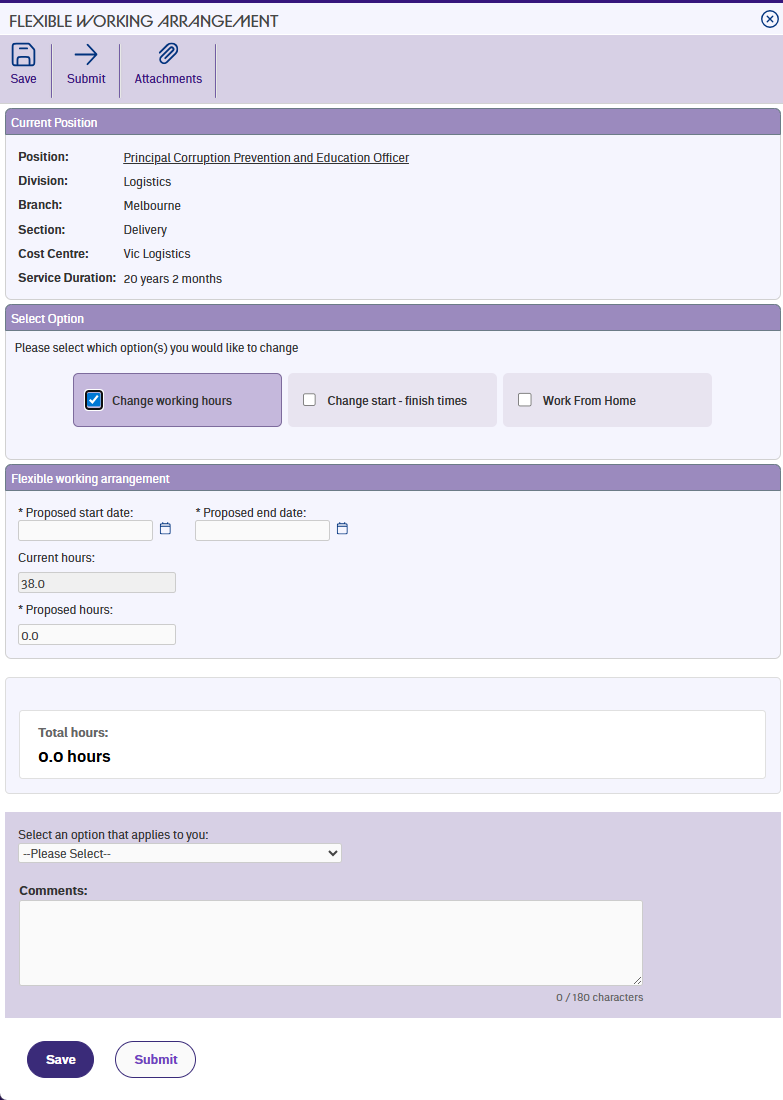
Some employees see a section called Select Option with three checkboxes:
- Change working hours
- Change start and finish times
- Work from home
Tick one, two, or all three – whatever fits your situation. Once you set your proposed dates in the next step, the form shows only the fields relevant to what you've chosen.
If you don't see the Select Option section
For some roles, the system skips this step and takes you straight to the hours change form. This means your organisation has configured your position to use the hours change option only.
How combinations work
If you select more than one option, the form combines them into a single request. For example, you might reduce your hours and work from home on certain days – all in one form. You don't need to submit separate requests for each change.
Next topic |
|---|
© 2023 Fusion5. All rights reserved.