Set up past weeks/future months range in casual availability calendar
To set up the past weeks/future months range in the casual availability calendar for casual vacancies:
- Go to Administration > Configuration > All Configuration.
- At Configuration Items, expand Casual Relief/Volunteer System.
- Click (crpw) no of past weeks in calendar.
- At the Integer field, enter the number of past weeks you want to retain in the casual availability calendar (the default number is 1).
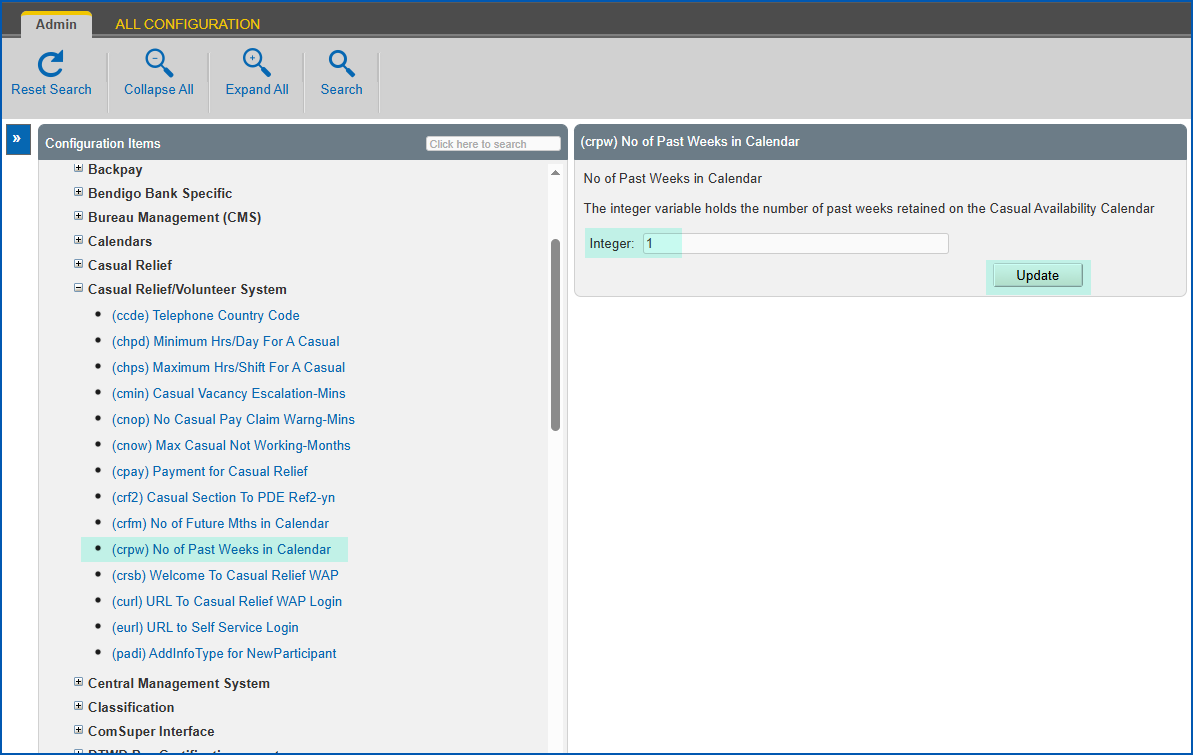
- Click Update.
- Click (crfm) no of future mths in calendar.
- At the Integer field, enter the number of future months you want to retain in the availability calendar (the default number is 3).
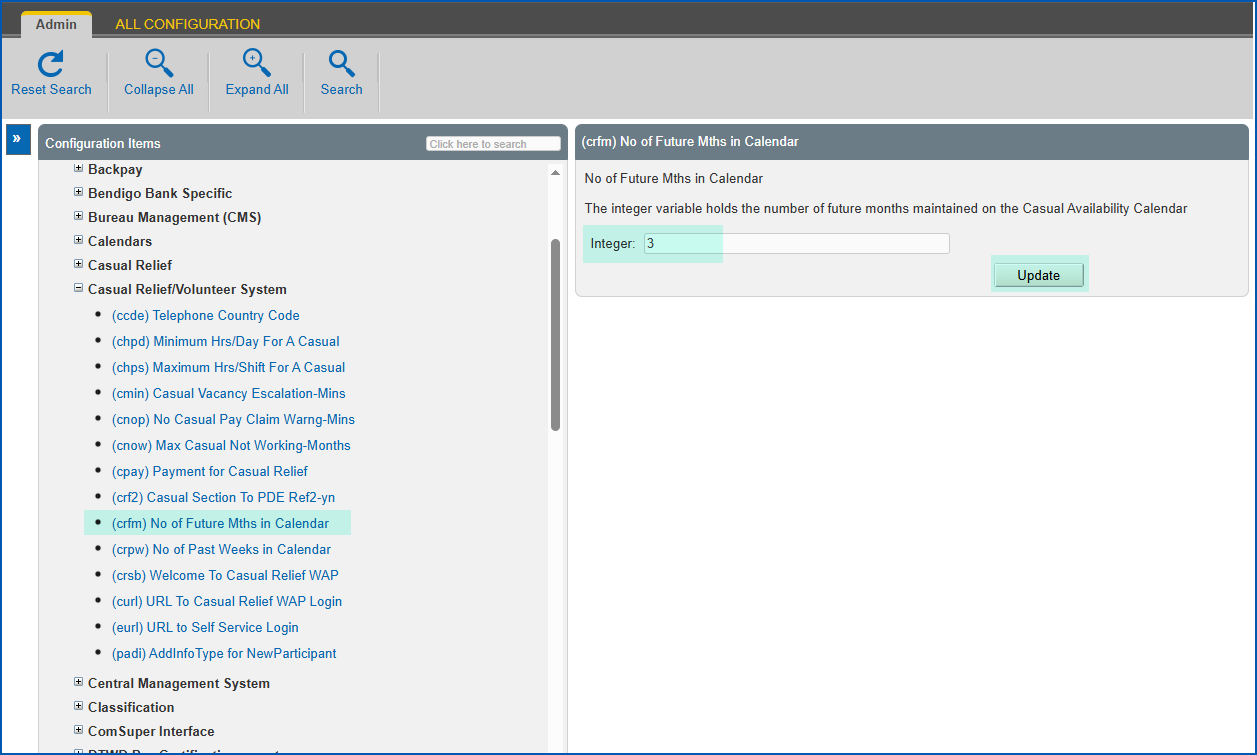
- Click Update.
© 2023 Fusion5. All rights reserved.