You can update external regular allowances in bulk from an Excel spreadsheet.
What file do I need to prepare?
You need to create an xml file generated from your Excel spreadsheet containing the required data.

|
Remember to exclude column headings from the files. |
Here's the format to use. An asterisk (*) shows which data is mandatory.
| Column > | A* | B* | C* | D* | E | F | G |
| Employee Code | Employment | Payment Code | Date From | Date Upto | Rate Per Hour | Rate Per Pay Period | |
| Characters > | 10 | 1 | 4 | 8 including decimal point | 8 including decimal point | ||
Format: ddmmyy ddMmmyy ddmmccyy ddMmmccyy | Format: ddmmyy ddMmmyy ddmmccyy ddMmmccyy |
| Column > | H | I | J | K | L | M | N* |
| Rate Per Pay Year | Fixed Amount Per Period | Trigger Element Code | Unit of Measure | Cost Centre | Comment | Suppress Retrospective Payment (y/n) | |
| Characters > | 8 including decimal point | 8 including decimal point | 4 | 1 | 16 | 40 | 1 |
Update external regular allowances in bulk
To bulk update external regular allowances from a spreadsheet:
- Go to Tasks > Employees > Employee Information > External Regular Allow Entry.
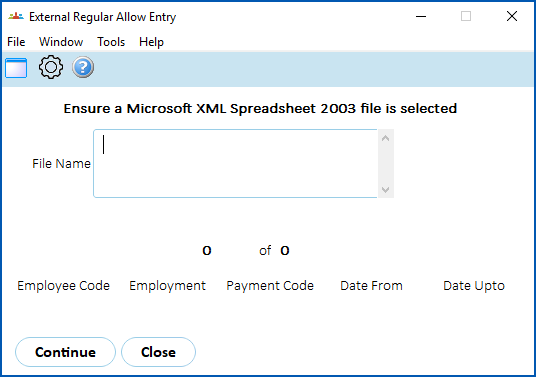
- Click Window and select the spreadsheet file.
- Click Continue.
- EmpowerHR loads and validates the spreadsheet data.
- If any data fails validation, the system displays an error log (External Regular Allowance Entry Errors screen).
What happens if there is an existing regular allowance?
Here is what happens when there is an existing regular allowance for the Employee Code, Employment, and Payment Code which overlaps the new allowance.
If the:
- existing allowance is open-ended, and
- the new allowance has a From Date later than the existing one, then
- EmpowerHR closes off the existing allowance on the day before the start of the new allowance
If the:
- existing allowance has a From Date later than the new one, and
- the new allowance has an Upto Date later than the From Date of the existing one, then
- EmpowerHR closes the new allowance on the day before the start of the existing allowance
If there is:
- an existing allowance that is not open-ended and covers the period of the new allowance, then
- EmpowerHR generates an error
If there is
- more than one existing regular allowance for the Employee Code, Employment, and Payment Code which overlaps the new one, then
- EmpowerHR generates an error
© 2023 Fusion5. All rights reserved.