
|
Firstly, make sure you've set up compliance workflows for your organisation. To learn how, see design workflow. |
To assign workflow to compliance certificates:
- Go to Administration > Workflow > Workflow Elements.
- At the Workflow Elements summary screen, click Find Now to list existing workflow elements.
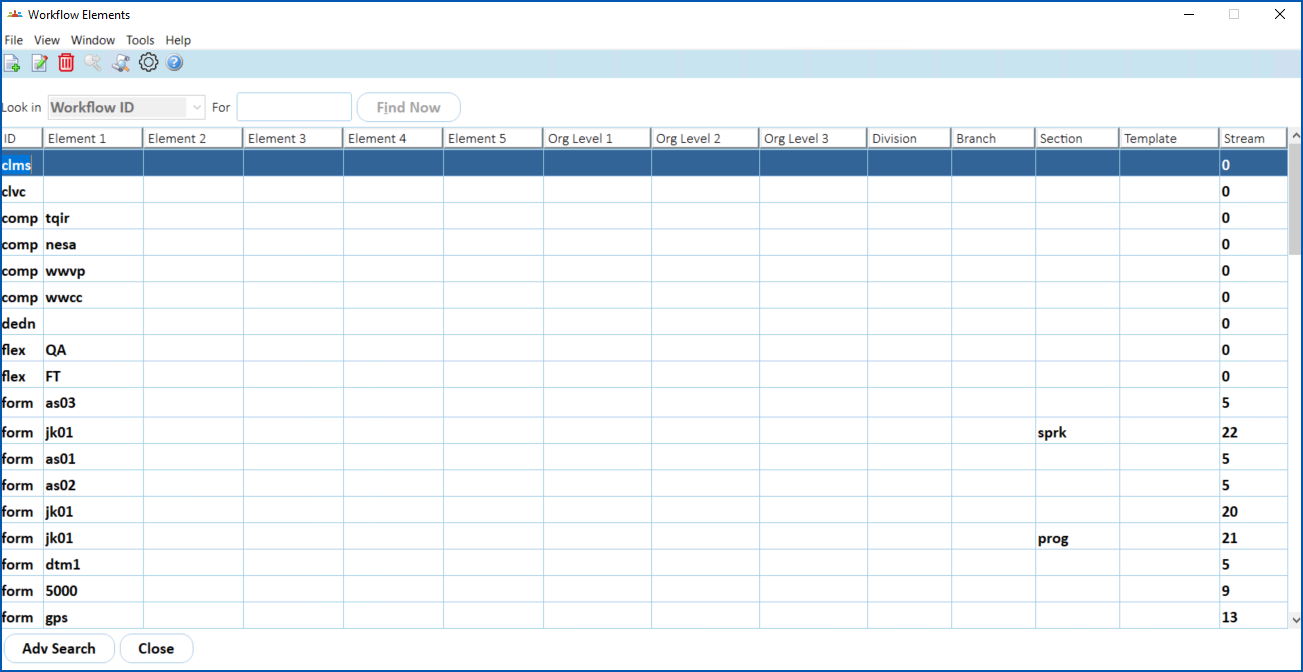
- Click New. The Workflow Elements detail screen displays.
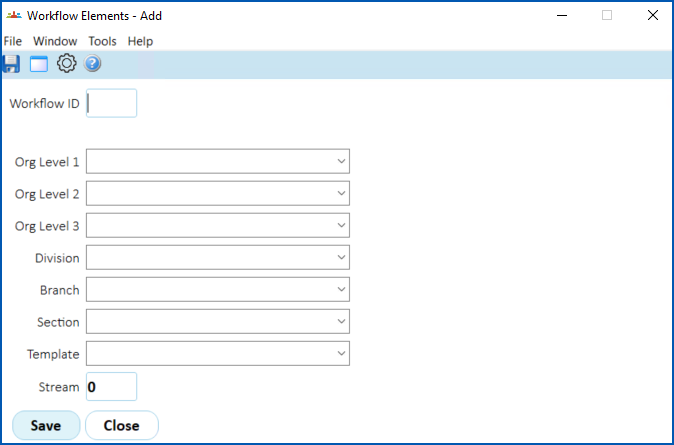
- At the Workflow ID field, enter the workflow ID called comp
- Press Tab. The Certificate Type field displays.
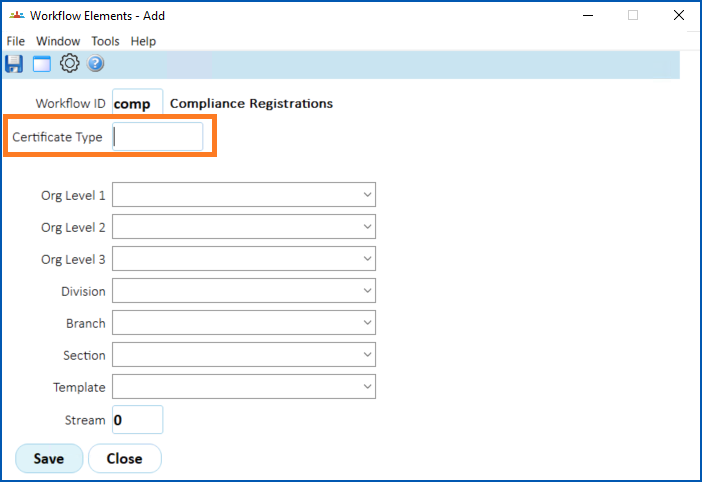
- At the Certificate Type field, click Window to view a list of certificate types.
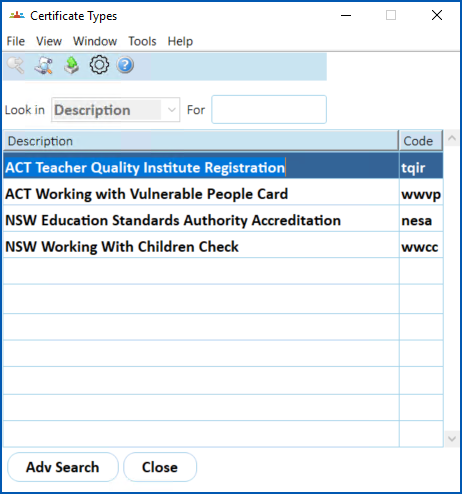
- Select and double-click a certificate type to add it to the Workflow Elements detail screen.
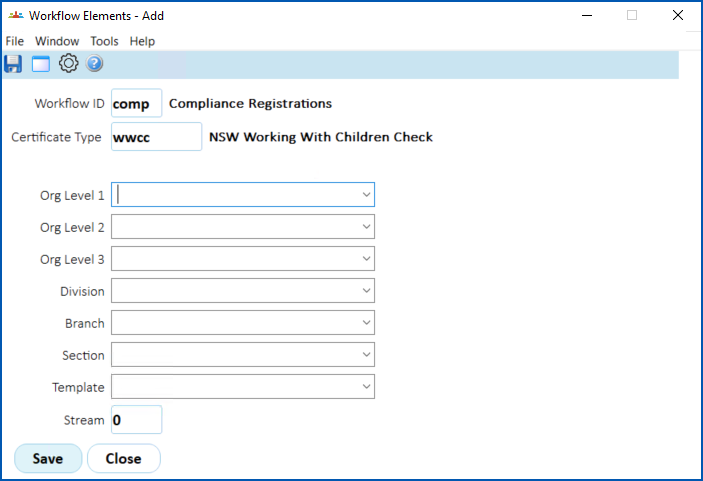
- If the workflow applies to specific parts of the organisation, complete the relevant fields (Org Level 1, Org Level 2, etc).
- Enter the stream number in the Stream field.
- Click Save.
- Repeat this procedure, starting at step 3, until you’ve added all the certificates you need to all workflows (and, where a workflow has multiple streams, to all workflow streams).
© 2023 Fusion5. All rights reserved.