Run the additional weeks payment background job to generate payments for employees who are listed in the registers and have a payment method of either Annual Payment or Two Half Payments.
You can run the job when required, or schedule it to run at a specific time.
Run an additional weeks payment background job
To run the additional weeks payment background job (prgpawp2):
- Go to Background Jobs > Relief and Payments > Additional Weeks Payment.
- In the Payment Type field, click Window, find and double-click the payment type to add it to the field.
- EmpowerHR populates the Payment Method field.
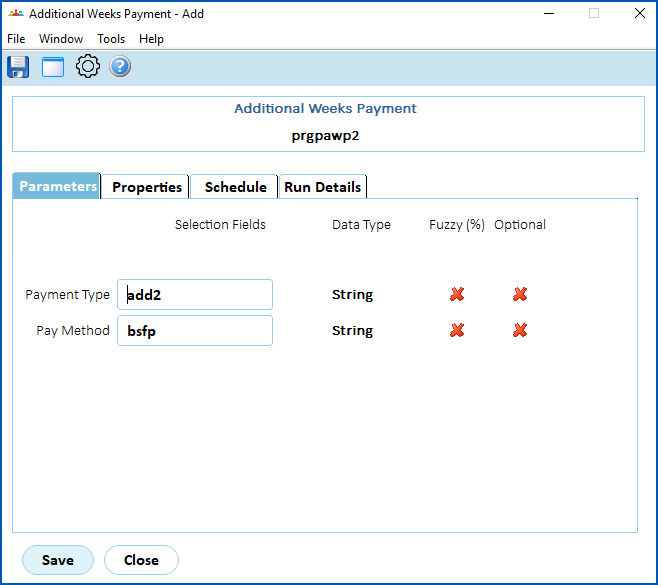
- Click Save. EmpowerHR runs the report.
- Go to Background Jobs > Requested Jobs > Requested Jobs to see the report.
© 2023 Fusion5. All rights reserved.