At certain stages in the payroll process, request finalisation needs to be locked to ensure payments are all created using the correct rate and cost centre.
To lock the finalisation of payroll requests: 
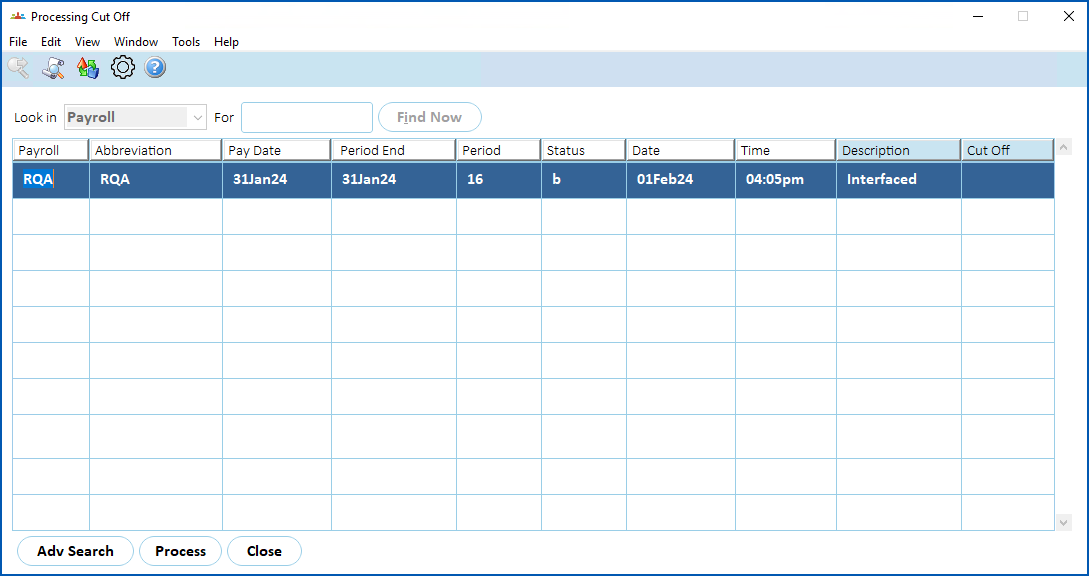
- Go to Tasks > Payroll > Payroll Processing > Processing Cut Off.
- At the Processing Cut Off screen, select the payroll, and then click Process.
- At the cutoff type dialogue box, click the processes (types) you want to include in the cutoff.

- Click OK.
- After the payroll is complete, EmpowerHR automatically removes the cutoff settings.
© 2023 Fusion5. All rights reserved.