The Additional 2 Week Register is where you add an employee who is eligible to receive an additional 2 weeks' payment in the current year.
Who can I add to the register?
You can only add an employee:
- who is employed in a section you manage
- where the employee category (sort code 3 on the employee's classification) is set to allow additional 2 weeks' payments in the employee category rules
- where weeks worked per year on the Job/Authority tab
 of the position is set to the amount on the additional weeks admin screen
You'll find the Job/Authority tab on the Position Details screen, which is located in the desktop at Tasks > Establishment > Positions > Create Positions. .
Add an employee to the additional 2 week register
To add an employee to the additional 2 week register: 
- Go to Relief and Payments > Additional 2 Week Register.
- At the Additional 2 Week Register, click Add.
- At the Add Additional Week Register screen, in:
- Section, select a section from the dropdown list
- Start Year, select a year from the dropdown list
- Employee, enter the employee's surname and then wait until the system responds with a list of employees with that surname. Select one from the dropdown list.
- Pay Method, select a payment method from the dropdown list
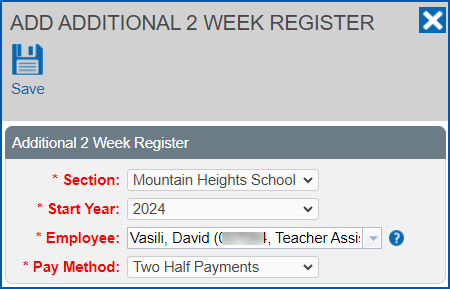
- Click Save.

© 2023 Fusion5. All rights reserved.