It's easy to change the default number of work weeks and the types of payment methods assigned to each additional weeks payment type.
Update payment type work week and pay methods
To update a payment type's work week and/or payment methods: 
- Go to Relief and Payments > Additional Weeks Admin.
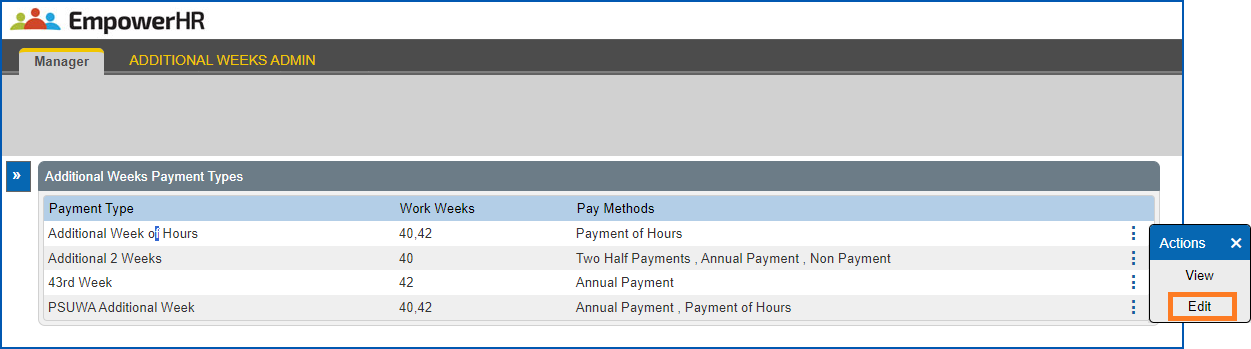
- At the Additional Weeks Admin screen, select the payment type you want to update, click
 Actions and then select Edit from the menu.
- The Change... screen displays for the payment type you selected. For example:
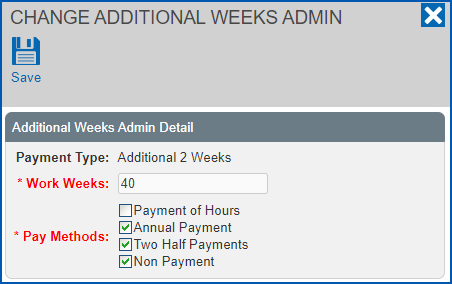
- Make your changes to:
- the number of Work Weeks, and/or
- Pay Methods, by selecting/de-selecting the checkboxes.
- Click Save.
© 2023 Fusion5. All rights reserved.