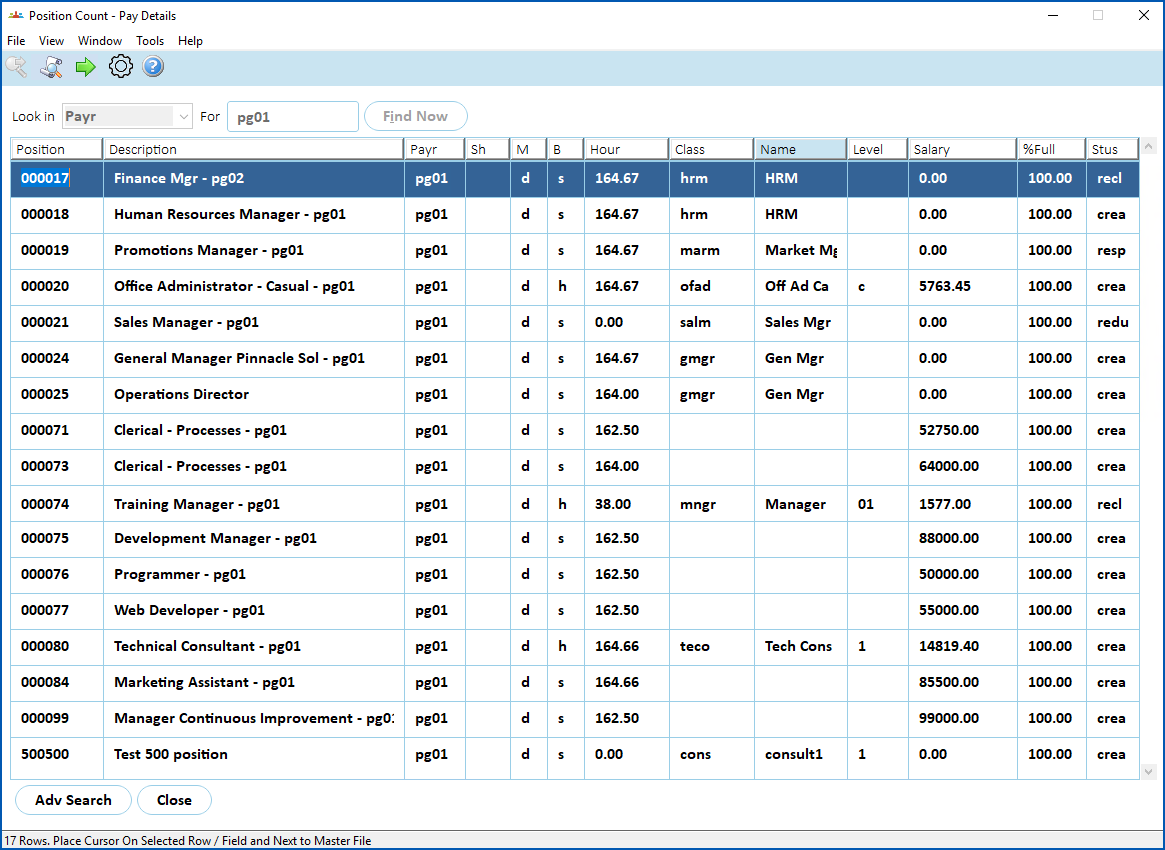
Use this enquiry screen to search for positions that match pay-related data such as payroll, pay method, pay basis, etc.
To view position count - pay details:
- Go to Enquiries > Establishment > Position Count - Pay Details.
- EmpowerHR displays the Position Count - Pay Details screen.
- At Look in, select an option from the dropdown list, and then enter search criteria in For.
- Click Find Now. The results are displayed. In the following example, we searched on Payr (payroll code).
- If you want to drill down to see details of a particular position listed, select the row containing the position, and then click Next Level.
© 2023 Fusion5. All rights reserved.