EmpowerHR provides an overview of the long service leave (LSL) balance and how much LSL has been taken.
View LSL balance
To view LSL balance:
- Go to Enquiries > Leave > Long Service Leave.
- At the Long Service Leave summary screen, with Employee selected from the Look In dropdown list, enter the employee code in the For field to view a specific employee's information, or else leave the field blank to view all employees.
- Click Find Now. The results are displayed.
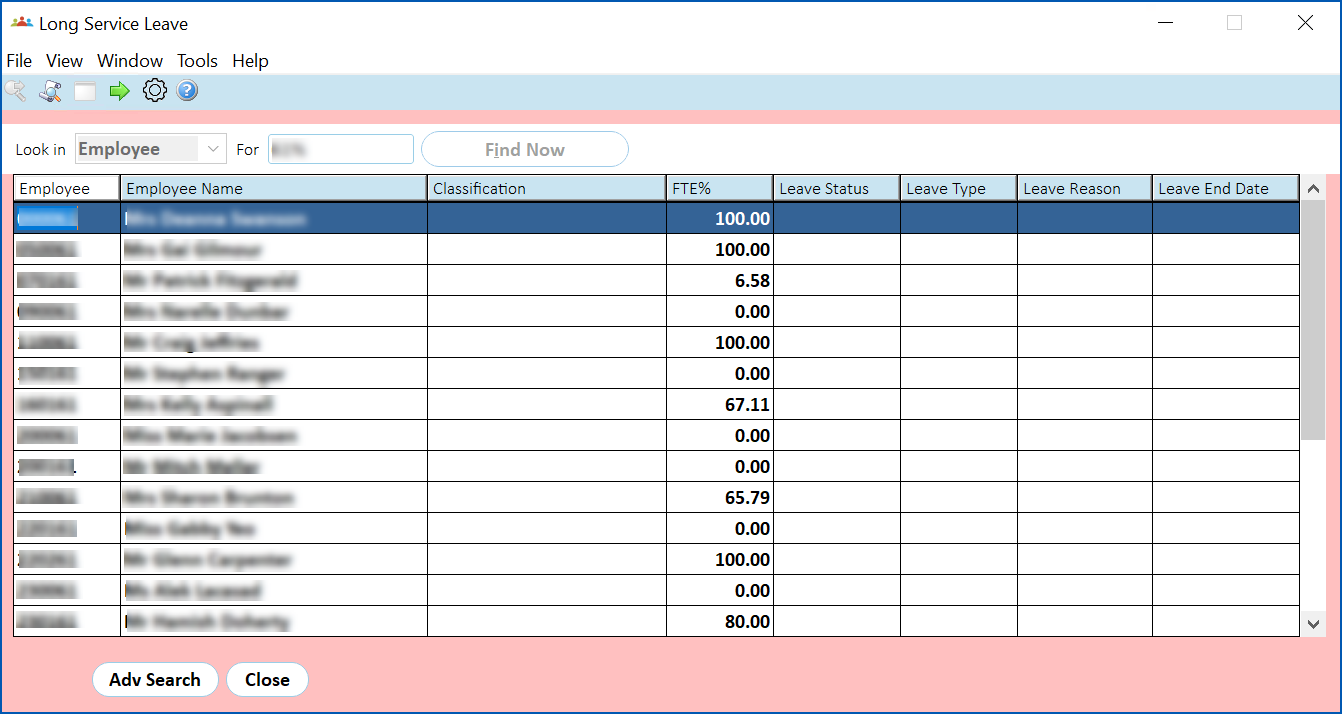
- Select an employee and click Next Level.
- The Long Service Leave screen displays.
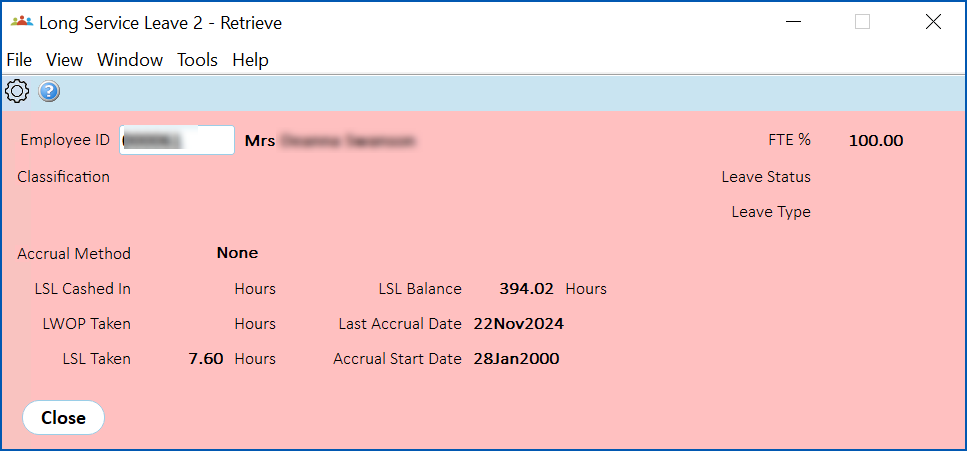
- The screen shows the:
- Accrual Method Code - from the Authority field on the Employee Position Information screen
- Accrual Method Description - belonging to the Authority field on the Employee Position Information screen
- LSL Cashed in - hours recorded for payments made against payment code 1031
© 2023 Fusion5. All rights reserved.