EmpowerHR provides incident logs where you can check what has happened after processing long service leave entitlements. They are:
- View Run Incident Messages
- View Generation Incidents
The two logs are controlled by the setting on the installation option called pay advice leave entitlements (advl). Here are the settings explained:
When you set advl to... | EmpowerHR... | You can see the log at Payroll > Payroll Processing > |
|---|---|---|
r | calculates entitlements during the following payroll processes:
| View Run Incident Messages |
y | calculates entitlements during the following payroll process:
| View Generation Incidents |
n | does not calculate leave entitlements | N/A |
View run incident messages
To view run incident messages:
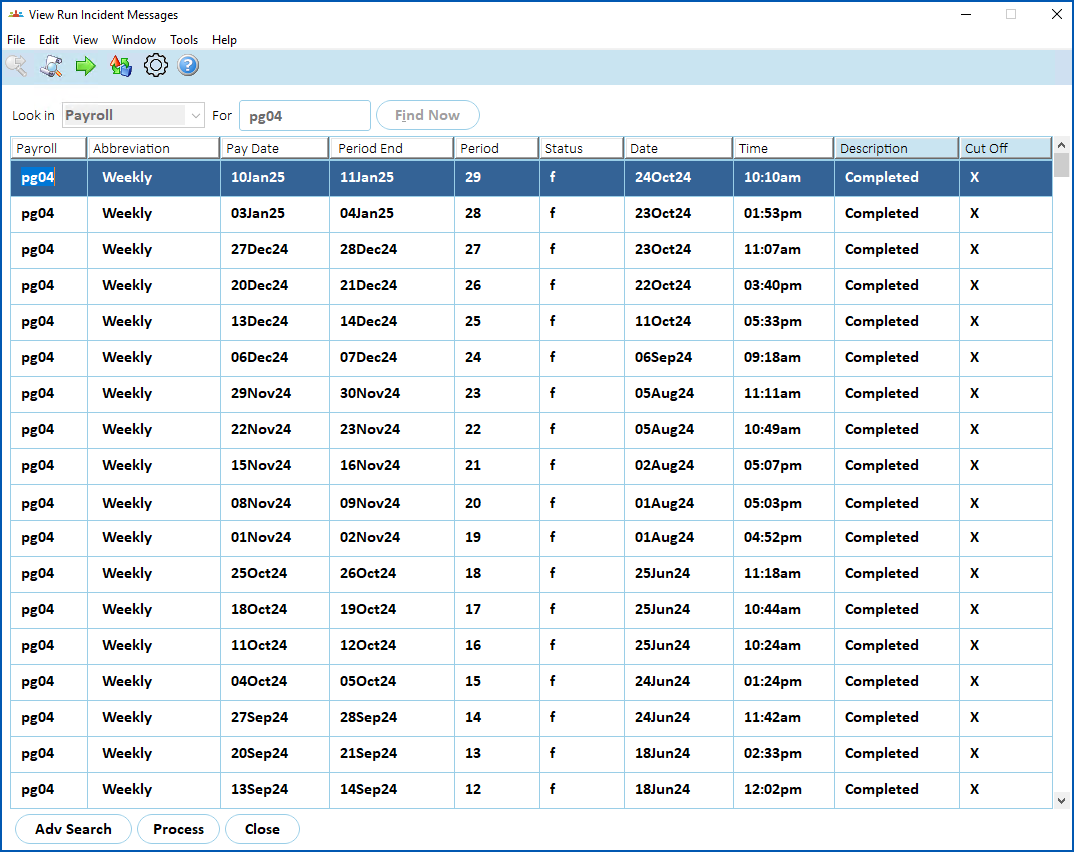
- Go to Tasks > Payroll > Payroll Processing > View Run Incident Messages.
- The View Run Incident Messages screen displays.
- At Look in, select Payroll from the dropdown list, and then enter the code for the payroll in For.
- Click Find Now. The results are displayed.
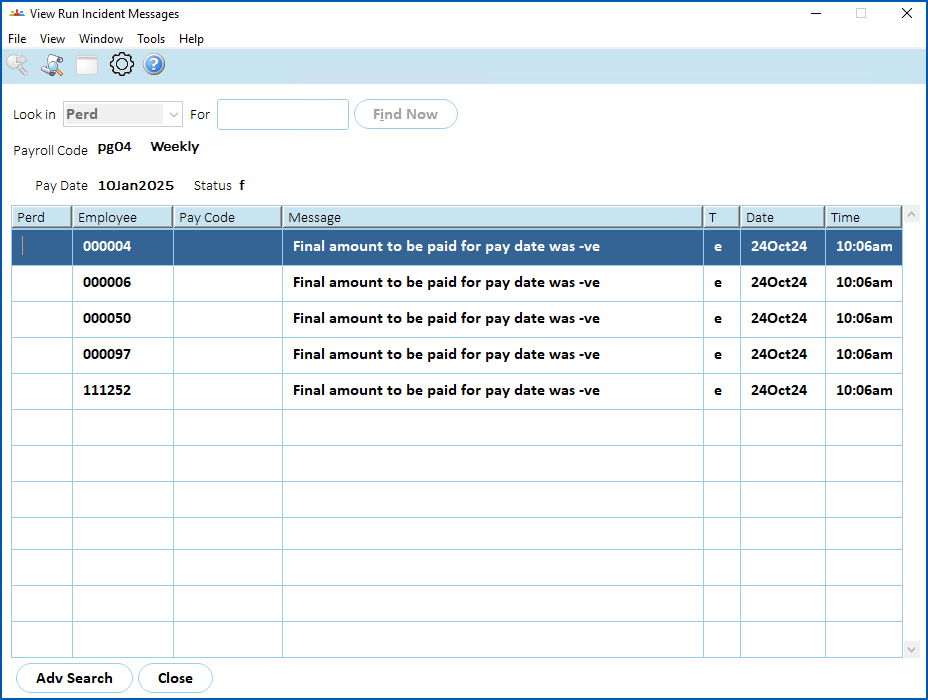
- Click Process. EmpowerHR displays the incidents.
View generation incidents
To view generation incidents:
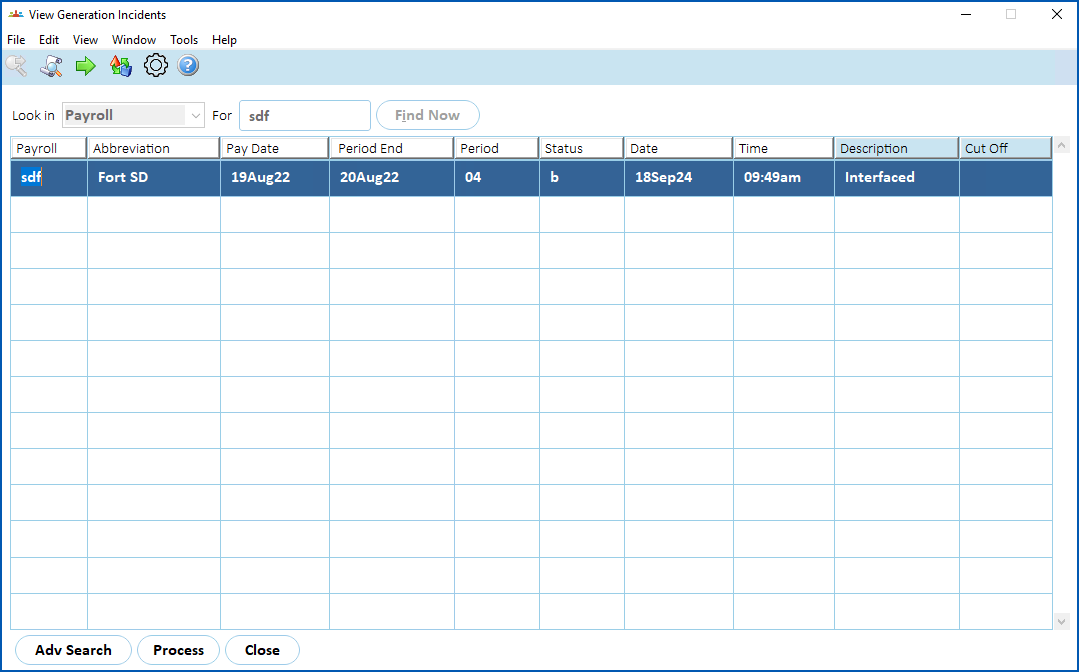
- Go to Tasks > Payroll > Payroll Processing > View Generation Incidents.
- The View Generation Incidents screen displays.
- At Look in, select Payroll from the dropdown list, and then enter the code for the payroll in For.
- Click Find Now. The results are displayed.
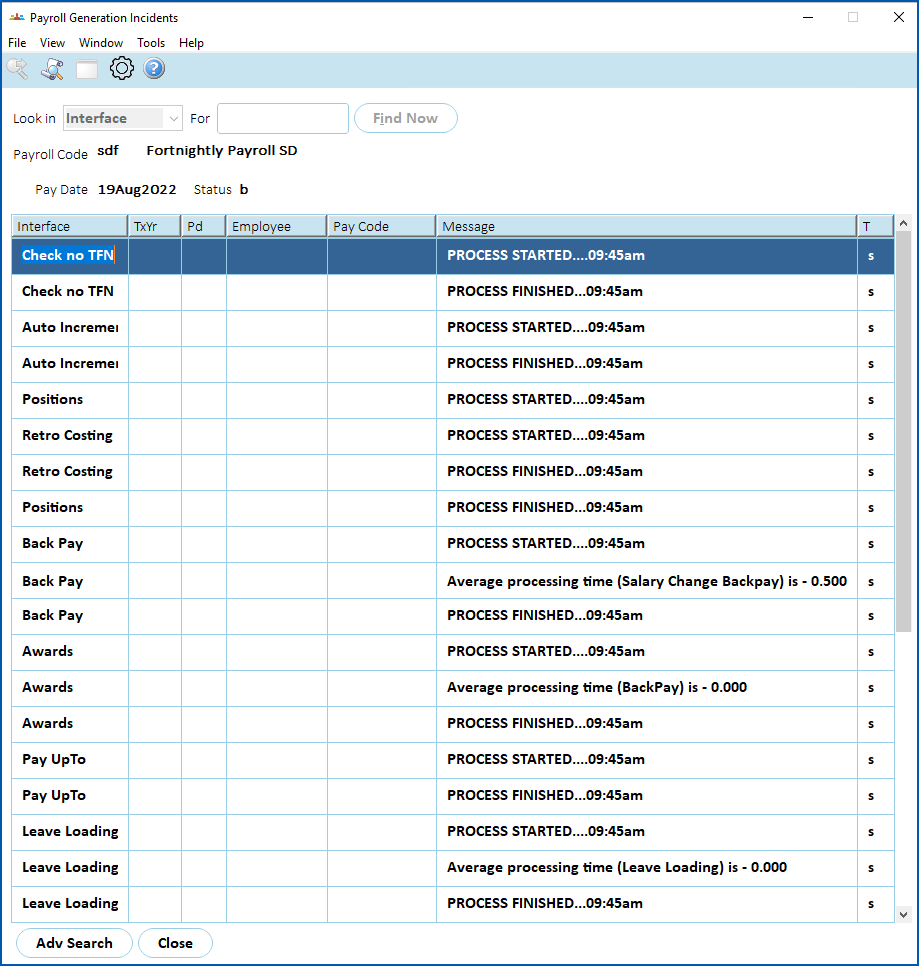
- Click Process. EmpowerHR displays the incidents.
© 2023 Fusion5. All rights reserved.