Use this enquiry screen to view personal and annual leave balances, and how much personal and annual leave has been taken over different employments.
View annual and personal leave
To view annual and personal leave:
- Go to Enquiries > Leave > Annual & Personal Leave.
- At the Annual & Personal Leave summary screen, with Employee selected from the Look In dropdown list, enter the employee code in the For field to view a specific employee's information, or else leave the field blank to view all employees.
- Click Find Now. The results are displayed.
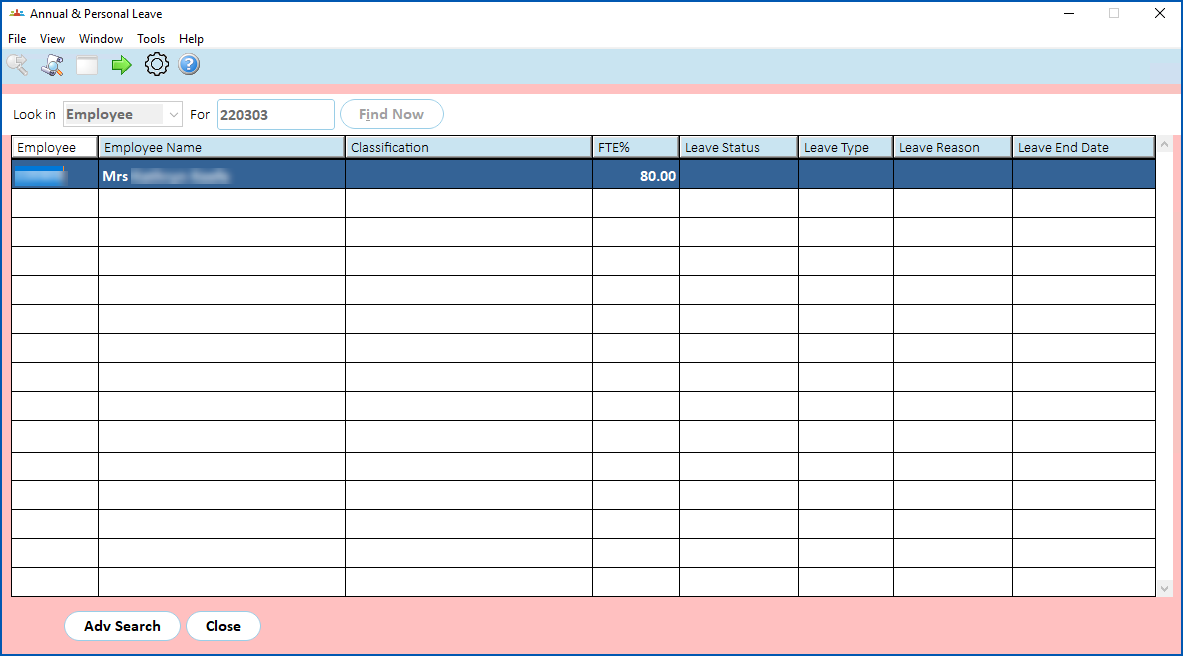
- Select an employee and click Next Level.
- The Annual & Personal Leave 2 screen displays.
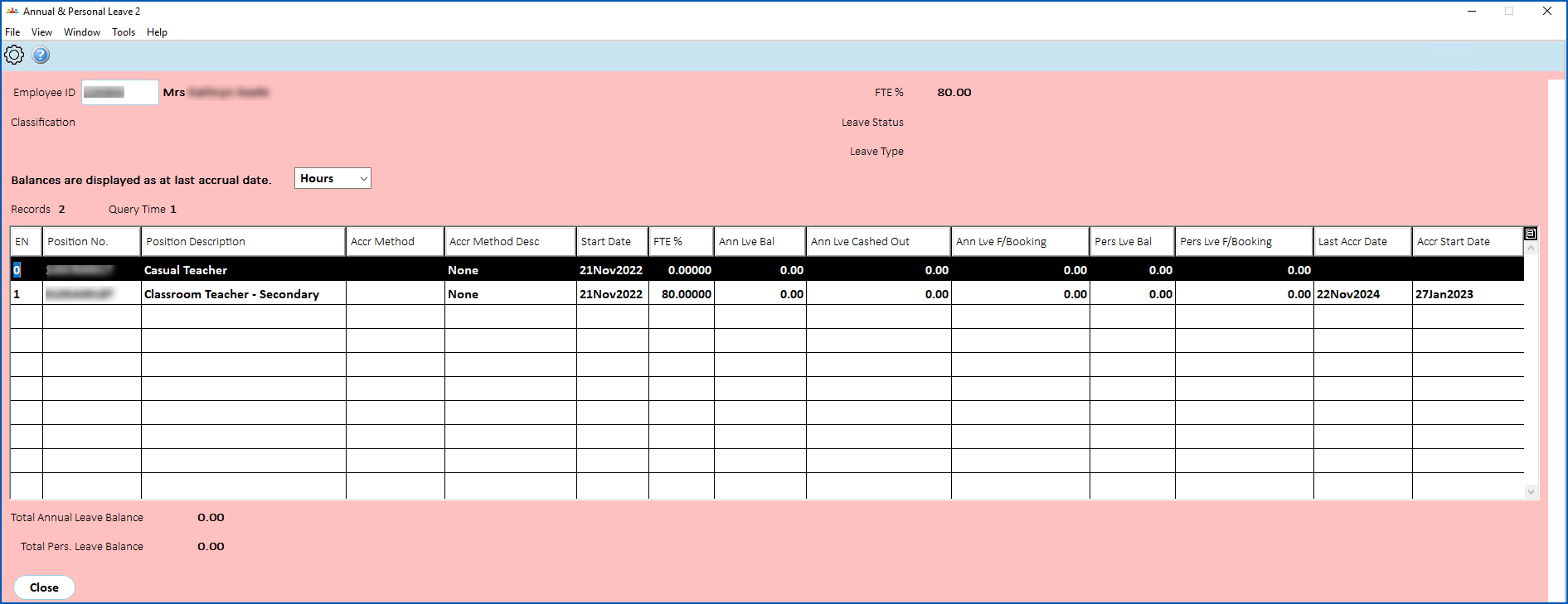
What's on the annual and personal leave 2 screen?
The following table explains the fields and columns.
 | The default view of each column is limited to 30 characters. If there are more than 30 characters, you can widen the column to see the full contents. |
| Column/field | Description |
| EN | Employment Number relevant to employee position, for example, 0, 1, 2 etc |
| Position No | Position field on Employee Position Information screen |
| Position Description | Employee position description, for example, Teacher, Coordinator, etc |
| Accrual Method | Code from the Authority field on the Employee Position Information screen |
| Accrual Method Description | Description belonging to the Authority field on the Employee Position Information screen |
| Start Date | Date field on the Workplace tab under Personal and Address information |
| FTE% | FTE% field on Pay Information screen |
| Annual Leave Balance | Balance (annual leave) from Employee Balance Enquiry screen |
| Annual Leave cashed out | Hours recorded for payments made against payment code 1030 |
| Annual Leave future bookings | Future bkgs field for annual leave type from Employee Balance Enquiry screen |
| Pers. Leave Balance | Pers type from Employee Balance Enquiry screen |
| Pers. Leave future bookings | Future bkgs field for pers leave type from Employee Balance Enquiry screen |
| Last accrual date | Last Accrual Date from Employee leave screen |
| Accrual Start Date | Start Date field from Employee leave screen |
| Total Annual Leave Balance | Sum of Annual Leave balance over different positions |
| Total Pers. Leave Balance | Sum of Pers. Leave balance over different positions |
© 2023 Fusion5. All rights reserved.