You can change the formula amounts being disbursed for the relevant period in school vacation pay period(s) from the Update Formula Values screen.
EmpowerHR allows updates to formula values provided:
- the pay period flagged as Christmas Leave Pay/Loading Period? is closed
- the pay period for the formula amount being disbursed is not yet closed
- formula values you enter are not negative values (however, you can enter a zero formula value)

|
You can also enter a zero value for a closed employment at Tasks > School > Closed Employments. |
To update (change) the formula values:
- Go to Tasks > School > Update Formula Values.
- At the Update Formula Values summary screen:
- select an option from the Look In dropdown list
- enter your search criteria in the For field, and then click Find Now
- EmpowerHR displays only records containing formula values (schl batch) which are not yet paid for the pay period.
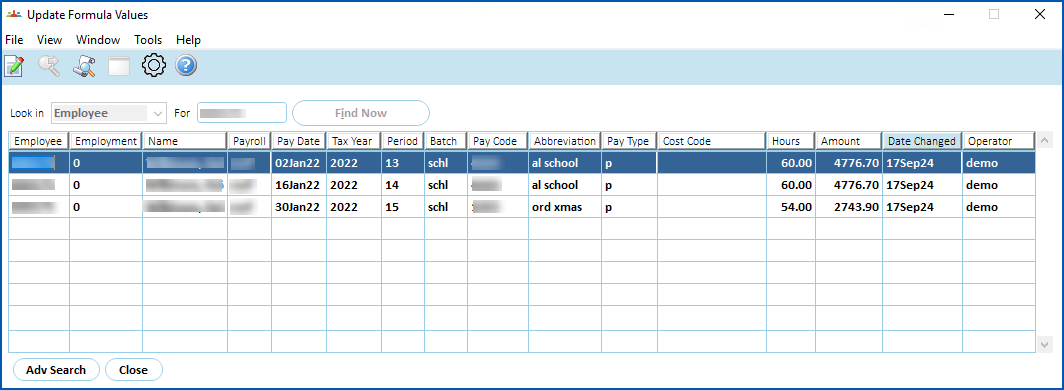
- Double-click the record you want to update.
- At the Update Formula Values details screen, enter the formula amount in the Amount Override field.

- Click Save.
- EmpowerHR displays the following message to remind you to run an individual or full pay calculation to process the change.
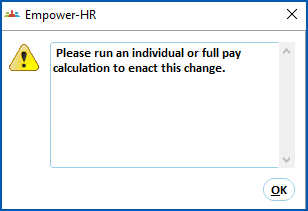
- Click OK.
- The updated value displays on the Update Formula Values summary screen.
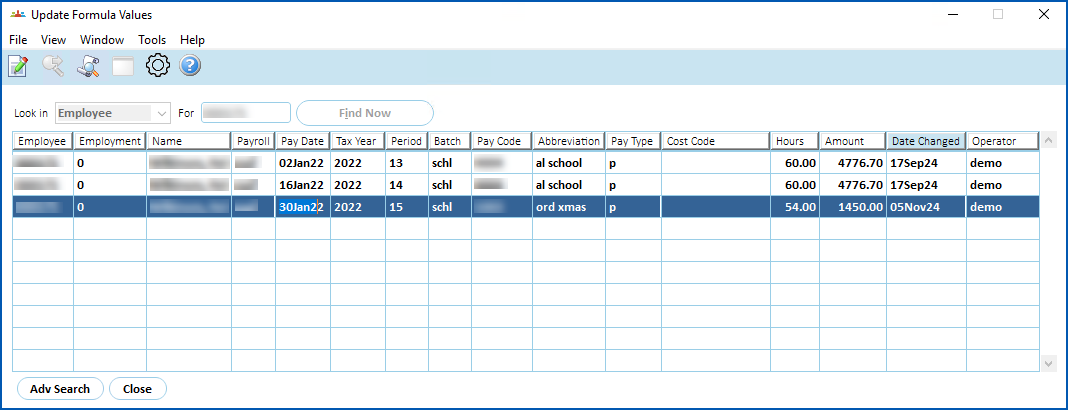
| If the Formula amounts you updated are for an employee, EmpowerHR also displays the revised values at:
|
|
|
After you manually update formula values, EmpowerHR creates an audit record. See view audit records. |
© 2023 Fusion5. All rights reserved.