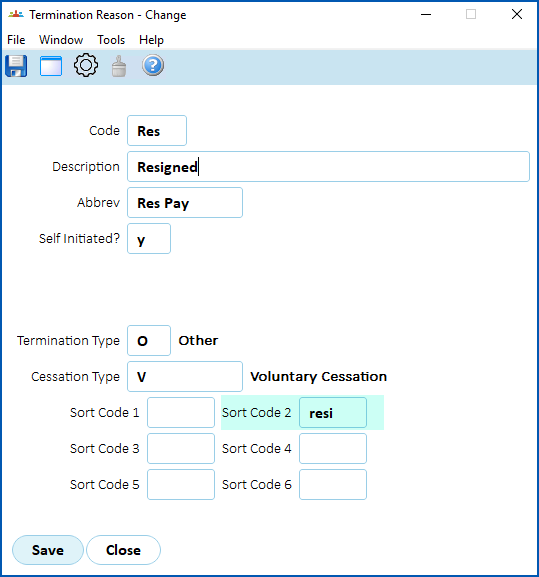
The GESB super output file requires specific text for termination reasons. For this purpose, EmpowerHR uses the Sort Code 2 field on the termination reason code.
To set up the termination reason codes:
- Go to Control Tables > Termination > Termination Reason.
- The Termination Reason summary screen displays.
- For each of the following list of termination reasons:
- Select the code, and then click Open.
- At the Termination Reason detail screen, enter the relevant code in the Sort Code 2 field, and then click Save.
| Text | Sort Code 2 |
| Resigned | resi |
| Retirement | ret |
| Death | dth |
| Disablement | dis |
| LWOP | lwop |
| Parental | par |
| Transfer | tfer |
| Other | oth |
© 2023 Fusion5. All rights reserved.