Make sure the appropriate Special Type code is assigned to all super-related payment codes. For example:
- Employer Super = R
- Salary Sacrifice/Pre-tax Super = S
- Employee After Tax Super = E
To check the payment codes: 
- Go to Control Tables > Payroll > Payment Codes.
- At the Payment Codes summary screen, click Find Now to list all the existing payment codes.
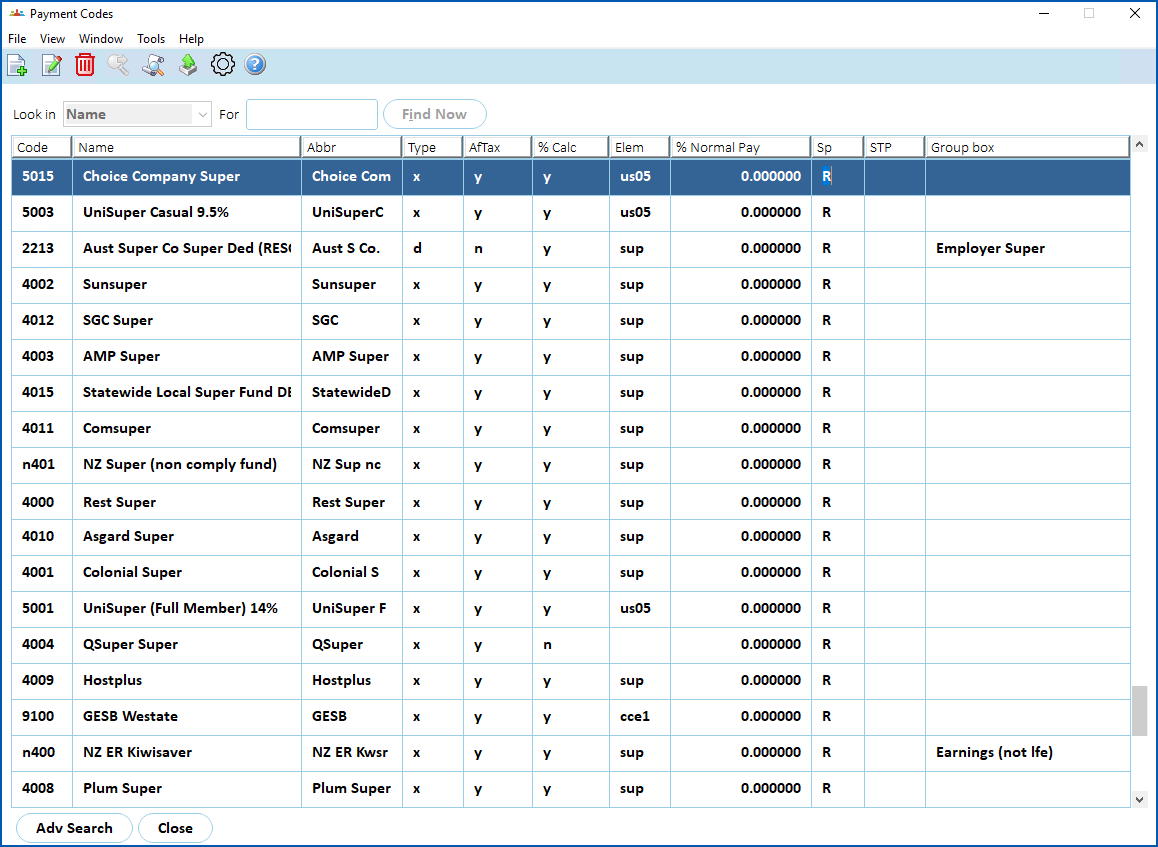
- For each of the super-related payment codes your organisation uses:
- Select the code, and then click Open.
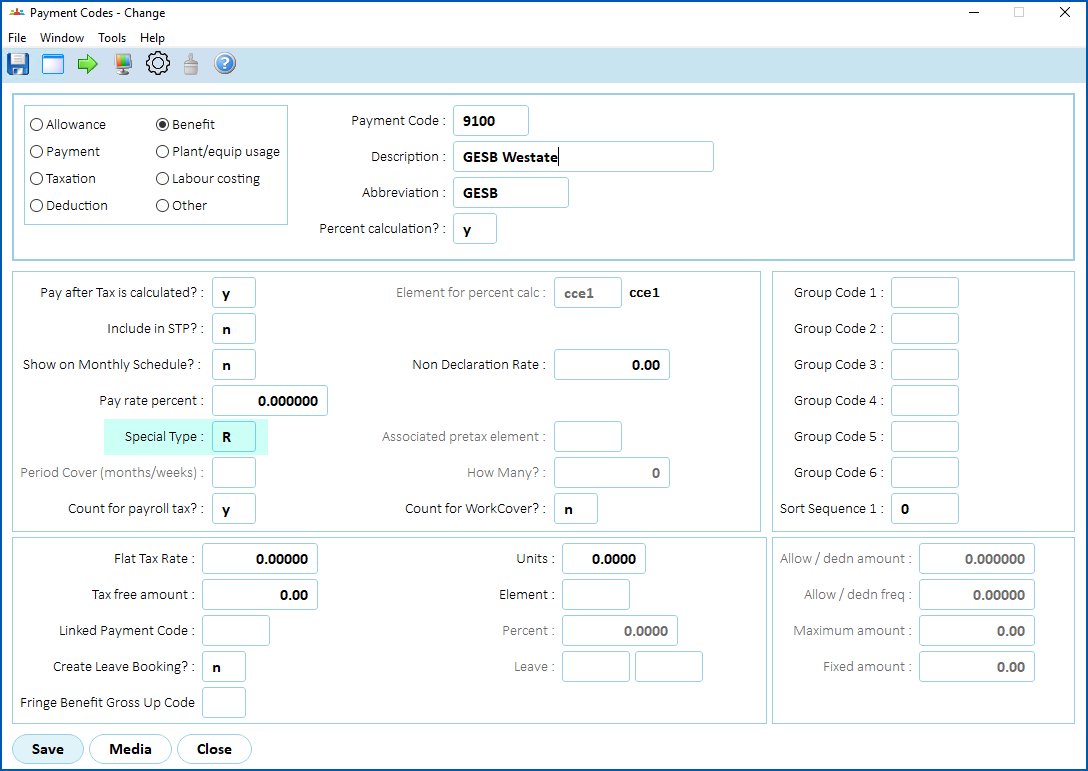
- At the Payment Codes detail screen, check the Special Type field, edit the type if it's wrong or missing, and then click Save.
© 2023 Fusion5. All rights reserved.