You need to create flexi leave rules for:
- flexi credit leave
- flexi banked leave
To create flexi leave rules:
- Go to Tasks > Leave > Leave Accruals and Rules > Leave Rules.
- At the Leave Rules summary screen, click New.
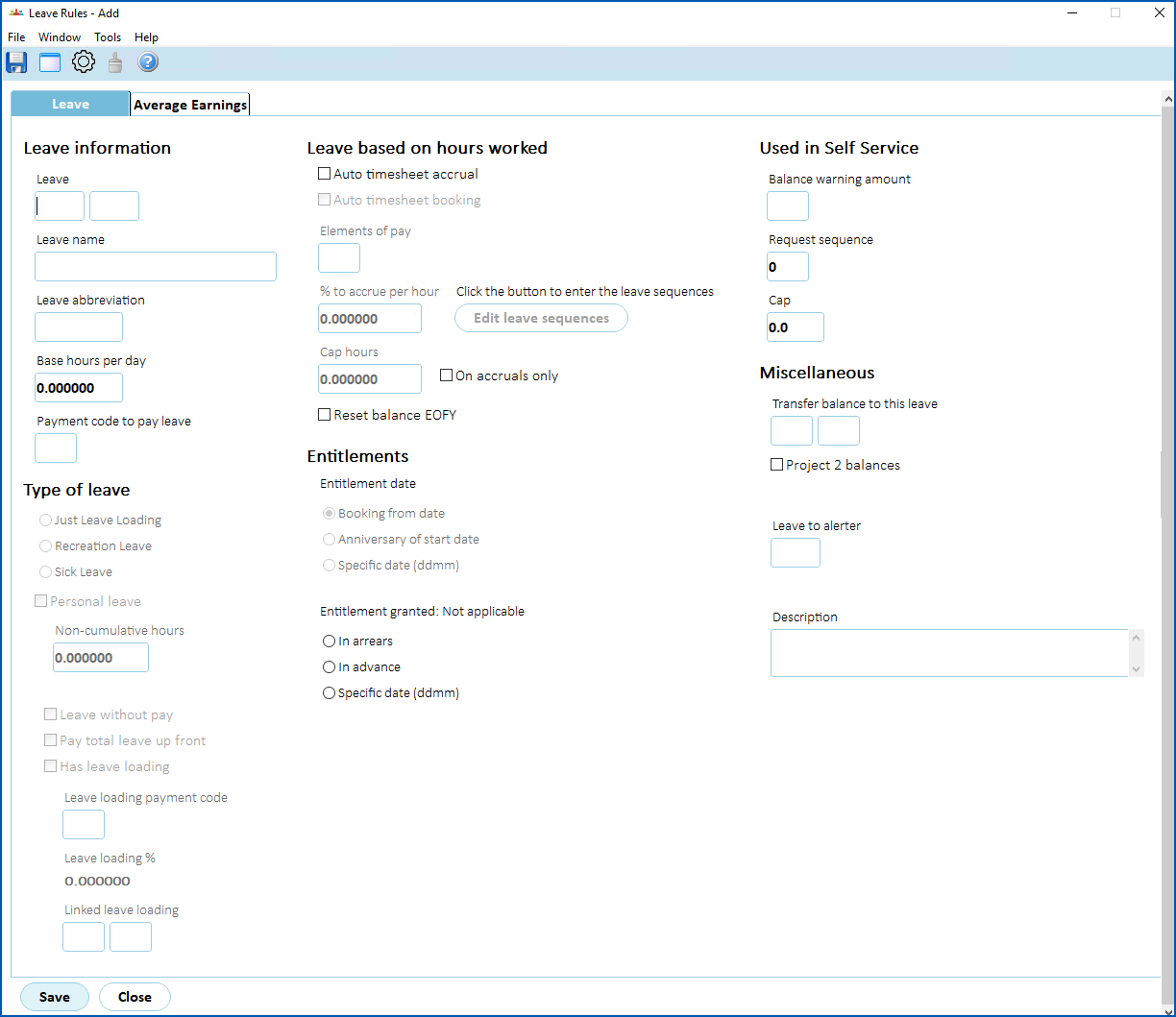
- At the Leave Rules detail screen, complete the fields using the following table as a guide.
| At this field... | Do this... |
|---|---|
| Leave | Enter the leave type and code for the leave rule, for example, flex, flecr |
| Leave name | Enter a descriptive name for the leave rule (up to 30 characters), for example, Flexi Credit Leave |
| Leave abbreviation | Enter a meaningful abbreviation of the leave name (up to 10 characters), for example, Flexi cred |
| Base hours per day | Enter the number of hours in a standard working day for a full-time employee, for example, 7.5 |
| Payment code to pay leave | Click Window to view a list of payment codes, find and double-click the payment code you set up to assign to the leave rule. |
| Request Sequence | Enter a number to order the sequence this leave rule displays in the Self Service Leave Request screen when an employee creates a new leave request. |
| Type of Leave | Nothing. We recommend you don't select a type of leave for flexi leave rules. |
- Click Save. The Leave Rules Sequence screen displays.
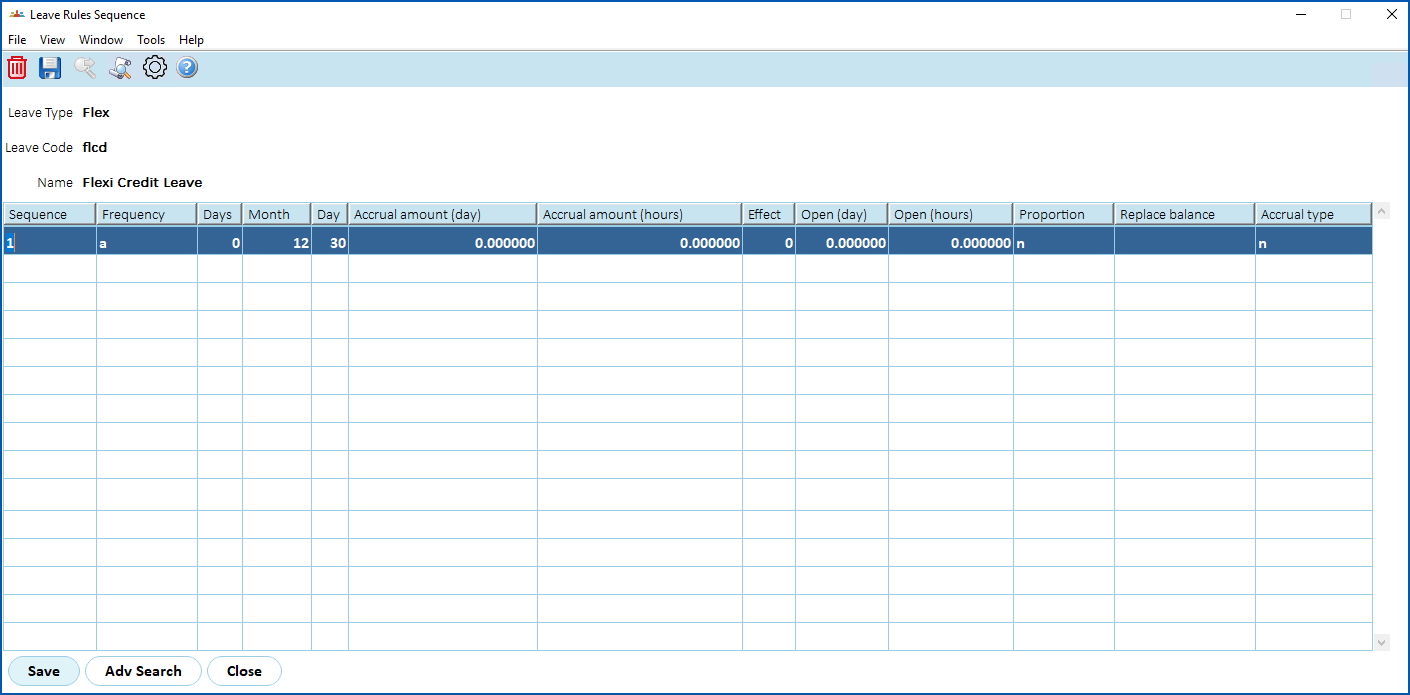
- Complete the columns using the following table as a guide.
| At this field... | Do this... |
|---|---|
| Sequence | Enter 1 for the order in which the rule is applied. |
Frequency | Enter the frequency at which accruals occur:
We recommend you enter a (annual). |
| Accrual amount (day) | Enter 0 |
| Accrual amount (hours) | Enter 0 |
| Proportion | Enter n (no). |
Accrual type | Enter n (no), as flexi leave is not accrued in the same way as other types of leave, it accrues (and can be viewed) via the flexi timesheet in Self Service. |
- Click Save, and then click Close.
- The leave rule is added to the Leave Rules summary screen.
- Repeat this procedure, starting from step 2, to set up the second, remaining flex leave rule.
© 2023 Fusion5. All rights reserved.