You can control whether EmpowerHR issues error or warning messages when users enter values that do not pass validation rules.
You can set the severity level to:
- Warning - a warning message displays but the user can still go ahead
- Error - the field must be completed with valid data otherwise an error displays and stops the user from going further
- Ignore - no severity. No error or warning is provided when the value does not pass validation rules
To set the field error validation severity: 
- Go to Administration > Screen Management > Field Error Validation.
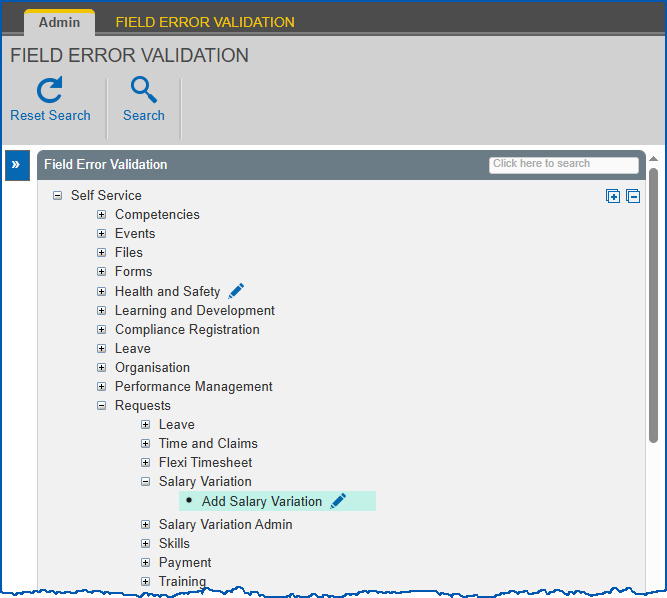
- At Field Error Validation, expand a group of screens, and then keep expanding the group until you see the screen you want to work on. Alternatively, use Search to locate the screen.

|
You can only set field error validation severity on a screen that displays the Change option. |
- Click Change.
- EmpowerHR displays the Field Severity details screen like the following example.
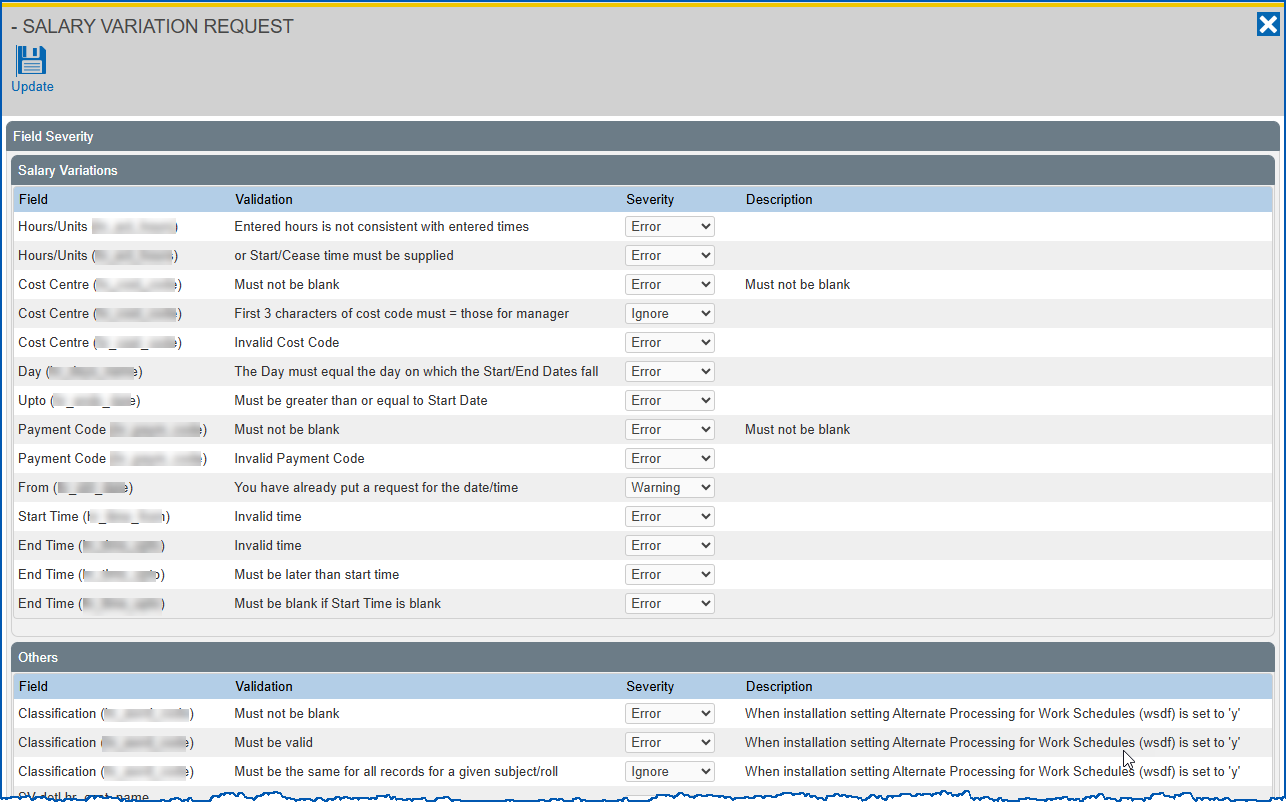
- At the field you want to set the validation severity for, select an option from the Severity dropdown list.
- Click Update.
© 2023 Fusion5. All rights reserved.