To run an STP payroll event: 
- Go to Background Jobs > STP > STP Files Generation > STP Payroll Event – Phase 2.
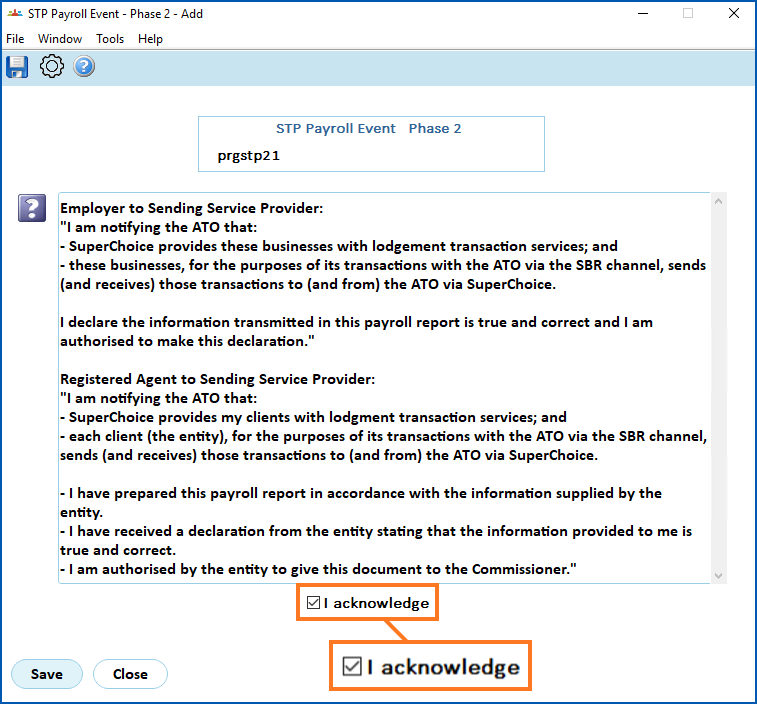
- At STP Payroll Event – Phase 2 (declaration), select I acknowledge, and then click Save.
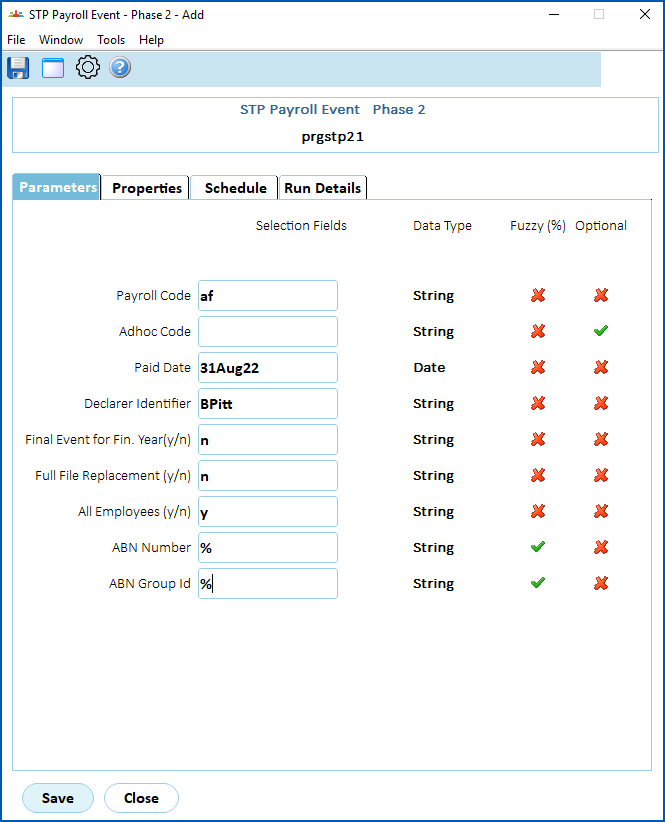
- At the STP Payroll Event – Phase 2 detail screen, on the Parameters tab, complete the fields using the following table as a guide.
| At this field... | Do this... | ||
|---|---|---|---|
Payroll Code | Enter the payroll code if you know it, or click Window, find and double-click the code to add it to the field. | ||
Adhoc Code | If you want to apply the payroll event to just those employees paid in a particular ad hoc pay run, enter the code. Otherwise, leave this field blank. | ||
| Paid Date | EmpowerHR displays the paid date based on the Payroll Code/Adhoc Code you selected. | ||
| Declarer Identifier | Enter the name of the person completing the payroll event. The name is included in reporting to the ATO. | ||
Final Event for Fin. Year Y/N | Enter:
| ||
Full File Replacement Y/N | Enter:
| ||
All Employees Y/N | Enter:
| ||
ABN Number | Enter:
| ||
ABN Group ID | Enter:
|
 , and you've reconciled the payroll, or

- Click Save to run the report.
© 2023 Fusion5. All rights reserved.