Set up a normal leave rule
To create a normal leave rule:
Go to Tasks > Leave > Leave Accruals and Rules > Leave Rules.
At the Leave Rules summary screen, click New.
At the Leave Rules detail screen, make your selections and entries in the leave rule fields.
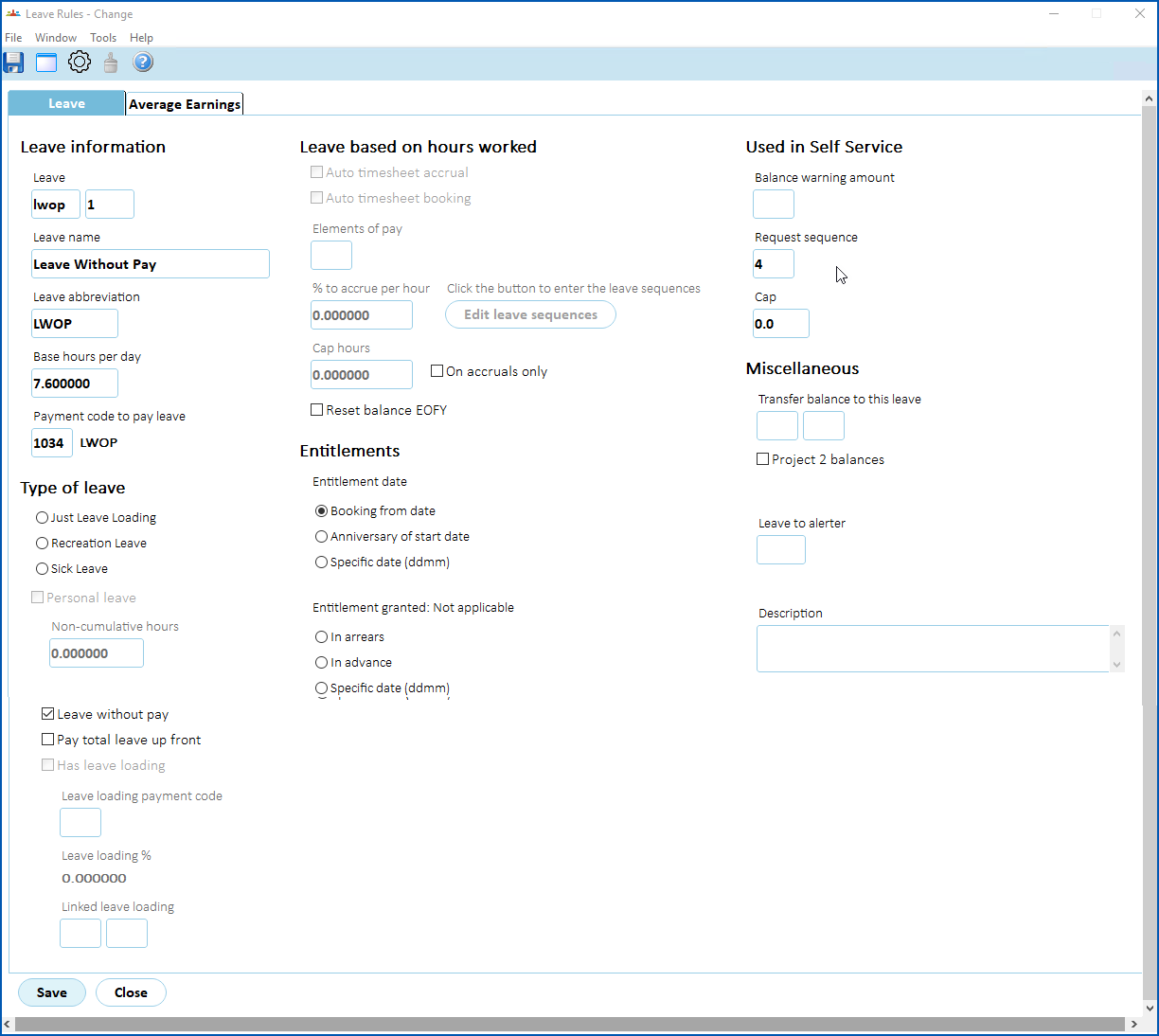
- Click Save. The Leave Rules summary screen displays.
- If the rule is for:
- an accruing leave type, then go to step 6.
- a non-accruing leave type, no further action is required.
Click Next Level. The Leave Rules Sequence screen displays.
Make your entries in the leave rules sequence fields.
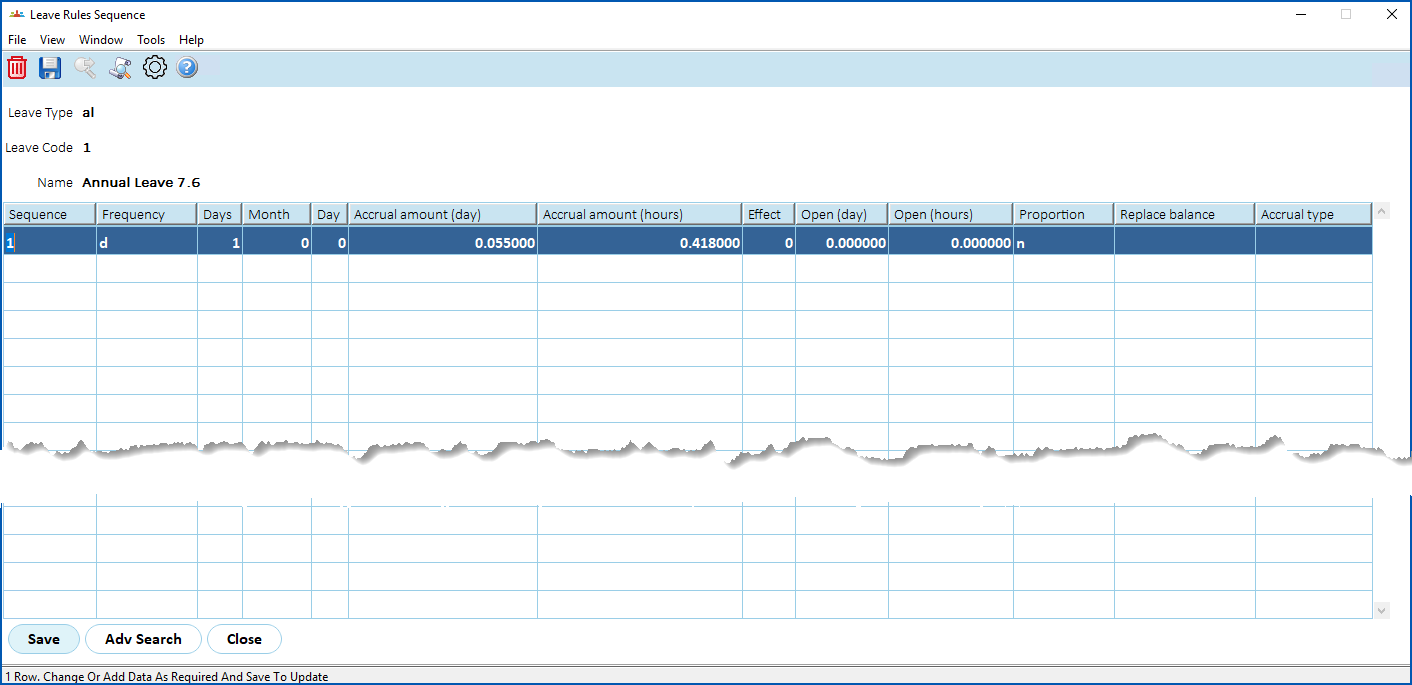
Click Save.
Set up a normal leave rule that accrues proportionately based on FTE%
 Get to know how to create an annual leave rule that will accrue proportionately based on an employee's FTE%.
Set up a normal leave rule that accrues based on timesheet hours
In less than 3 minutes, learn how to create an annual leave rule that will accrue based on the ordinary hours worked each pay period.
Set up a non-accruing leave rule
Want to see how to set up a non-accruing leave rule? This video takes you there in just 2 minutes 10 seconds!
© 2023 Fusion5. All rights reserved.