Use EmpowerHR's Availability screen in ESS to indicate the days you are generally available (and the days you are unavailable) for casual work. You are only notified about vacancies that fall when you are available.
The Availability screen shows your availability over the next 13 weeks considering:
- any casual assignments already booked
- your General Availability Pattern
- public holidays
- leave
- learning and development
- time elapsed since the last date you worked
To indicate your availability for casual relief work:
- Go to Casual Relief > Availability.
- EmpowerHR displays the Availability screen.
- In General Availability Pattern, select the checkbox against each day you are available for casual work. A green checkmark appears in the selected checkbox to show you are available.
- In Availability, select the checkbox against each day you are not available for casual work. A red checkmark appears in the selected checkbox to show you are unavailable.
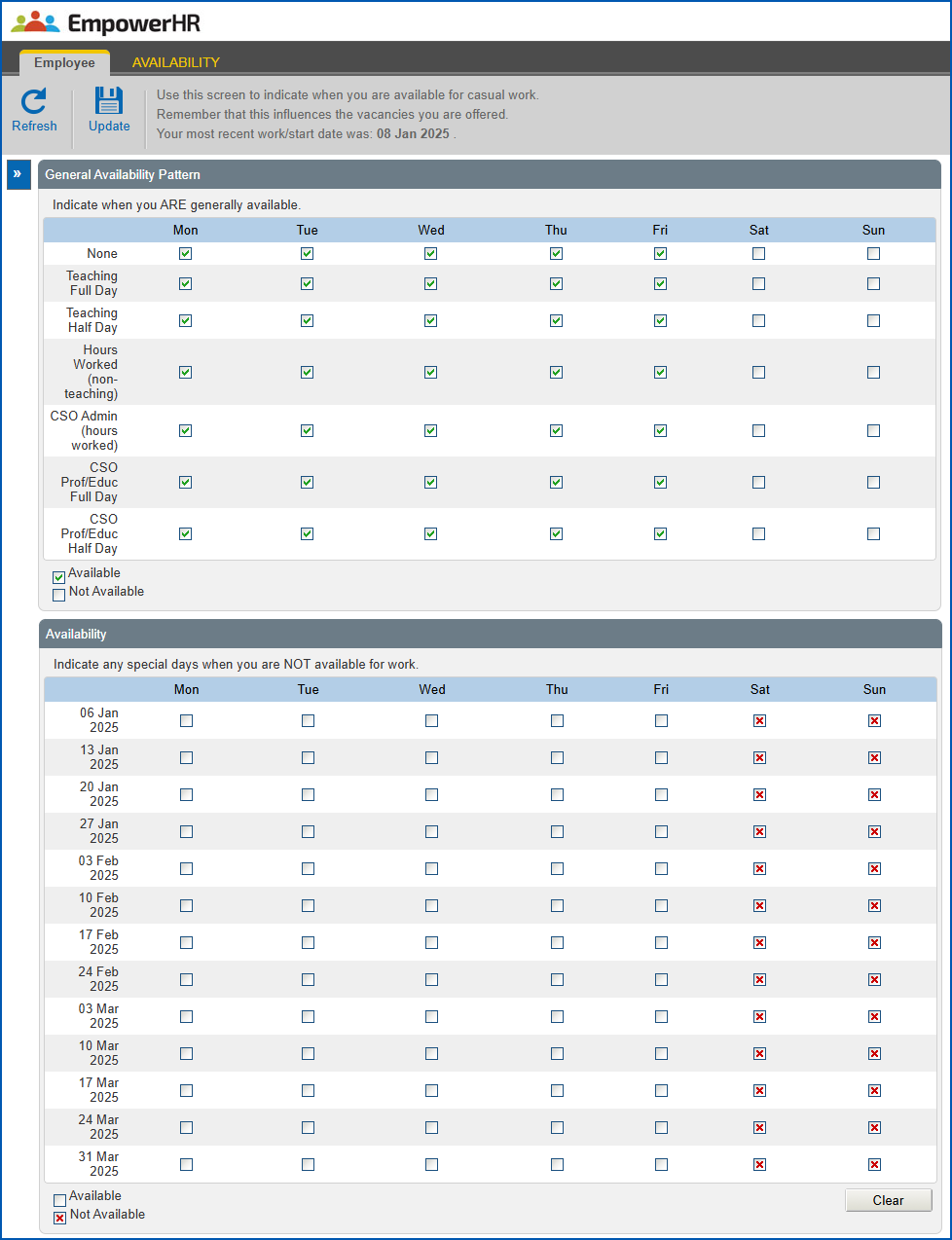
- Click Update.
© 2023 Fusion5. All rights reserved.