EmpowerHR uses the Field of Study control table in the enhanced employee demographics feature.
Create or update field of study codes
To create or update a field of study code:
- Go to Control Tables > Employee > Field of Study.
- At the Field of Study summary screen, click:
- New to create a new code, or
- Open to update an existing code
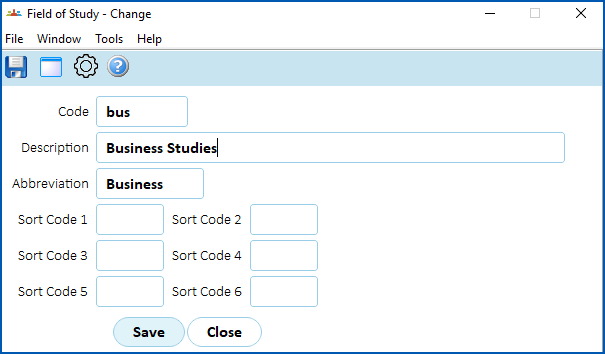
- At the Field of Study detail screen, complete or change the fields using the following table as a guide.
| At this field... | Do this... |
|---|---|
Code | If:
|
Description | Enter/change the full description (up to 30 characters) |
Abbreviation | Enter/change the abbreviation (up to 10 characters) |
Sort Code 1 - Sort Code 6 | N/A |
- Click Save.
© 2023 Fusion5. All rights reserved.