You can edit a registration request as many times as you like before submitting it for processing.
 |
You can only delete a registration request that appears in either of the following lists:
|
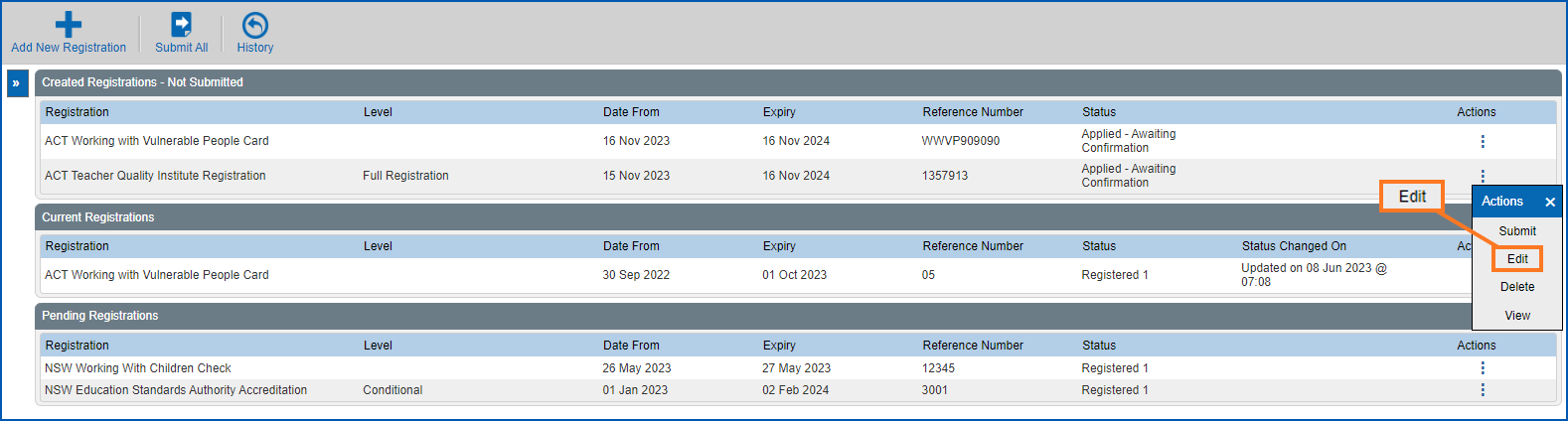
To edit a registration request (saved but not yet submitted for processing): 
- Click Compliance Registration.
- At the Compliance Registration summary screen, go to the Created Registrations - Not Submitted list.
- On the row showing the request you want to edit, click Actions and then select Edit from the menu..
- At the Registration Request details screen, make the changes you want. See the following topics for help:
- Click Save.
© 2023 Fusion5. All rights reserved.