To submit a registration request to the workflow for processing:
- Click Compliance Registration.
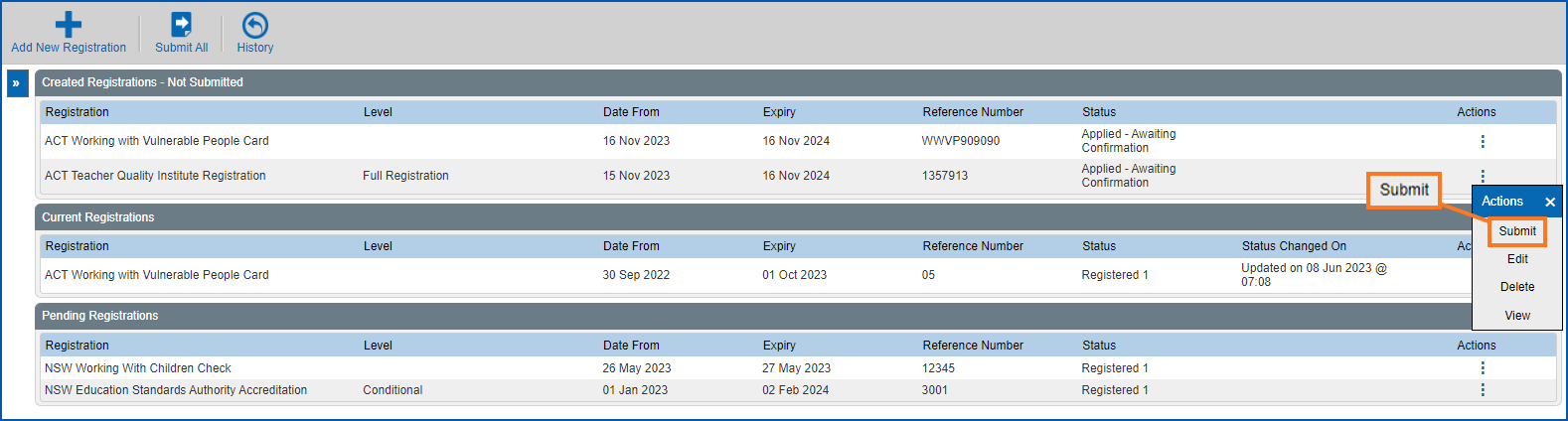
- At the Compliance Registration summary screen, go to the Created Registrations - Not Submitted list.
- On the row showing the request you want to submit, click Actions and then select Submit from the menu..
- At the Workflow Addressee dialogue box, select an approver from the Send To dropdown list. The approver options depend on how the workflow has been set up in your organisation.
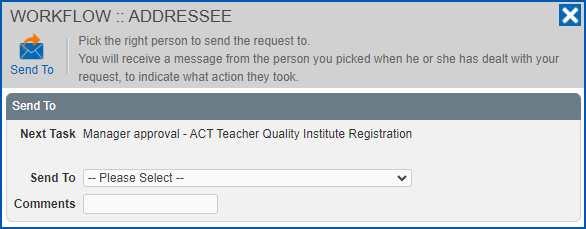
- Click Send To to submit your request for processing. Workflow directs your request to the first approver in the sequence of tasks.
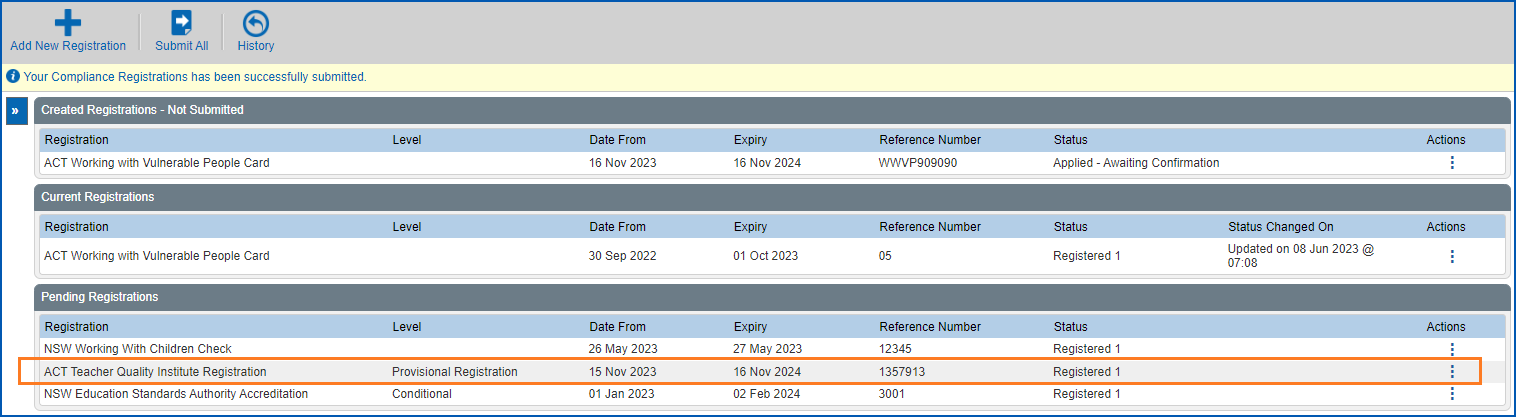
- At the Compliance Registration summary screen, your submitted request now appears in the Pending Registrations list.
© 2023 Fusion5. All rights reserved.