Auto-generated movements are those EmpowerHR creates from position movements. When you perform a movement for a substantively occupied position, you have the option of moving the employee with the position. EmpowerHR auto-generates the movement with the same movement reason code as the position movement (for example, relo  , resp , recl , etc).
relo = position relocated
resp = position responsibility change
recl = position reclassified
Use the General Movements screen to:
- delete (or change) a position movement that is auto-generated, and is not yet gathered (processing flag / is set to n)
- perform manual employee movements
To delete an auto-generated movement: 
- Go to Tasks > Employees > Position Movement > General Movement.
- At the General Movement summary screen, in Employee Code:
- enter the code if you know it, or
- click Window, find and double-click the code to add it to the field
- Press Tab. EmpowerHR displays all the employee's position movement records.
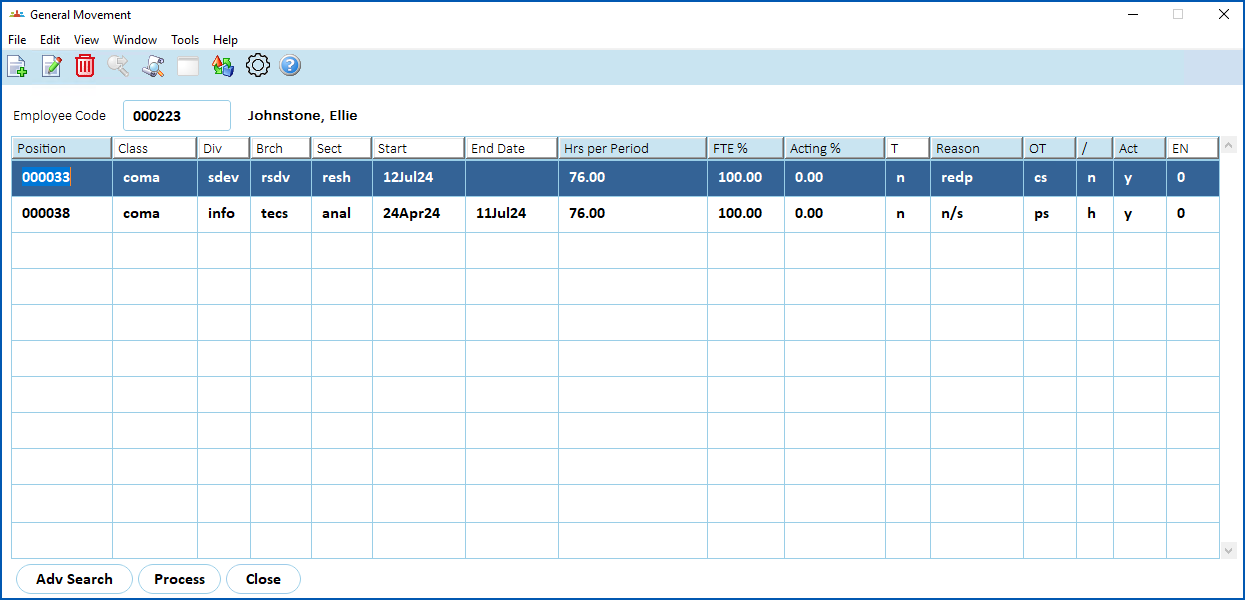
- Select the movement you want to delete, and then click Delete.
- EmpowerHR displays the Position Movement Information detail screen.
- Click Save.
- When the system asks if you are sure you want to delete the record, click OK.
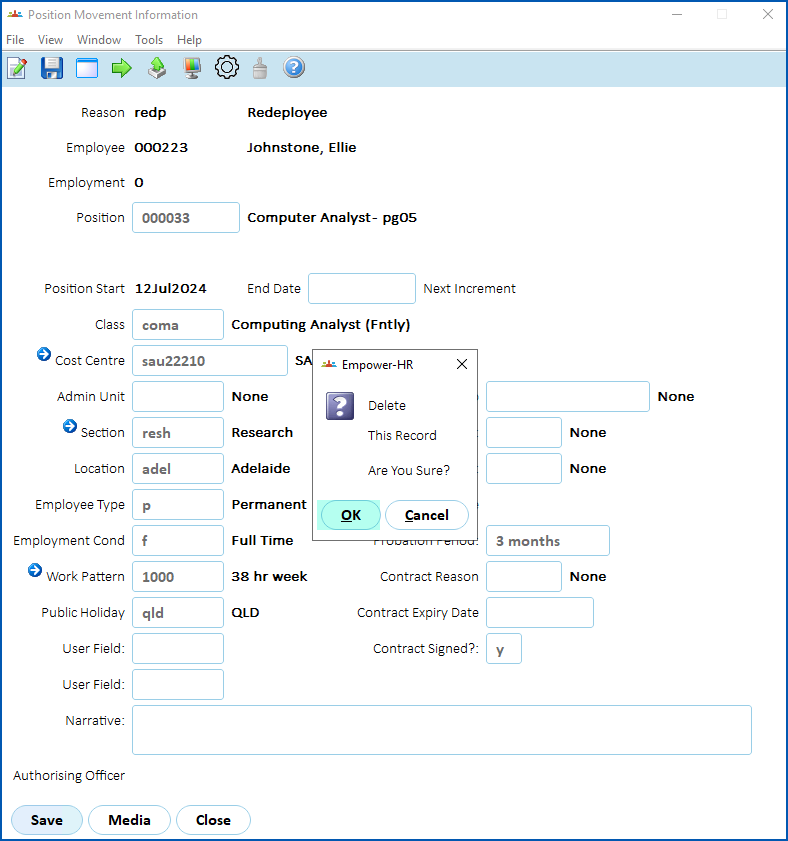
- EmpowerHR deletes the record, and it is no longer listed on the General Movement summary screen.
© 2023 Fusion5. All rights reserved.