This report provides a breakdown of payments made for the current pay periods, the current financial year, and current school calendar year.
To run the catholic educ pay summary report (xsch002k):
Go to Background Jobs > School > Schools Reporting > Catholic Educ Pay Summary.
- At the Catholic Educ Pay Summary screen, complete the fields using the following table as a guide:
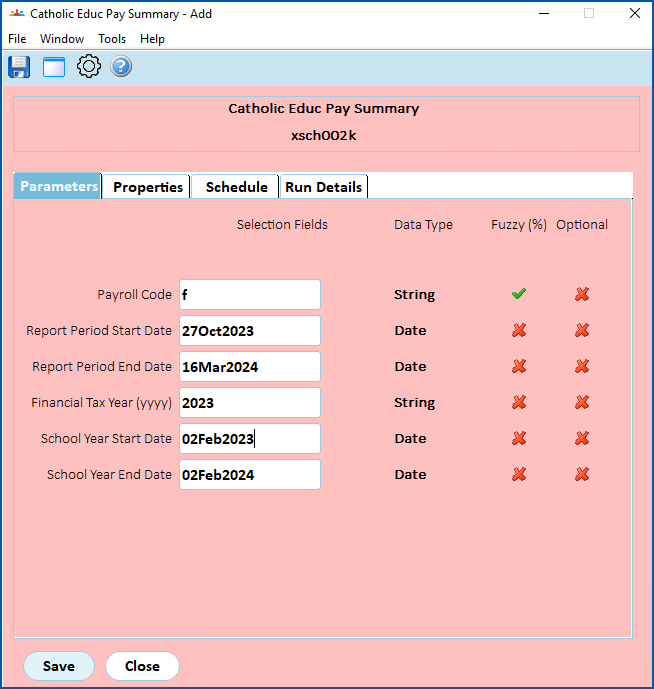
| At this field... | Do this... |
|---|---|
Payroll Code | Enter:
|
Report Period Start Date | Enter the date when you want the reporting period to start |
Report Period End Date | Enter the date when you want the reporting period to end |
| Financial Tax Year (yyyy) | Enter the tax year you want to report on |
| School Year Start Date | Enter your school's start of year date |
| School Year End Date | Enter your school's end of year date |
- Click Save. EmpowerHR runs the report.
- Go to Background Jobs > Requested Jobs > Requested Jobs to see the report.
© 2023 Fusion5. All rights reserved.