This report provides a comparison between the current and previous pay periods.
You can run the report at the Pay Calculations stage, or after pay run has been completed.
To run the catholic educ acquittal report (xsch001k):
Go to Background Jobs > School > Schools Reporting > Catholic Educ Acquittal Report.
- At the Catholic Educ Acquittal Report screen, enter:
- an individual Payroll Code, or else enter % to report on all payroll codes
- an individual School ID, or else enter % to report on all school IDs
- the Current Paid Date
- the Previous Paid Date
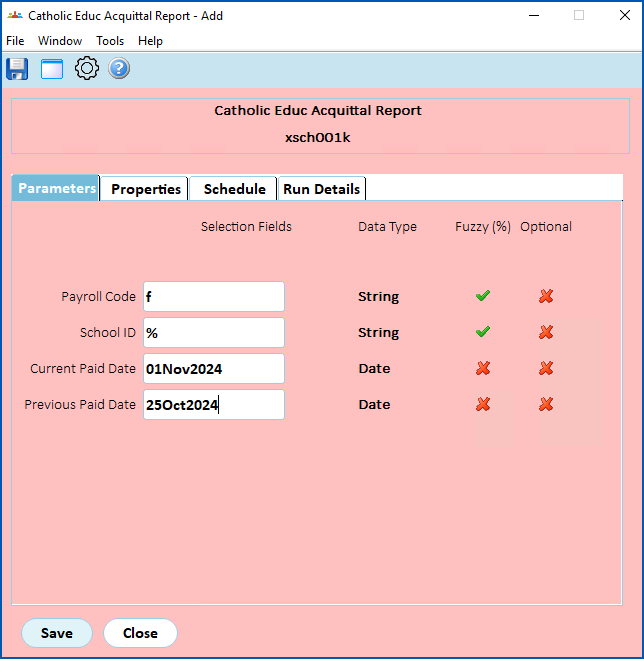
- Click Save. EmpowerHR runs the report.
- Go to Background Jobs > Requested Jobs > Requested Jobs to see the report.
© 2023 Fusion5. All rights reserved.