To assign a user to an account template: 
- Go to Administration > System Security > Operator Codes / Functions.
- At the Operator Codes / Functions summary screen, find and select the operator code you want to assign the template to.
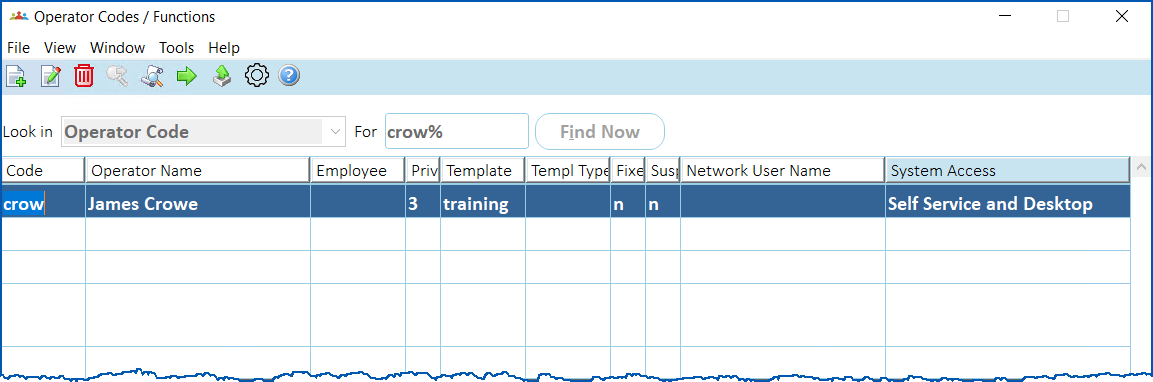
- Click Next Level. The Operator Codes / Functions details window displays.
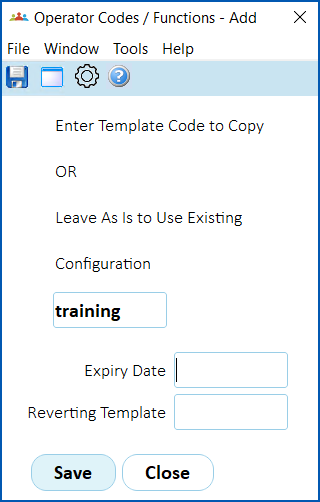
- Enter the template code if you know it, or click Window, find and double-click the code to add it to the Enter Template Code... field.
- If you are:
- temporarily assigning the user to this template, enter an Expiry Date and, at the Reverting Template field, click Window. Find and double-click the template you want to assign to the user once the expiry date is reached. Go to step 6.
- not temporarily assigning the user to this template, leave the Expiry Date and Reverting Template fields blank, and then go to step 6.
- Click Save.
- Click Close. The Account Templates (available modules) screen displays with the assigned user.
- Click Close.
© 2023 Fusion5. All rights reserved.