You can delete an account template and, if you need it again later, reinstate it.
To delete an account template: 
- Go to Administration > System Security > Account Templates.
- At the Account Templates summary screen, click Find Now to display a list of existing templates.
- Select the template, and then click Delete.
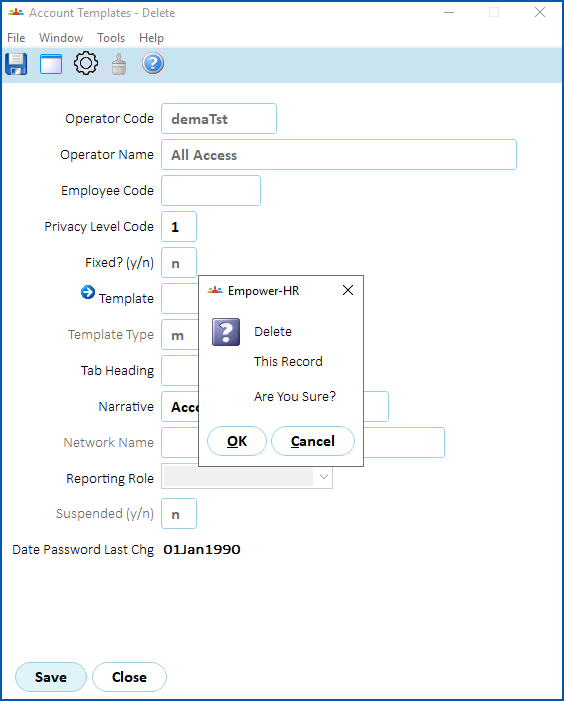
- At the Account Templates - Delete screen, click Save.
- When EmpowerHR asks if you are sure, click OK.
- EmpowerHR removes the record from the Account Templates summary screen.
|
Reinstating a deleted account template To reinstate a deleted account template, create a new template but enter the same code as the original in the Operator Code field. In our example, the original code is demaTst. EmpowerHR recognises the original code and populates most of the fields for you. |

© 2023 Fusion5. All rights reserved.