Once you've reviewed the request, the Flexi Work Request Acceptance screen gives you four options:
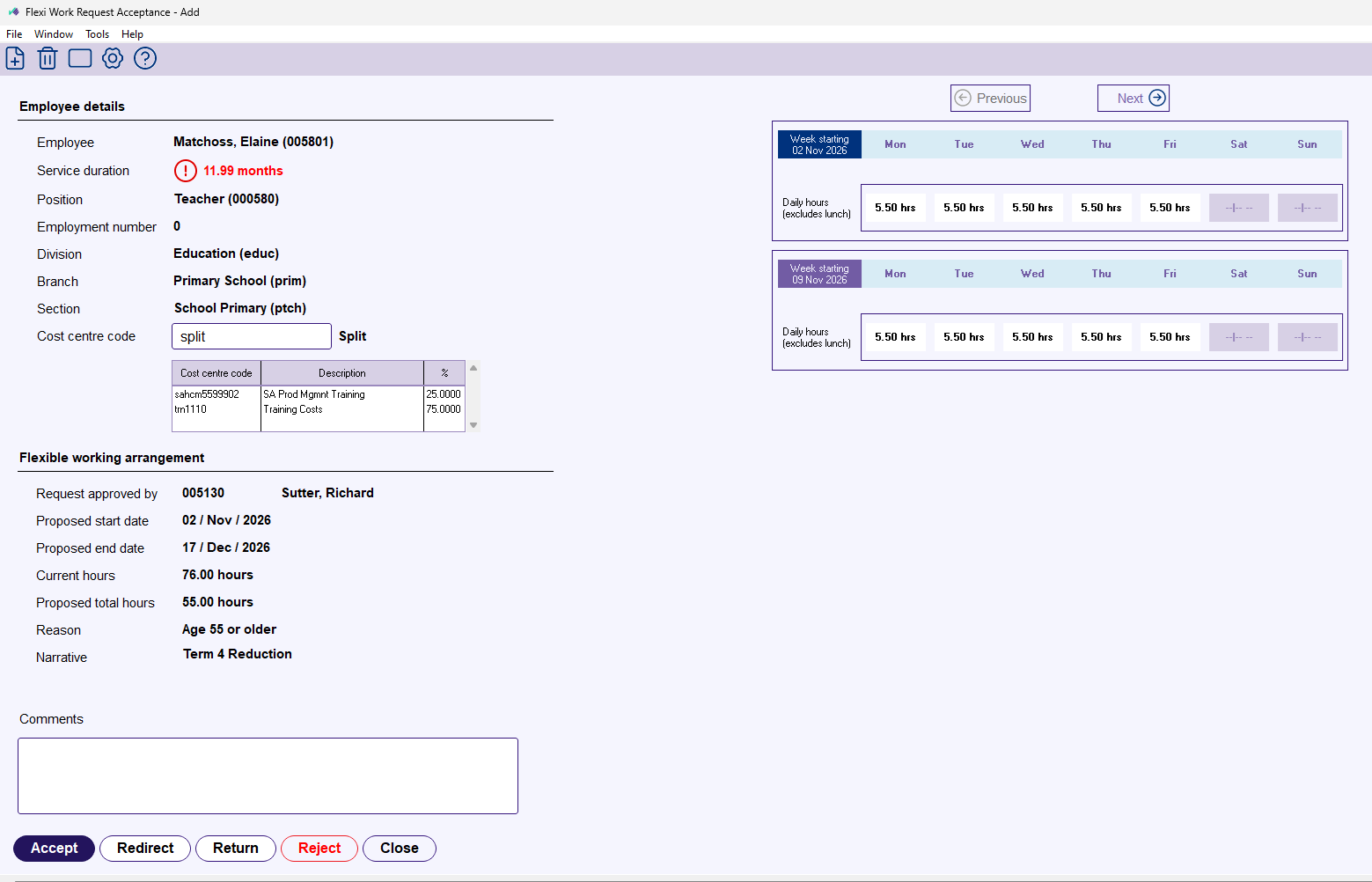
- Click Accept to approve the request and create the position movements.
- Click Redirect to send it to a different payroll user.
- Click Return to send it back to the previous approver for changes.
- Click Reject to cancel the request.
For reject, return, and redirect, add a comment explaining your decision. The employee and approvers are notified of whichever action you take.
If you click Accept, EmpowerHR steps you through the position movement screens. See Position movement (FWA) for the walkthrough.
If you need to undo a processed request
See Delete and reverse a position movement in the EHR User Guide.
Next topic |
|---|
© 2023 Fusion5. All rights reserved.