We use the following case study to demonstrate how to apply a different accrual rule to leave loading:
Case study: Apply a different accrual rule to leave loading At the Amazing ACME Company: |
To apply a different accrual rule to leave loading:
- create a new rule for the leave loading
- link the new leave loading rule to the leave rule
Create a new rule
To create a new rule for leave loading:
- Go to Tasks > Leave > Leave Accruals and Rules > Leave Rules.
- At the Leave Rules summary screen, click New.
- At the Leave Rules detail screen, set up the rule (similar to an annual leave rule) and make sure you select Just Leave Loading.
 |
For more information about completing rule details, see leave rule fields. |
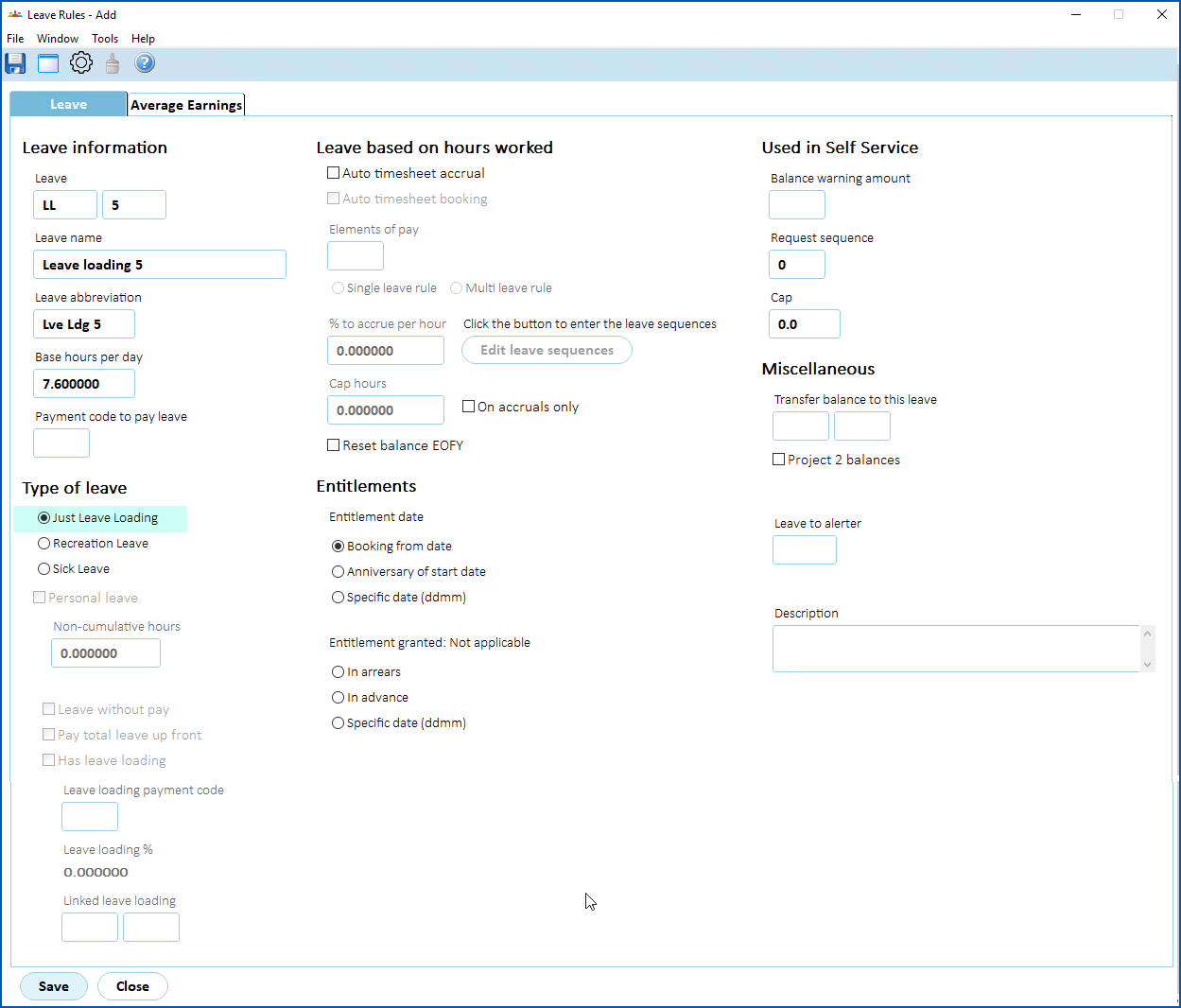
- Click Save. EmpowerHR displays the Leave Rules Sequence screen.
- Make your entries in the leave rules sequence fields.
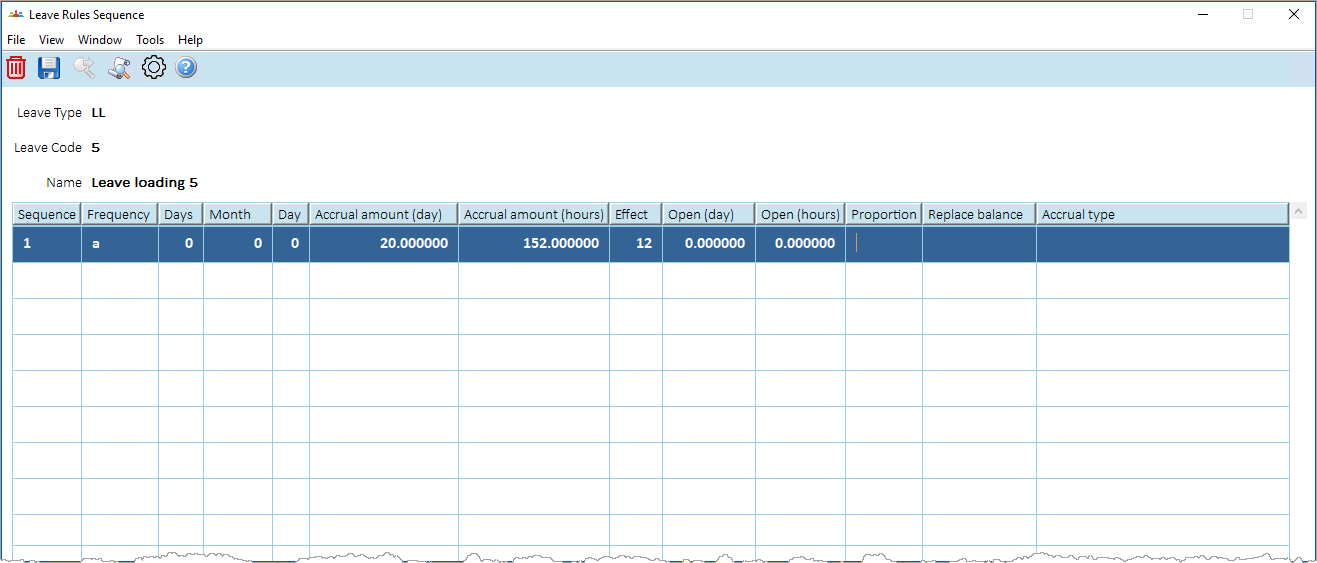
- Click Save.
Link the new rule
To link the new leave loading rule to the leave rule:
- Go to Tasks > Leave > Leave Accruals and Rules > Leave Rules.
- At the Leave Rules summary screen, select the row containing the leave rule you want to link to, and then click Open.
- At the Leave Rules detail screen:
- select Has leave loading
- enter the newly created leave loading rule code in Linked leave loading
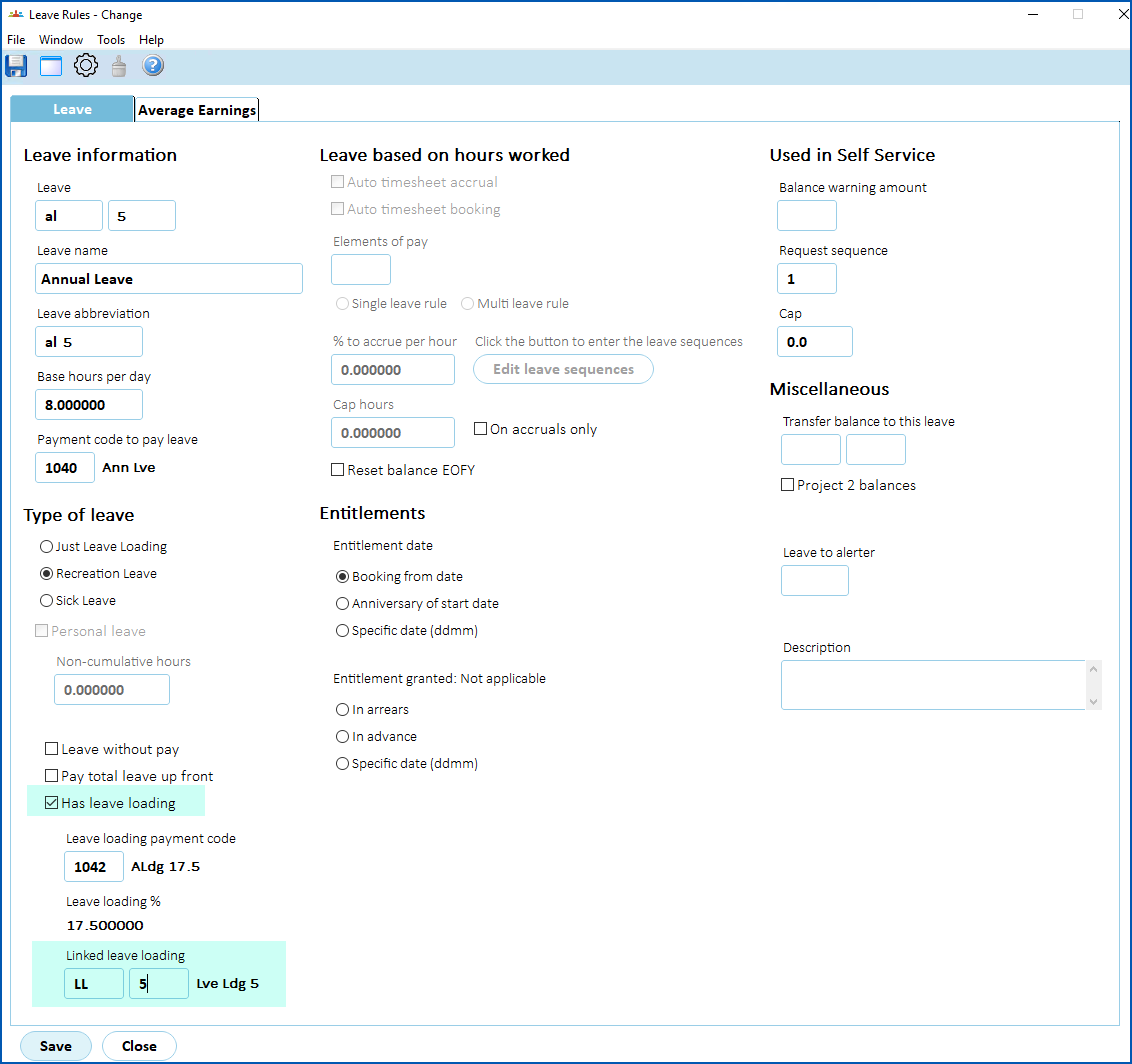
- Click Save.
Once set up, the linked leave loading shows separately on the Leave Balance Enquiry screen. Any payment made as a result of a leave booking is offset against the accrual rule for the loading. It's possible the hours balance of loading differs from the hours balance of the associated leave.
|
|
Both the leave loading rule and leave rule must be allocated to the employee. |
© 2023 Fusion5. All rights reserved.