You can assign specific skills and qualities to a position. Specifying criteria is useful for the recruitment process.
To add selection criteria:
- At the Create Positions summary screen, select the position, and then click Selection Criteria.
- EmpowerHR displays the Selection Criteria summary screen.
- Click New.
- At the Selection Criteria (add) details screen, select a Category from the dropdown list.
- Review each item in the listed Selection Criteria, and select the checkbox displayed beside the items you want to add to the position.
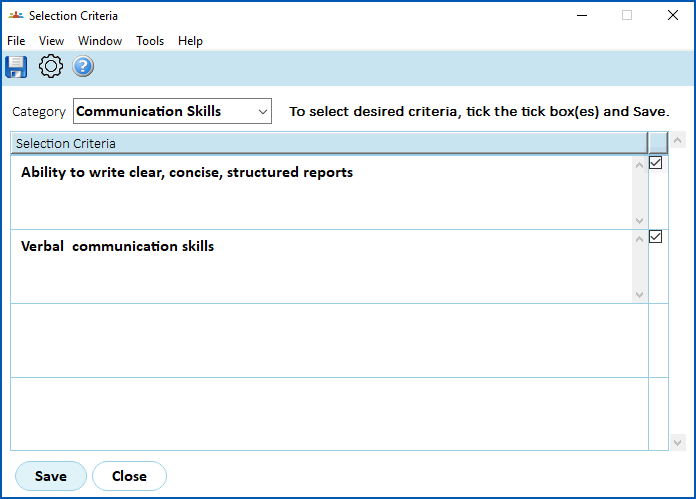
- Click Save.
- EmpowerHR displays the Selection Criteria summary screen, listing the criteria you selected.
- Repeat this procedure, starting at step 3, until you have added all the relevant criteria to the position.
- When you're finished, click Close.
© 2023 Fusion5. All rights reserved.