EmpowerHR offers additional information screens to add user-specific information or data that isn't typically recorded elsewhere in the system.
Your organisation determines if any additional data screens need to be completed when creating a new position.
To add position additional information:
- At the Create Positions summary screen, select the position, and then click Additional Information.
- EmpowerHR displays the Additional Information summary screen.
- Click New.
- At the Additional Information - Add details screen, press Tab.
- At Screen Type, click Window, find and double-click the type code to add it to the field.
- Press Tab.
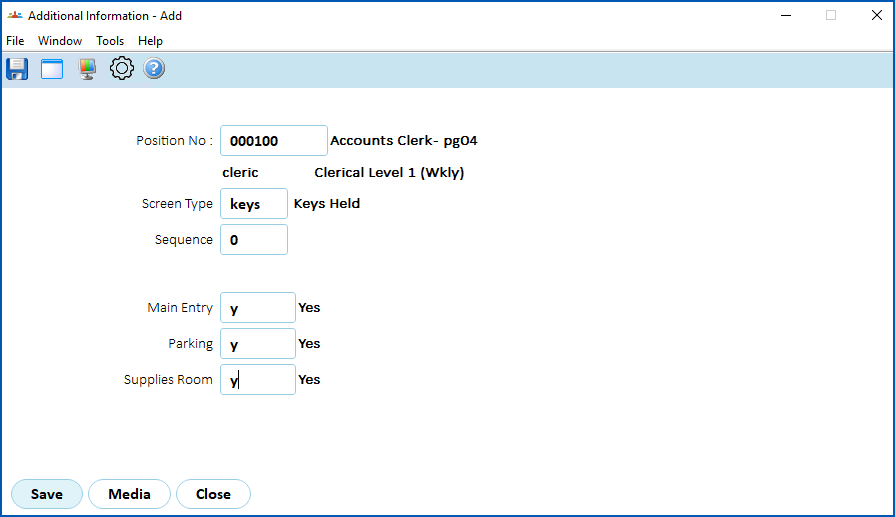
- EmpowerHR displays fields based on the screen type you selected.
- In the Sequence field, enter 0 as this is the first time the information is used for the position.
- Complete any other required fields. In the following example, we are adding the keys to be issued for the position.
- Click Save.
- EmpowerHR displays the Additional Information summary screen, listing the additional information you created.
© 2023 Fusion5. All rights reserved.