EmpowerHR uses events (diary notes) to record your organisation's significant occurrences, or to notify someone of an upcoming occurrence. The system regularly generates these reminders as email notifications (or by report). If your organisation uses events on date fields such as contract expiry date, EmpowerHR automatically adds the events to the employee record. 
You can also manually add an event, as we show you in the following procedure.
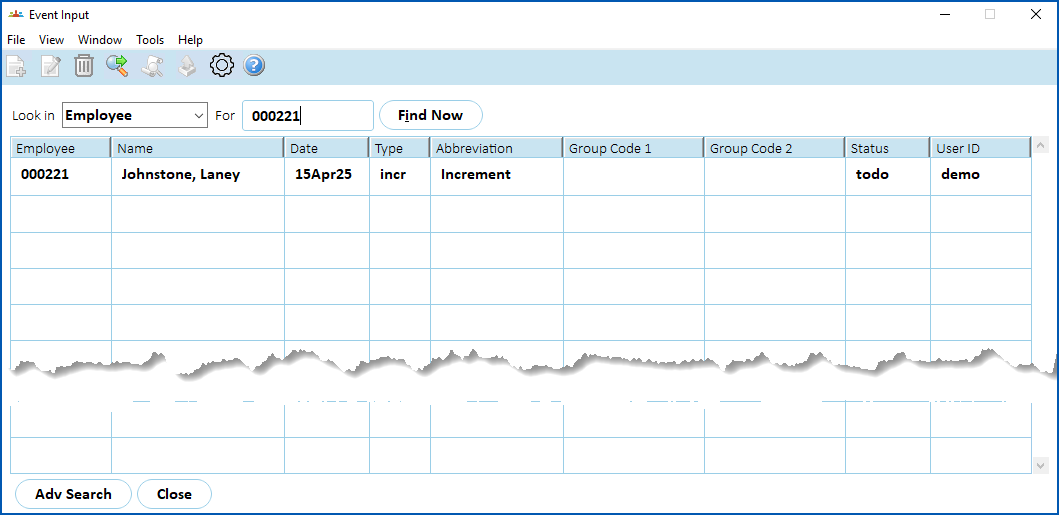
Here's an example of the Event Input summary screen. If your organisation uses events on date fields (for example, next increment date), EmpowerHR lists them here on the summary screen.
Manually add an event
To manually add an event to the employee record:
- At the Event Input summary screen, click New.
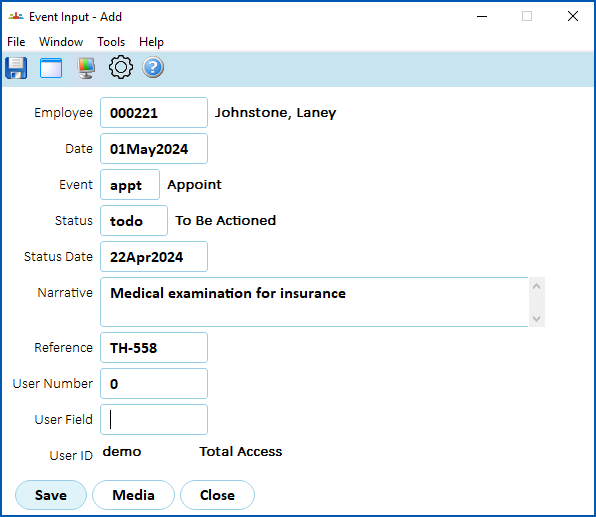
- At the Event Input (add) screen, complete the event fields.
- Click Save.
- If you have more events to add, repeat this procedure.
When you finish adding all required events, at the Event Input summary screen, click Close.

|
Congratulations! You've completed the process for adding an employee to EmpowerHR. |
© 2023 Fusion5. All rights reserved.