Here is where you record any deductions, employer benefits, additional taxes, and allowances that occur whenever the employee is paid. 
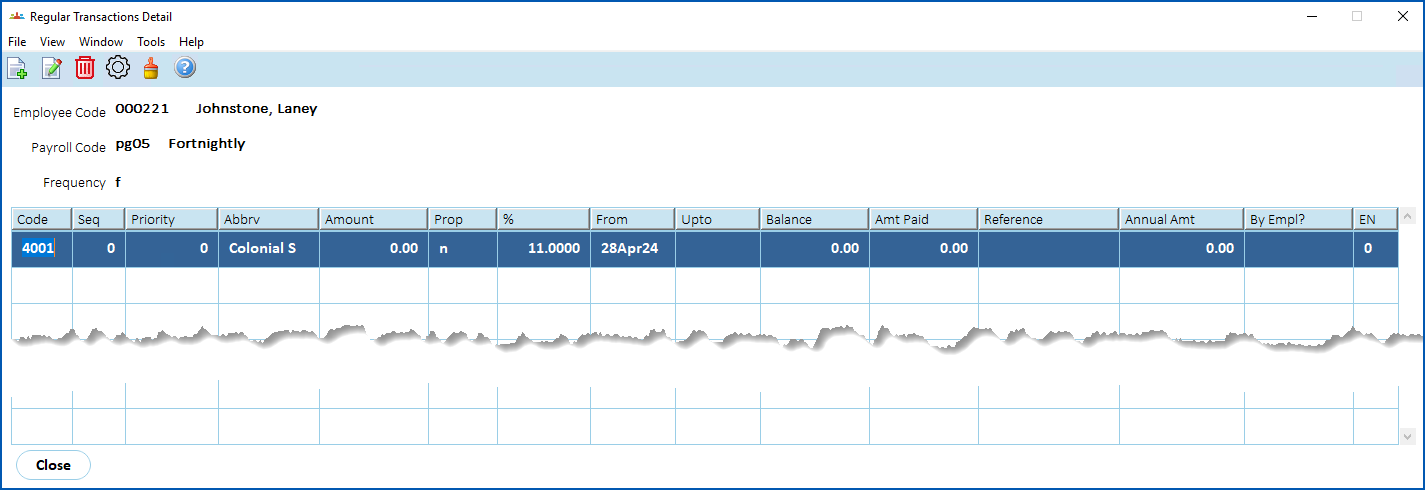
If you've previously added any super fund details, they appear in the Regular Transaction Detail summary screen.
[+]
Show example
[-]
Hide example
Here's an example of the Regular Transaction Detail summary screen, listing a regular superannuation transaction.
Add regular transaction details
To add a regular transaction's details:
- At the Regular Transaction Detail summary screen, click New.
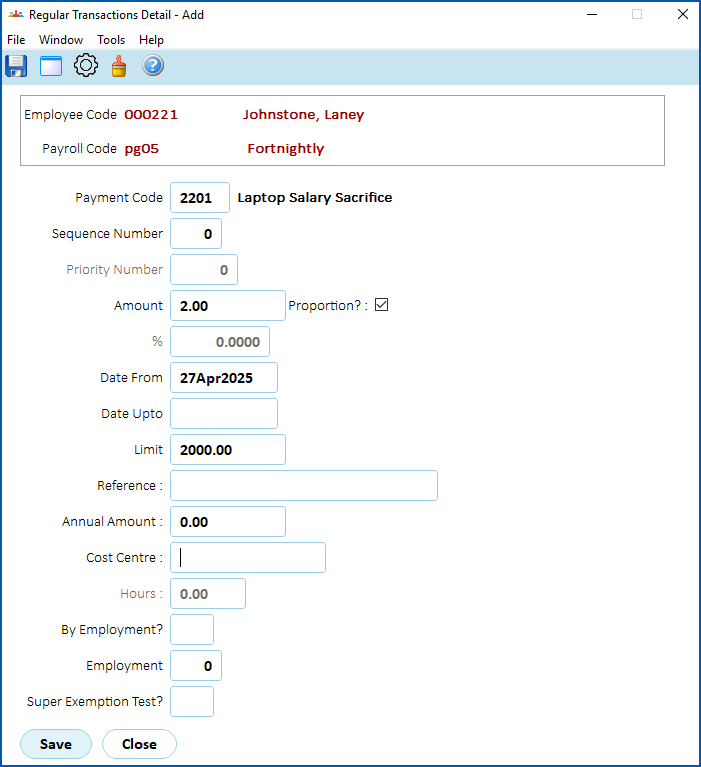
- At the Regular Transaction Detail (add) screen, complete the regular transaction fields.
- Click Save.
- If you have more transactions to add, repeat this procedure.
[+]
Show example
[-]
Hide example
Here's an example of regular transaction details for the employee.
When you finish adding regular transactions for the employee, at the Regular Transaction Detail summary screen, click Close.
The Payment Instructions Detail summary screen displays. See add employee payment instructions for what to do next.
© 2023 Fusion5. All rights reserved.